EasyManua.ls Logo

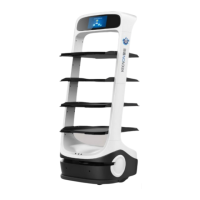
Keenon Robotics DINERBOT T10 - User Manual

Default Icon
36 pages
Print Icon
To Next Page IconTo Next Page
Loading...
KEENON Robotics Co.,Ltd.

Questions and Answers

  • K
    Keith LewisAug 7, 2025
    What to do if my Keenon Robotics robot is unable to move properly?
    • J
      Jessica MartinAug 7, 2025
      If your Keenon Robotics unit is unable to move properly because its positioning has been lost, move it to the charging pile to charge; it will reset automatically. Also, ensure that the image module is not obscured or defaced and that the LiDAR is not dirty.
  • N
    Nicolas Daugherty Jr.Aug 17, 2025
    Why is my Keenon Robotics robot failing to charge properly?
    • M
      Matthew JenningsAug 17, 2025
      If your Keenon Robotics unit fails to charge properly, make sure the charging pile is in its original position and connected to the power supply. Also, verify that there are no obstructions within 0.5m in front of the charging pile and on all sides.
  • J
    James HughesAug 27, 2025
    What to do if Keenon Robotics has failure to play the voice?
    • K
      Kristin WolfAug 27, 2025
      If your Keenon Robotics unit fails to play voice, the voice of the robot may be turned off or the volume is too low. Please reset the voice or volume.

Summary

Introduction and Safety Precautions

Robot Safety Precautions Overview

Details on necessary precautions for operating the robot safely.

Warning Symbols and Their Meanings

Explanation of warning symbols and their severity of potential injury.

Key Safety Instructions

Specific safety instructions and warnings for operating the robot.

Usage Guidelines and Best Practices

Guidelines and best practices for operating the robot correctly.

Product Details

Robot Parts Identification

Diagrams and identification of the robot's external components.

Robot Performance Specifications

Technical specifications and operational limits of the robot.

Robot Operation

Powering the Robot On and Off

Procedures for starting up and shutting down the robot.

Charging via Charger

Instructions for charging the robot using a dedicated charger.

Charging at Charging Stations

Steps for charging the robot at an automated charging station.

Using the Emergency Stop Button

How to use the emergency stop button and restore normal operation.

Maintenance and Troubleshooting

Robot Cleaning Guide

Guidelines for cleaning the robot's sensors, exterior, and trays.

Safe Robot Transportation

Safety precautions and methods for transporting the robot.

Robot Maintenance Schedule

Schedule and procedures for routine robot maintenance tasks.

Troubleshooting Robot Faults

Common issues, their possible causes, and solutions for the robot.

Keenon Robotics DINERBOT T10 Specifications

General IconGeneral
ModelDINERBOT T10
Weight60 kg
Speed0.5-1.2 m/s
ApplicationRestaurant service
Charging Time4 hours
NavigationLidar and visual SLAM
CommunicationWi-Fi
Display10.1 inch
Languages SupportedMultiple

Related product manuals