EasyManua.ls Logo

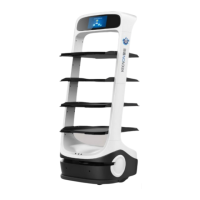
Keenon Robotics DINERBOT T9 - User Manual

Default Icon
36 pages
Print Icon
To Next Page IconTo Next Page
Loading...
KEENON Robotics Co.,Ltd.

Questions and Answers

  • A
    allenjulieAug 8, 2025
    What to do if my Keenon Robotics robot is unable to move properly?
    • A
      Alexis HicksAug 8, 2025
      If your Keenon Robotics unit is unable to move properly because its positioning has been lost, move it to the charging pile to charge; it will reset automatically. Also, ensure that the image module is not obscured or defaced and that the LiDAR is not dirty.
  • L
    Lori GomezAug 15, 2025
    Why is my Keenon Robotics robot failing to charge properly?
    • M
      Mrs. Traci JamesAug 15, 2025
      If your Keenon Robotics unit fails to charge properly, make sure the charging pile is in its original position and connected to the power supply. Also, verify that there are no obstructions within 0.5m in front of the charging pile and on all sides.
  • S
    Stephanie DuncanAug 23, 2025
    How to fix Keenon Robotics failure to boot properly?
    • Y
      ymilesAug 23, 2025
      If your Keenon Robotics unit fails to boot properly, the battery may be low. Use the charging pile or the charger to charge the robot.
  • C
    Crystal JohnsonAug 29, 2025
    What to do if Keenon Robotics has failure to play the voice?
    • K
      Kyle HendrixAug 29, 2025
      If your Keenon Robotics unit fails to play voice, the voice of the robot may be turned off or the volume is too low. Please reset the voice or volume.

Summary

Introduction

Safety Precautions

About Safety Precautions

Explains the importance of reading user instructions before operating the robot and prioritizing safety.

Interpretation of Symbols

Defines warning, caution, and note symbols and their severity of injury or damage.

Safety Instructions

Lists critical safety instructions regarding power, battery, laser, environment, and handling.

Instructions for Use

Provides guidelines on proper operation, environmental conditions, load limits, and emergency responses.

Parts of Product

Appearance & Parts

Identifies and illustrates the external components and parts of the robot.

Performance Parameters

Details the technical specifications and performance capabilities of the robot.

Operating

Power On;Off

Step-by-step instructions for turning the robot on and off using the main switch.

Charging with Charger

Explains the process of charging the robot using a standard charger.

Charging at Charging Piles

Details how to use charging piles for automatic or manual robot charging.

Emergency Stop

Describes the function, use, and reset procedure for the emergency stop button.

Maintenance

Cleaning

Provides instructions on how to clean the robot's sensors, exterior, trays, and wheels.

Transportation

Outlines the safe procedures for lifting, moving, and transporting the robot.

Maintenance and Maintenance Interval

Specifies the schedule and methods for routine maintenance of robot components.

Keenon Robotics DINERBOT T9 Specifications

General IconGeneral
ModelDINERBOT T9
CategoryRobotics
Battery Life12 hours
Charging Time4 hours
Number of Trays3
Obstacle AvoidanceMulti-sensor fusion
ApplicationFood and Beverage Service
NavigationVisual SLAM
Speed1.0 m/s
CommunicationWi-Fi
Turning Radius50 cm

Related product manuals