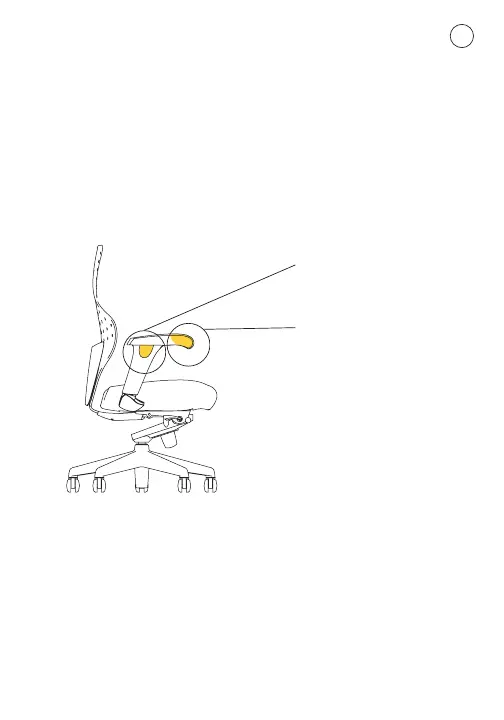
4. Arm Height Adjustment
Use the buttons on the outside of the arm rests
To raise or lower resting your thumb and palm on top of the arm
rest, slide your middle fingers to the outside of the arms and
squeeze the button up – raise or lower the arm rest to the desired
position and release the button to lock
In and out grab the front of the arm rest and pull it back –
then pivot it in or out to one of the 3 positions (there are no
buttons to push)
Use this
(to raise or lower arms)
Use this area
(to pivot arms)


 To Next Page