- 8 - www.keller-druck.com
Menu Navigation
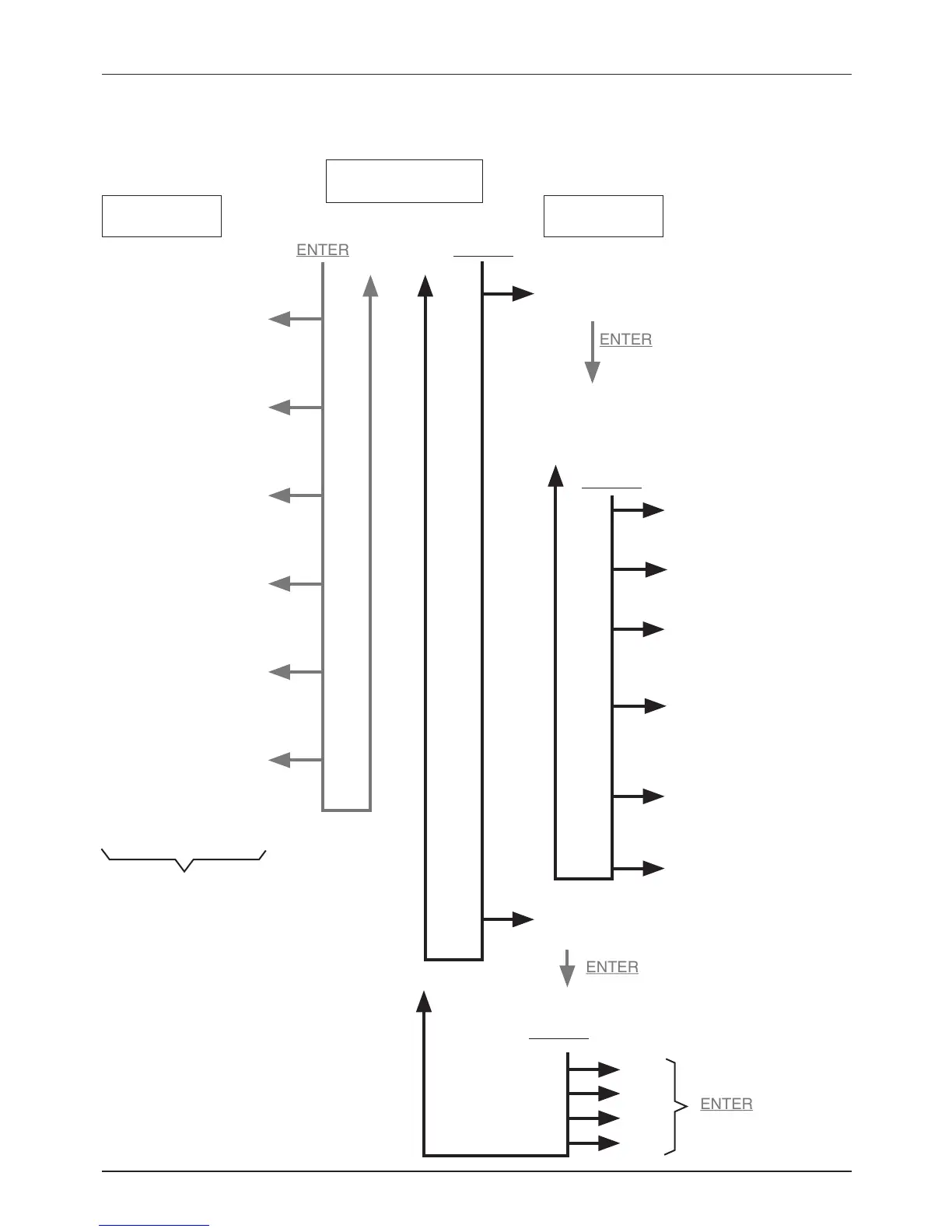
Menu structure
Switch output I:
High switching
threshold (High)
Switch output II:
Low switching
threshold (Low)
Switch output I:
Low switching
threshold (Low)
Switch output II:
High switching
threshold (High)
Switch output I:
Switching function (Fct.)
(Hysteresis / window,
NO/NC, OFF)
Switch output II:
Switching function (Fct.)
(Hysteresis / window,
NO/NC, OFF)
Switch output I:
Low switching
threshold (Low)
Switch output II:
High switching
threshold (High)
Switch output II:
Low switching
threshold (Low)
Switch output I:
Switching function (Fct.)
(Hysteresis / window,
NO/NC. OFF)
Switch output II:
Switching function (Fct.)
(Hysteresis / window,
NO/NC. OFF)
Return to Normal
Mode (END)
Change the pressure
display unit ( Unit)
bar
SELECT
Change the settings of
the switch outputs (S Set)
Programming mode
Switch output I:
High switching threshold (High)
Pressure display
(normal mode)
Show the
conguration
Change the
conguration
SELECT
SELECT
MPa
PSI
mbar
kPa
The currently selected menu item is
indicated at the bottom of the display
with arrows. These point to the corre-
sponding designations:
I, II, High, Low, Fct.


 To Next Page