1 Introduction
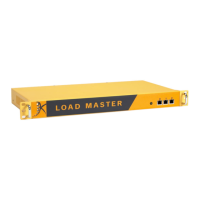
There is a variety of hardware LoadMaster models to choose from. For details on each please
consult the Kemp website: www.kemptechnologies.com.
Each of the hardware LoadMasters can be installed and licensed in the same way, as described in
this document.
1.1 Document Purpose
This document outlines how to install a hardware LoadMaster.
1.2 Intended Audience
This document is intended to be read by anyone who is interested in finding out how to install a
hardware LoadMaster.
1.3 Related Firmware Version
Published with LMOS version 7.2.48.3 LTS. This document has not required substantial changes
since 7.2.48.3 LTS. However, the content is in sync with the latest LoadMaster LTS firmware.
1.4 Prerequisites
The following requirements are needed before installing a hardware LoadMaster:
A monitor with a standard VGA 15-pin connection
A USB keyboard or a workstation with a terminal emulator:
- Speed: 115200
- Data bits: 8
- Parity: None
- Stop bits: 1
- Flow control: None
Serial cable (included)
kemp.ax
4
Copyright 2002-2021, Kemp Technologies, All Rights Reserved
Hardware LoadMaster
1 Introduction



 To Next Page