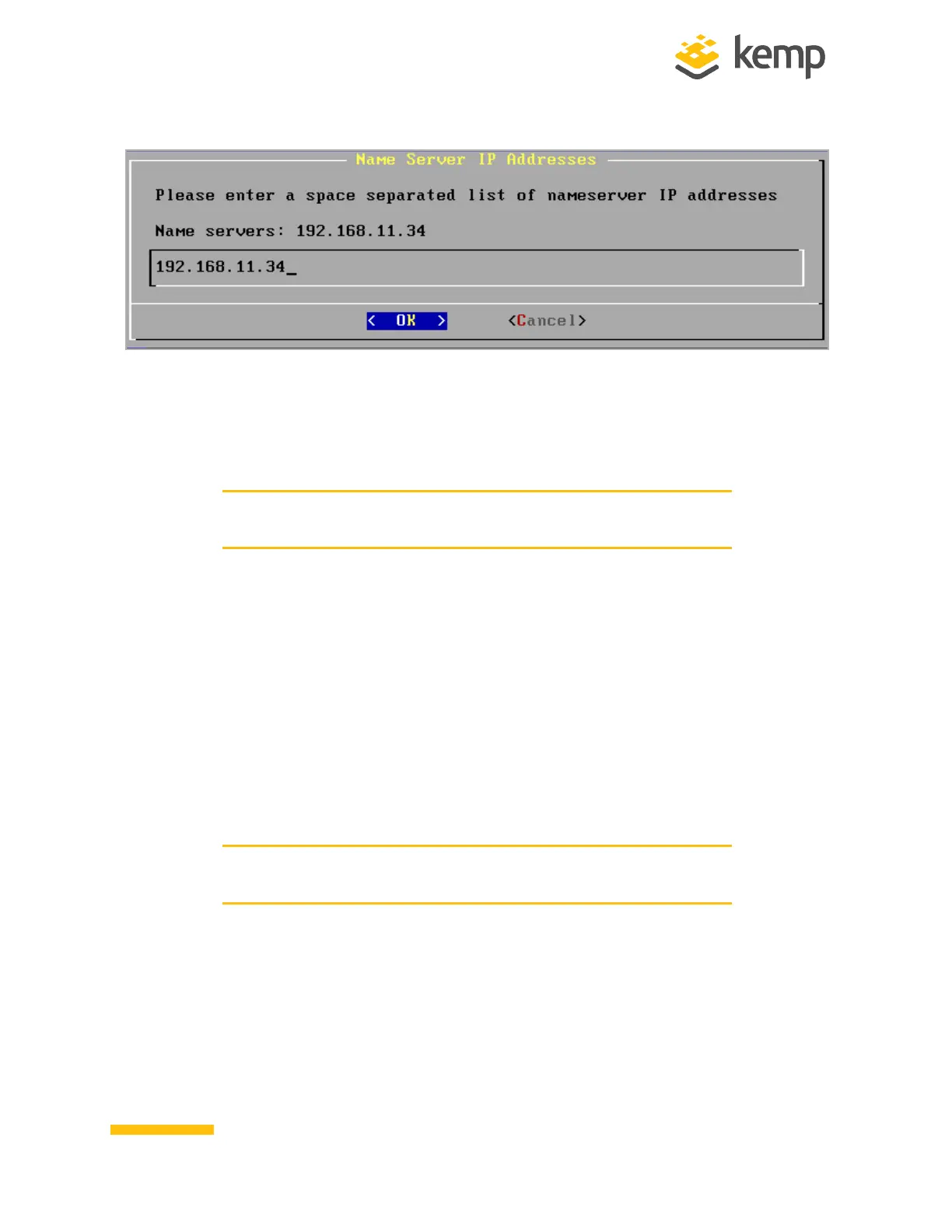
4. Enter a space-separated list of nameserver IP addresses.
5. A message will appear asking to continue licensing using the Web User Interface (WUI).
Try to access the IP address using a web browser. Ensure to enter https:// before the IP
address.
Contact the local Kemp Customer Services Representative for
further support if needed.
2.3 License and Configure the LoadMaster
Follow the steps below on a computer that is connected to the same network as the LoadMaster:
1. Open a web browser.
2. In the address bar, enter https:// followed by the LoadMaster IP address, for example
https://192.168.1.1.
3. A warning may appear regarding website security certificates. Please click the
continue/ignore option.
4. The LoadMaster End User License Agreement screen appears.
Please read the license agreement and, if willing to accept the
conditions therein, click the Agree button to proceed.
kemp.ax
7
Copyright 2002-2021, Kemp Technologies, All Rights Reserved
Hardware LoadMaster
2 Installing a Hardware LoadMaster



 To Next Page