Once the LoadMaster is powered on, networking needs to be configured to make the LoadMaster
available on your network. To do this, follow the steps below:
1. Log in to the console with the default credentials.
The default credentials are below:
- Login: bal
- Password: 1fourall
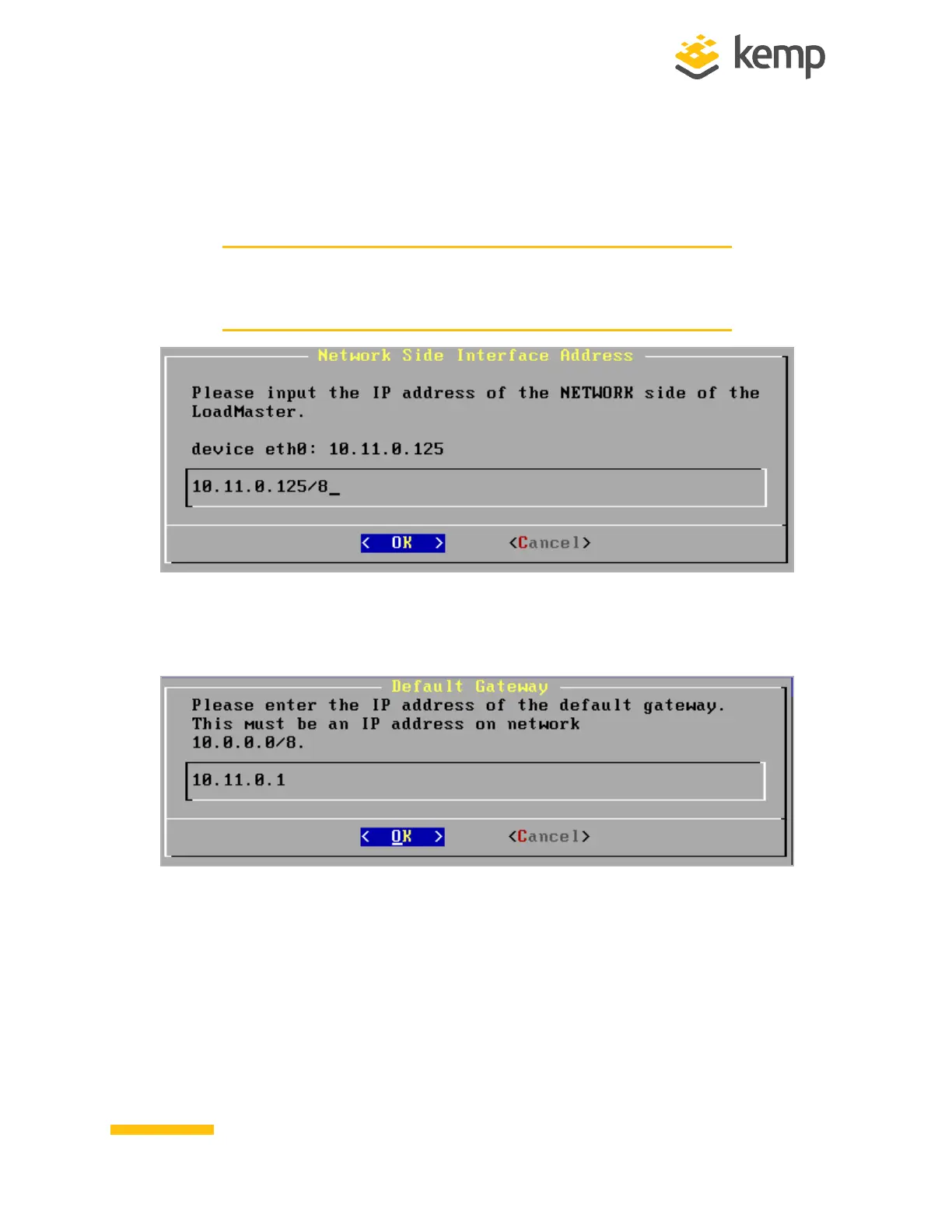
2. Enter the IP address of the eth0 interface, the network-facing interface of the
LoadMaster, in the input field within the Network Side Interface Address field and press
Enter on the keyboard.
3. Enter the IP address of the Default Gateway.
kemp.ax
6
Copyright 2002-2021, Kemp Technologies, All Rights Reserved
Hardware LoadMaster
2 Installing a Hardware LoadMaster



 To Next Page