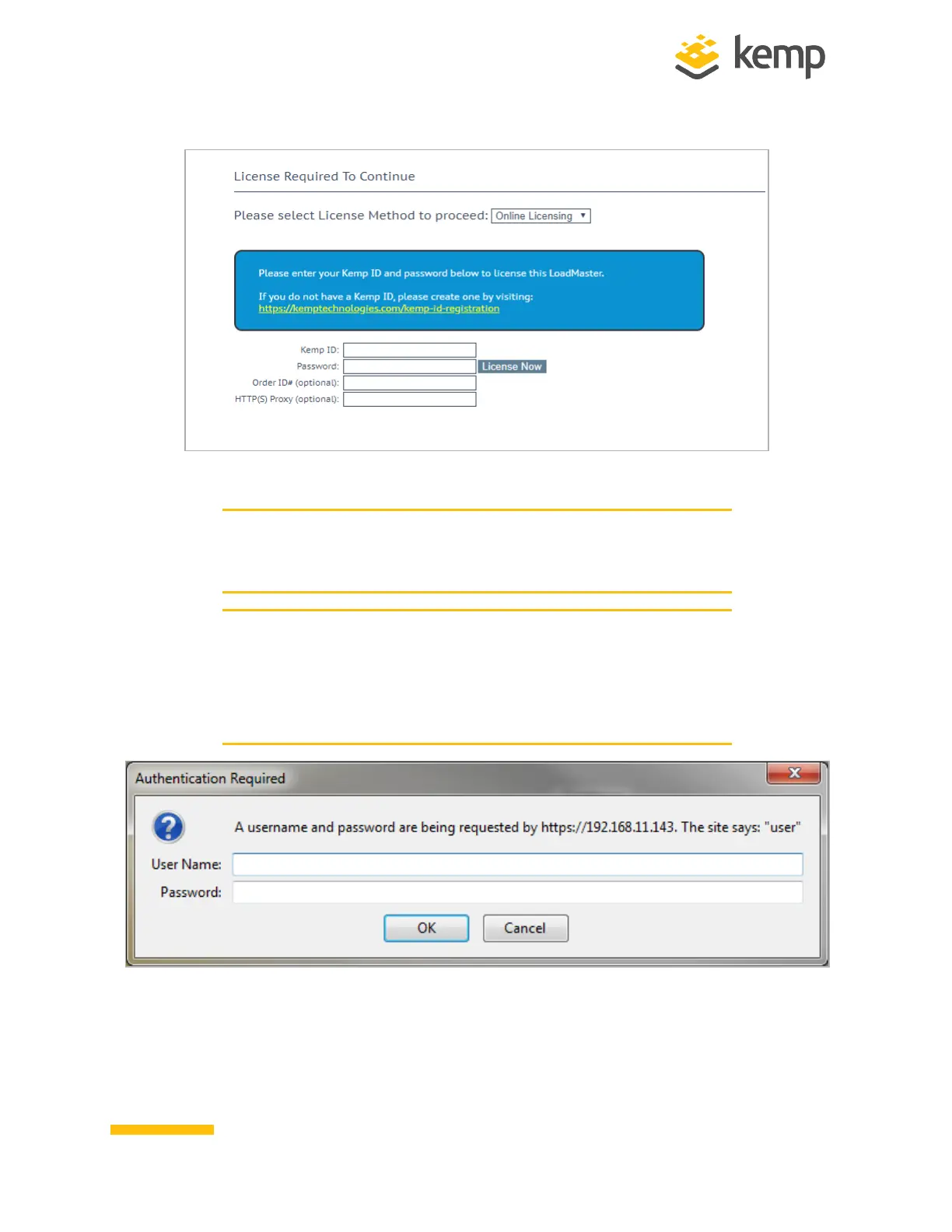
5. If using the Online licensing method, fill out the fields and click License Now.
When licensing a hardware box, ensure to not enter an Order
ID. Licensing is performed based on the Serial Number entered
during pre-provisioning.
If using the Offline Licensing method, select Offline Licensing,
obtain the license text, paste it into the License field and click
Apply License. For detailed instructions on how to register for a
Kemp ID and license the LoadMaster, refer to the Licensing,
Feature Description.
6. The Change Password screen appears
kemp.ax
8
Copyright 2002-2021, Kemp Technologies, All Rights Reserved
Hardware LoadMaster
2 Installing a Hardware LoadMaster



 To Next Page