44
NAVIGATION ON THE WATCH
(SWIPE MOVEMENTS & PUSH
BUTTON)
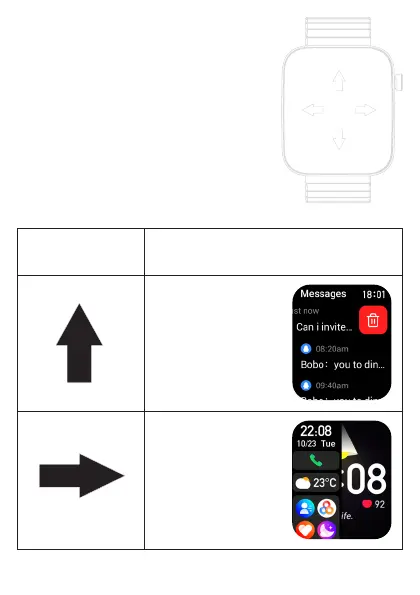
To navigate or scroll in the clock menu, swipe
your finger from top to bottom or from left to
right.
Tap on the desired menu item to select.
To quickly return to the watch face, press the
button on the side of the watch.
Swipe movements
(directions)
Displayed content and example screens
The latest incoming
messages are displayed
from bottom to top.
Swipe from left to right
to see your most recently
used features, weather,
date and time.



 To Next Page