EasyManua.ls Logo

Kendro Heraeus Multifuge 1 S-R - User Manual

Default Icon
103 pages
Print Icon
To Next Page IconTo Next Page
Loading...
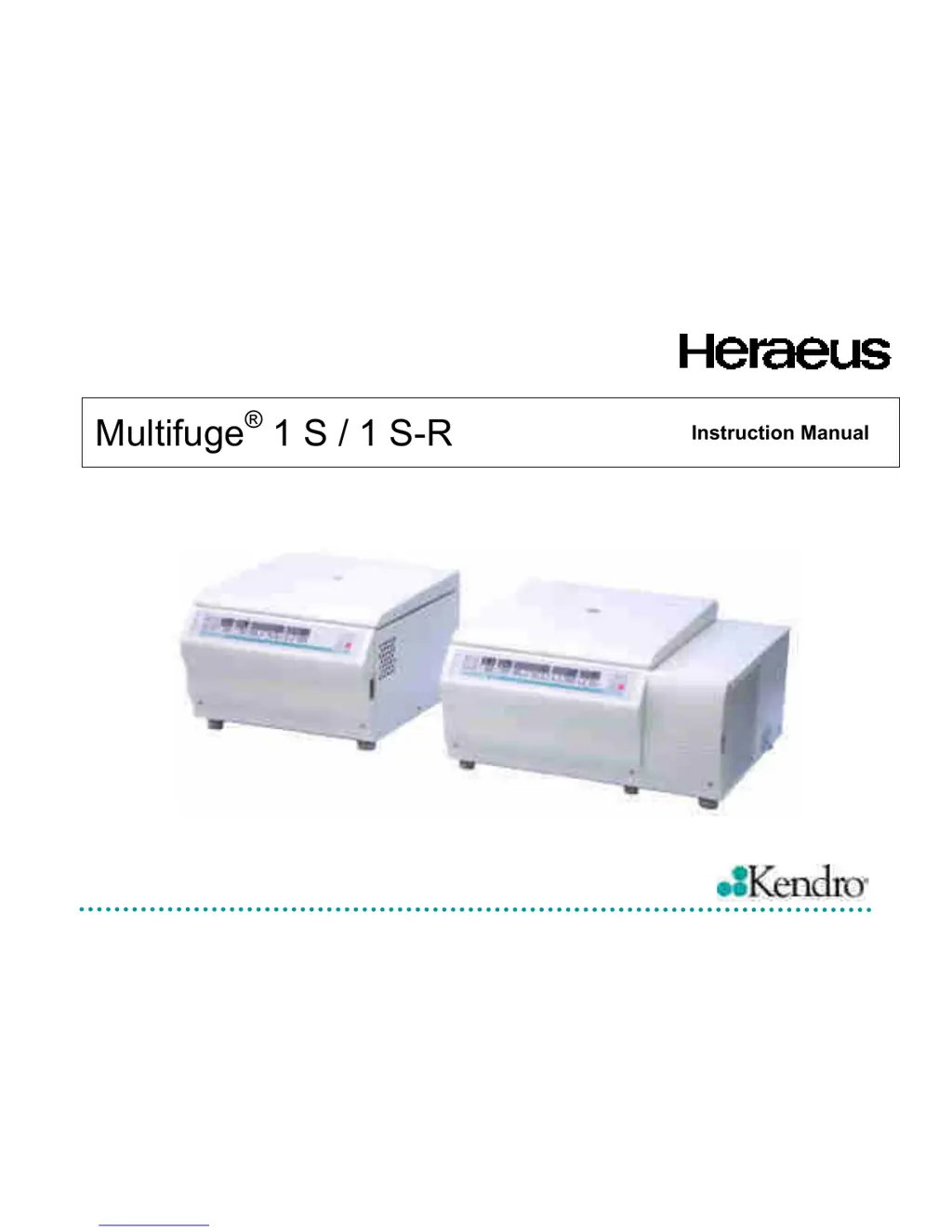
Multifuge
®
1 S / 1 S-R
Instruction Manual

Table of Contents

Questions and Answers

  • R
    Robert HawkinsSep 18, 2025
    What does "Lift Lid" mean on my Kendro Heraeus Multifuge 1 S-R Laboratory Equipment?
    • A
      Amy LeeSep 18, 2025
      If the message "Lift Lid" appears in the display of your Kendro Laboratory Equipment, it means that the lid has not been unlocked after release. Avoid placing objects onto the centrifuge lid and lift the lid slightly.
  • J
    Janet McclureAug 25, 2025
    What to do if the lid of my Kendro Heraeus Multifuge 1 S-R Laboratory Equipment won't open?
    • H
      Howard LopezAug 25, 2025
      If you are unable to open the lid of your Kendro Laboratory Equipment, first ensure that the main power connection is working and the instrument is switched on, verifying that the display is lit. Next, press the lid down firmly in the middle of the front section while simultaneously pressing the "open lid" key. If the lid still won't open, you can use the emergency lid release.
  • W
    walkermelvinAug 25, 2025
    What does "bAl" mean on my Kendro Heraeus Multifuge 1 S-R Laboratory Equipment display and how to fix it?
    • E
      elaraAug 26, 2025
      If the message "bAl" appears on the display of your Kendro Laboratory Equipment, it indicates that the imbalance switch has been activated. To resolve this, open the instrument by pressing the "open lid" key. Check that the rotor is properly loaded and inspect for any broken tubes or damage to the rotor that may have triggered the switch. Also, ensure that the trunnions of the swinging bucket rotor are adequately lubricated.
  • D
    Dawn HaleAug 27, 2025
    How to fix dark displays on my Kendro Heraeus Multifuge 1 S-R Laboratory Equipment?
    • G
      George TerryAug 27, 2025
      If the displays on your Kendro Laboratory Equipment remain dark, it indicates a mains voltage disconnection. First, verify that the mains plug is turned on and check the main power connection. If the main connection is confirmed to be working, it may indicate a more complex issue.
  • K
    Kenneth CobbSep 22, 2025
    Why does my Kendro Laboratory Equipment display "OPEN" when the lid is closed?
    • C
      Christina RuizSep 22, 2025
      If the display shows "OPEN" even when the lid is closed on your Kendro Laboratory Equipment, it indicates that the lid is not properly closed. Open the lid and repeat the locking procedure.
  • S
    shane51Sep 23, 2025
    Why do the displays on my Kendro Laboratory Equipment fail briefly?
    • J
      jesse49Sep 23, 2025
      If the displays on your Kendro Laboratory Equipment fail briefly, it is because the main connection was briefly interrupted. Turn off the main switch, check whether the mains power cord is connected properly, and then restart the centrifuge.
  • J
    Juan CooperSep 9, 2025
    What does error E-28 mean on my Kendro Laboratory Equipment?
    • H
      hdyerSep 9, 2025
      If error code E-28 appears on your Kendro Laboratory Equipment, it indicates that the motor is running in the wrong rotational direction. Switch the instrument off and on again.
  • R
    rojasanaSep 12, 2025
    What does error E-30 mean on my Kendro Laboratory Equipment?
    • M
      Melanie JimenezSep 12, 2025
      If error code E-30 appears on your Kendro Laboratory Equipment, it indicates that the control voltage breaks down. Switch the instrument off and on again.
  • S
    Stephanie WilliamsSep 3, 2025
    What does error E-33 mean on my Kendro Laboratory Equipment?
    • S
      stephenwashingtonSep 3, 2025
      If error code E-33 appears on your Kendro Laboratory Equipment, it indicates overpressure in the refrigeration system. Turn the instrument off and pull the main plug. Check and clean the ventilation slots if necessary. After about 60 minutes, you can restart the instrument, ensuring you observe the maximum permissible environmental temperature!
  • D
    David SingletonSep 1, 2025
    What does error E-31 mean on my Kendro Laboratory Equipment?
    • R
      Robert WaltersSep 1, 2025
      If error code E-31 appears on your Kendro Laboratory Equipment, it indicates overtemperature in the motor. Turn the instrument off and unplug the mains power cord. Check and clean the ventilation slots if necessary. After about 60 minutes, you can restart the instrument, ensuring you observe the maximum permissible environmental temperature.

Summary

For Your Safety

Proper Use

Instructions on the intended and correct operation of the centrifuge.

Improper Use

Warnings regarding incorrect usage and potential hazards.

Centrifuging Hazardous Materials

Specific precautions for processing hazardous or infectious substances.

Handling the Centrifuge

Guidelines for the safe handling and movement of the centrifuge unit.

Description of the Multifuge

Description

General introduction to the centrifuge, its purpose, and design.

Safety Systems

Details of the integrated safety mechanisms built into the centrifuge.

Rotors and Accessories

Rotors for the Multifuge 1 S

Technical specifications and compatibility for rotors designed for the Multifuge 1 S.

Rotors for the Multifuge 1 S-R

Technical specifications and compatibility for rotors designed for the Multifuge 1 S-R.

Handling the Rotor

Instructions for correctly handling, loading, and maintaining centrifuge rotors.

Checking of Aerosol-Tight Bio-Containment

Procedures for verifying the aerosol-tight seal of rotors and buckets.

Operation

Switching on the Centrifuge

Steps for powering on the unit and initiating self-checks.

Installing the Rotor

Step-by-step guide for properly fitting a rotor onto the centrifuge spindle.

Loading the Rotor

Guidelines for loading samples into the rotor, including maximum load limits.

Filling the Centrifuge Tubes

Precautions and recommendations for filling centrifuge tubes.

Maximum Permissible Load Difference

Importance of balancing tube weights to avoid imbalance.

Inserting the Centrifuge Tubes

Proper symmetrical loading of tubes into the rotor to prevent imbalance and ensure performance.

Entering Parameters

How to set operational parameters like acceleration, deceleration, and RCF.

Selecting Speed

Steps to adjust and set the desired rotational speed (RPM).

Entering the RCF Value

How to set the relative centrifugal force (RCF) value for the run.

Starting the Centrifuge

Steps to initiate a centrifugation run after all parameters are set.

Stopping the Centrifuge

Methods for stopping the centrifuge run, either automatically or manually.

Removing the Rotor

Detailed instructions for safely detaching the rotor from the drive shaft.

Maintenance and Care

Disinfection

Steps for disinfecting the centrifuge in case of spills or contamination with infectious materials.

Troubleshooting

Emergency Lid Release

Procedure to manually open the lid in case of power failure or malfunction.

Error Troubleshooting

A table listing common errors, their symptoms, and possible corrective measures.

Kendro Heraeus Multifuge 1 S-R Specifications

General IconGeneral
BrandKendro
ModelHeraeus Multifuge 1 S-R
CategoryLaboratory Equipment
LanguageEnglish

Related product manuals