PERFORMANCEINDICATOR
(SOME MODELS)
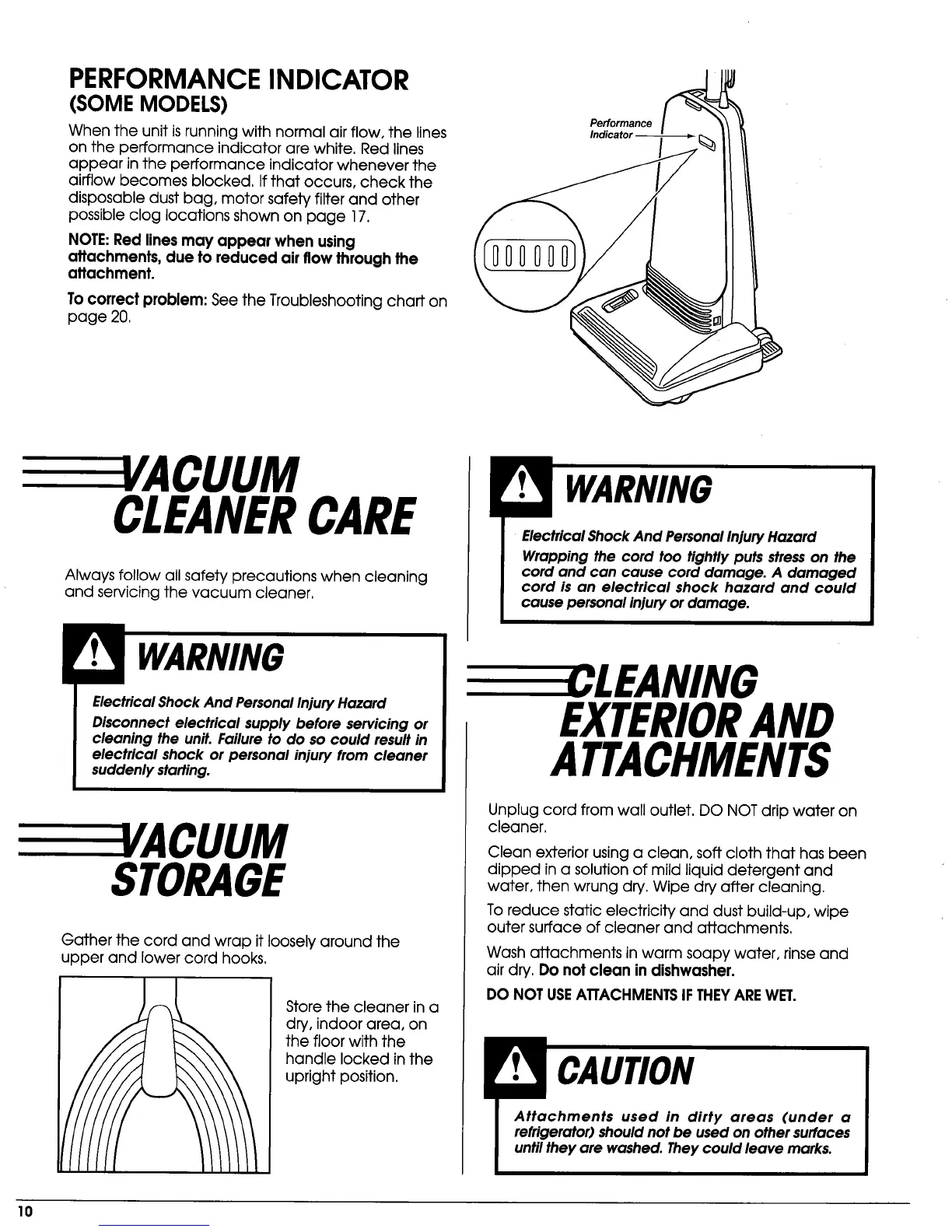
When the unit is running with normal air flow, the lines
on the performance indicator are white. Red lines
appear in the performance indicator whenever the
airflow becomes blocked. If that occurs, check the
disposable dust bag, motor safety filter and other
possible clog locations shown on page 17.
NOTE:Red lines may appear when using
attachments, due to reduced air flow through the
attachment.
To correct problem: See the Troubleshooting chart on
page 20,
Performance
E E 'ACUUM
CLEANERCARE
Always follow all safety precautions when cleaning
and servicing the vacuum cleaner.
Electrical Shock And Personal InjuryHazard
Disconnect electrical supply before servicing or
cleaning the unit. Failure to do so could result in
electrical shock or personal injury from cleaner
suddenly starting.
3/ACUUM
STORAGE
Gather the cord and wrap it loosely around the
upper and lower cord hooks.
Store the cleaner in a
dry, indoor area, on
the floor with the
handle locked in the
upright position.
Electrical Shock And Personal Injury Hazard
Wrapping the cord too tightly puts stress on the
cord and can cause cord damage. A damaged
cord is an electrical shock hazard and could
cause personal injury or damage.
LEANING
EXTERIORAND
ATTACHMENTS
Unplug cord from wall outlet. DO NOT drip water on
cleaner.
Clean exterior using a clean, soft cloth that has been
dipped in a solution of mild liquid detergent and
water, then wrung dry. Wipe dry after cleaning.
To reduce static electricity and dust build-up, wipe
outer surface of cleaner and attachments.
Wash attachments in warm soapy water, rinse and
air dry. Do not clean in dishwasher.
DO NOT USEATTACHMENTSIF THEYARE WET.
Attachments used in dirty areas (under a
refrigerator) should not be used on other surfaces
until they are washed. Theycould leave marks.
10



 To Next Page