TO CHANGE DRUM LIGHT
The dryer light automatically turns on
inside the dryer drum when you open the
door.
To change the drum light
STEP 1. Unplug dryer or disconnect
power.
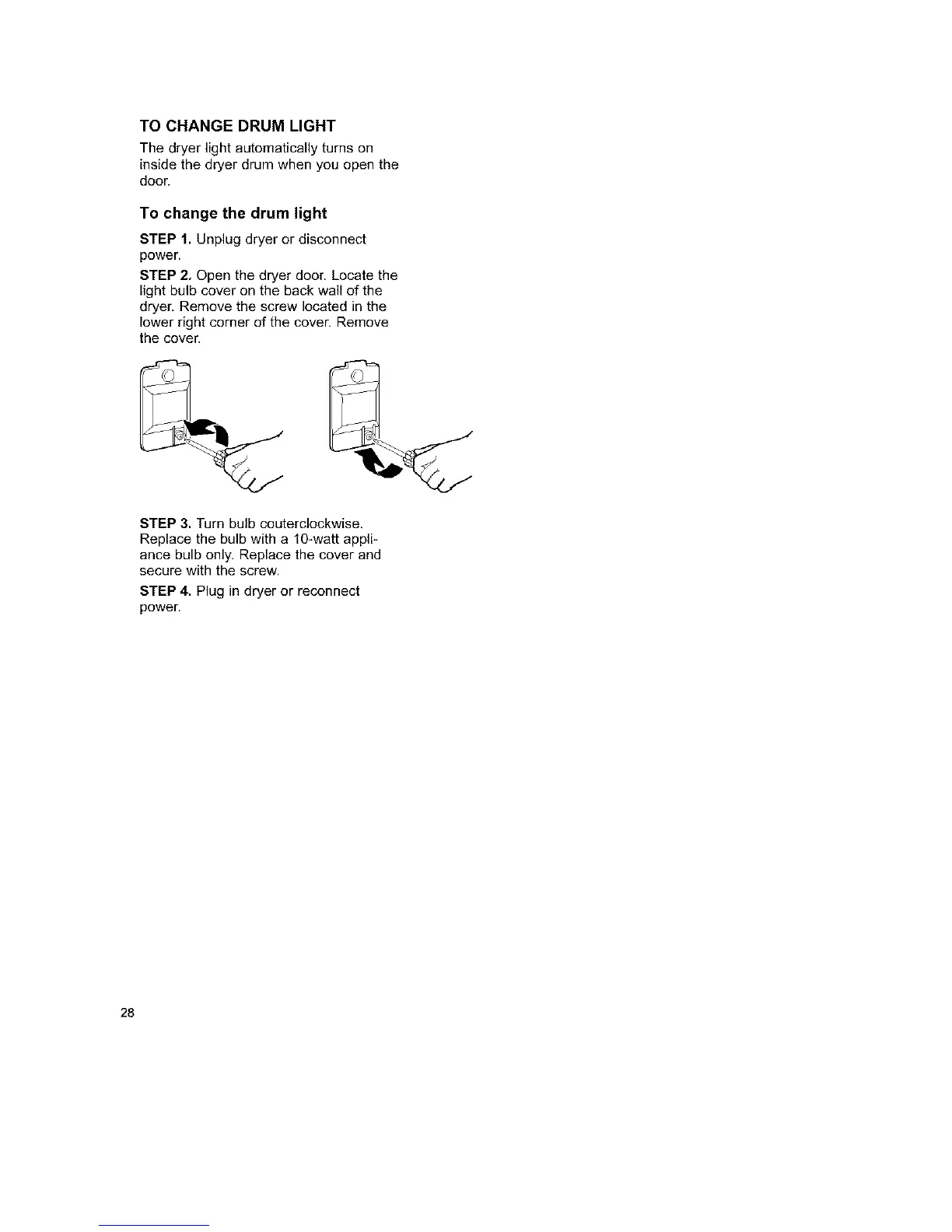
STEP 2, Open the dryer door. Locate the
light bulb cover on the back wall of the
dryer, Remove the screw located in the
lower right corner of the cover. Remove
the cover.
STEP 3. Turn bulb couterclockwise.
Replace the bulb with a 10-watt appli-
ance bulb only. Replace the cover and
secure with the screw.
STEP 4. Plug in dryer or reconnect
power.
28



 To Next Page