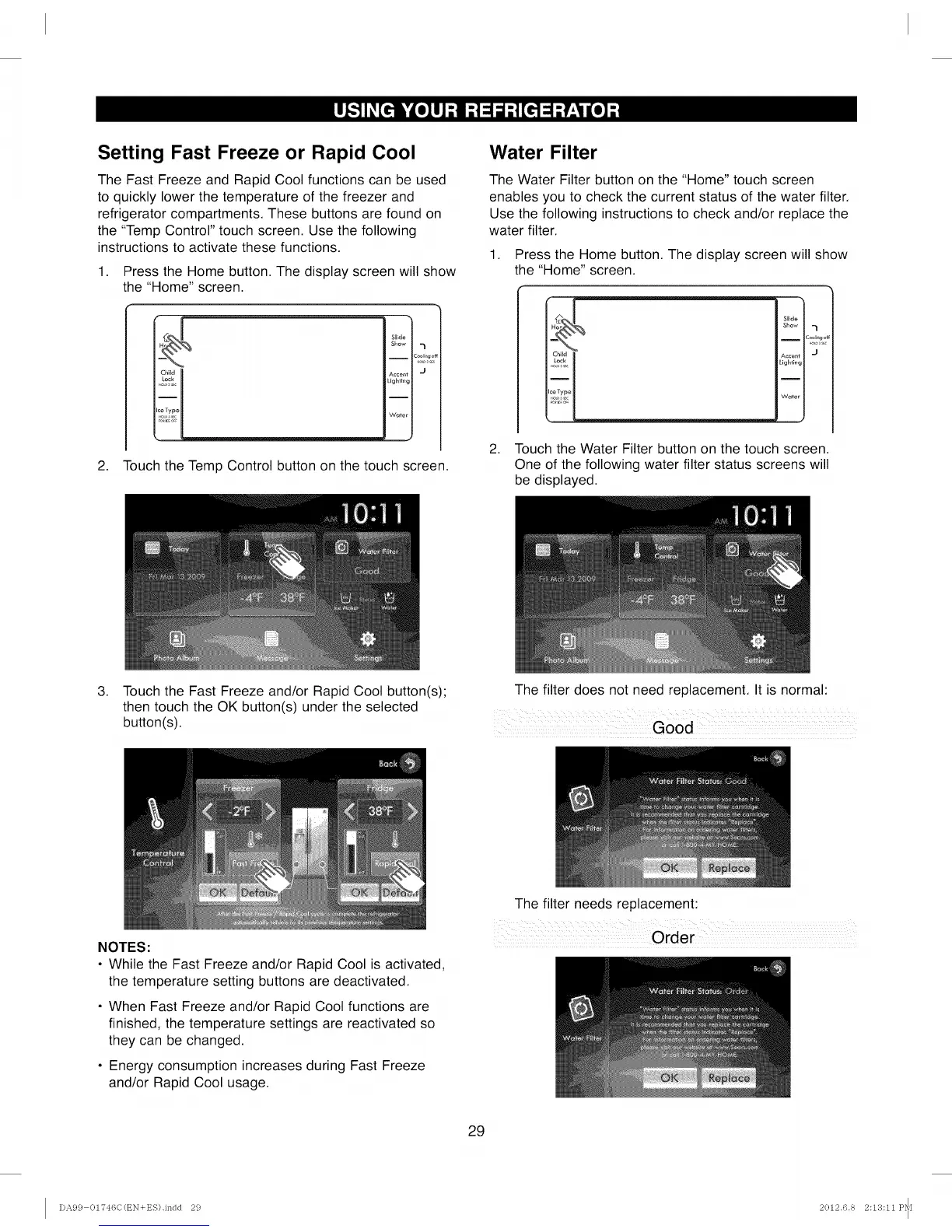
Setting Fast Freeze or Rapid Cool
The Fast Freeze and Rapid Cool functions can be used
to quickly lower the temperature of the freezer and
refrigerator compartments. These buttons are found on
the "Temp Control" touch screen. Use the following
instructions to activate these functions.
1. Press the Home button. The display screen will show
the "Home" screen.
Chiid
Slide
Show 7
__ c_,,L,_,
Accent I J
Lighting
'Water I
J
2. Touch the Temp Control button on the touch screen.
Water Filter
The Water Filter button on the "Home" touch screen
enables you to check the current status of the water filter.
Use the following instructions to check and/or replace the
water filter.
1. Press the Home button. The display screen will show
the "Home" screen.
i
Slide
Show _l
I 2ool_ng c
Accent J
Lighting
I
Water
2. Touch the Water Filter button on the touch screen.
One of the following water filter status screens will
be displayed.
.
Touch the Fast Freeze and/or Rapid Cool button(s);
then touch the OK button(s) under the selected
button(s).
The filter does not need replacement. It is normal:
Good
NOTES:
• While the Fast Freeze and/or Rapid Cool is activated,
the temperature setting buttons are deactivated.
• When Fast Freeze and/or Rapid Cool functions are
finished, the temperature settings are reactivated so
they can be changed.
• Energy consumption increases during Fast Freeze
and/or Rapid Cool usage.
The filter needs replacement:
Order
29
DA99 01746C(t_N+ES).indd 29 2012.6.8 2:13:11 P_[



 To Next Page