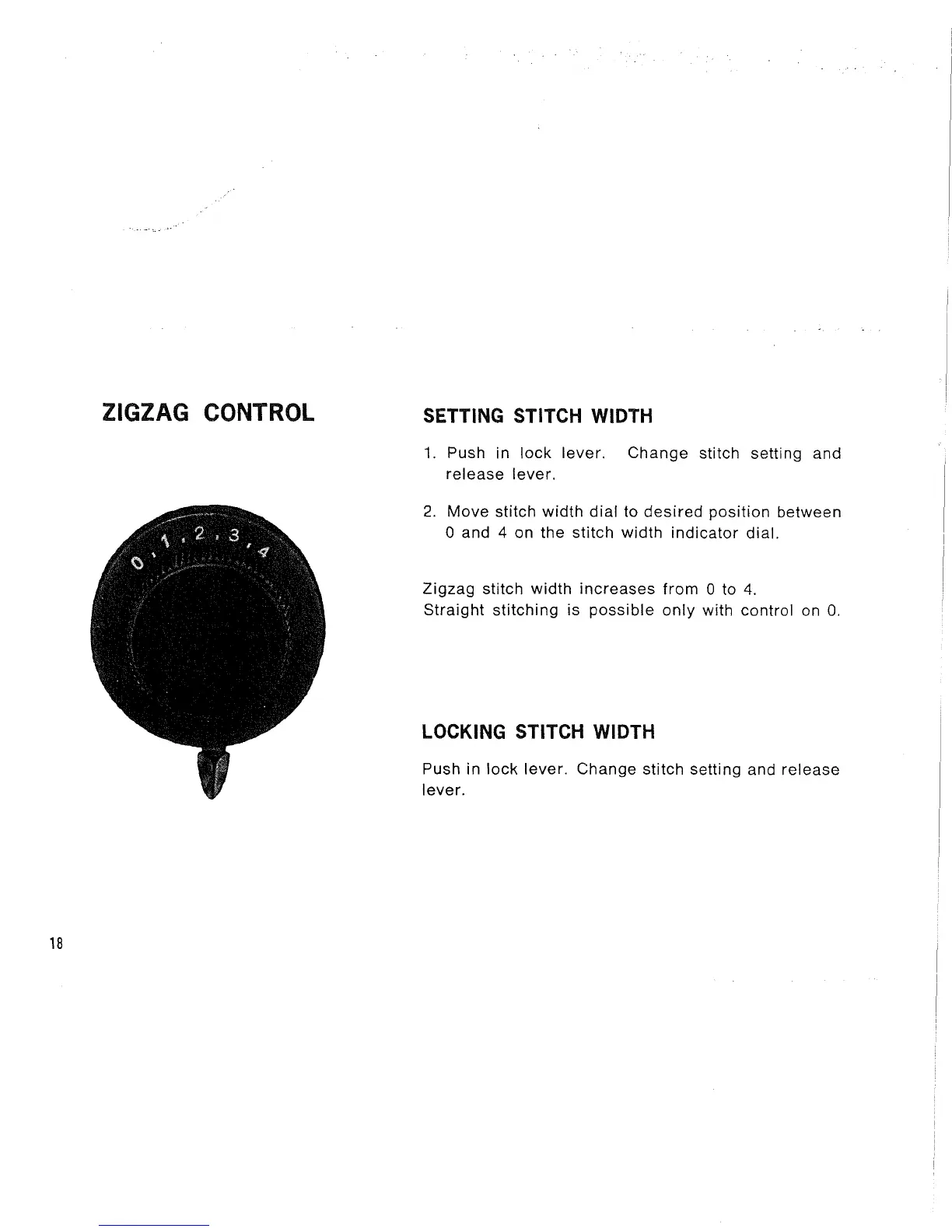
ZIGZAG CONTROL
SETTING STITCH WIDTH
1. Push in lock lever. Change stitch setting and
release lever.
2. Move stitch width dial to desired position between
0 and 4 on the stitch width indicator dial.
Zigzag stitch width increases from 0 to 4.
Straight stitching is possible only with control on O.
LOCKING STITCH WIDTH
Push in lock lever. Change stitch setting and release
lever.
18



 To Next Page