EasyManua.ls Logo

Kenmore 625.385200 - User Manual

Kenmore 625.385200
32 pages
Print Icon
To Next Page IconTo Next Page
Loading...
P/N 7332880 (Rev. E 11/7/12)
Use & Care Guide
Manual de Uso y Cuidado
English / Español
Model / Modelo No. 625.385200
Kenmore Elite®
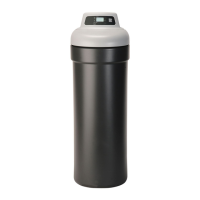
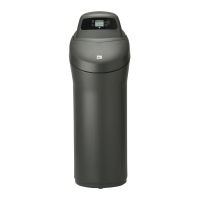
Hybrid Water Softener
A water softener and a whole home filter in one
Ablandador Híbrido de Agua
Un ablandador de agua con filtro integrado para toda la casa
Sears Brands Management Corporation
3333 Beverly Road
Hoffman Estates, IL 60179 U.S.A.
www.kenmorewater.com
www.kenmore.com
www.sears.com
®
System tested and certified by NSF International
against NSF/ANSI Standard 42 for the reduction
of chlorine taste and odor, and Standard 44 for
hardness reduction, efficiency and the reduction
of barium and radium 226/228,
and certified to NSF/ANSI Standard 372.
Este sistema ha sido probado y certificado por
NSF International según la norma NSF/ANSI 42
para la reducción del sabor y el olor a cloro, y la
norma 44 para la reducción de la dureza, eficiencia
y la reducción del bario y del radio 226/228,
y certificado según la norma NSF/ANSI 372.

Other manuals for Kenmore 625.385200

Questions and Answers

  • N
    Nicholas KnightAug 16, 2025
    Why is my Kenmore Water Dispenser water hard sometimes?
    • C
      Cameron HarrisonAug 16, 2025
      The water from your Kenmore Water Dispenser might be hard sometimes due to several reasons: the time is set incorrectly, the water hardness is set incorrectly, the model code programmed is incorrect, hot water is being used when the softener is regenerating (the water heater will fill with hard water), there may be a possible increase in water hardness, or there is a leaking faucet/toilet valve causing excessive water usage. Check and change the time setting. Avoid using hot water while the softener is regenerating. Fix all leaks and always fully close faucets. Test untreated water for hardness and iron, and program the water softener accordingly.
  • K
    Kara GarciaAug 19, 2025
    How to remove iron from water in Kenmore 625.385200?
    • J
      justin62Sep 12, 2025
      If there is iron in the water from your Kenmore Water Dispenser, it could be due to clear water iron in the water supply, iron in soft water, or bacterial or organic bound iron. Test untreated water for hardness and iron, and program the water softener accordingly. Clean resin bed with Resin Bed Cleaner, following the instructions on the package. Note that bacterial or organic bound iron cannot be treated by a water softener.
  • R
    roger95Aug 22, 2025
    Why is the salt storage tank leaking in my Kenmore Water Dispenser?
    • J
      Jessica WangAug 22, 2025
      If the salt storage tank of your Kenmore Water Dispenser is leaking, it is likely due to a crack in the brine tank. Replace salt storage tank assembly.
  • W
    William RoblesAug 28, 2025
    What to do if my Kenmore 625.385200 has no soft water and the salt level isn't dropping?
    • X
      xdavisAug 28, 2025
      If your Kenmore Water Dispenser isn't producing soft water and the salt level isn't dropping, it could be due to a salt storage tank “bridged”, or bypass valve(s) in “bypass” position. Refer to “Breaking a Salt Bridge” section to break the salt bridge. Move bypass valve(s) to “service” position.
  • M
    Michelle PittmanAug 31, 2025
    What does Err1, Err3, or Err4 mean on a Kenmore Water Dispenser?
    • G
      grimeslisaAug 31, 2025
      If you see error codes Err1, Err3, or Err4 on your Kenmore Water Dispenser, it could indicate a fault in the wiring harness or connections to the position switch, a fault in the switch itself, a fault in the valve causing high torque, or the motor is inoperative. Replace wiring harness or connections to position switch. Replace switch. Replace rotor/seal. Replace motor.
  • V
    Vincent HarperSep 3, 2025
    Why does my Kenmore 625.385200 Water Dispenser have no soft water and a blank display?
    • J
      Jacqueline BrooksSep 3, 2025
      If your Kenmore Water Dispenser isn't producing soft water and the display is blank, it could be due to several reasons: the power supply is unplugged, the power cable is disconnected, or there is a power supply malfunction. A fuse might be blown, a circuit breaker popped, or a circuit switched off. Or there may be an electronic control board malfunction. Check for loss of power and correct. Reset electronic controls. Replace fuse, reset circuit breaker, or switch circuit on. Replace electronic control board.
  • W
    William RiversSep 6, 2025
    Why is the motor stalled or clicking on my Kenmore 625.385200?
    • M
      Melanie HendersonSep 6, 2025
      If the motor on your Kenmore Water Dispenser is stalled or clicking, it could be due to a motor malfunction or an internal valve fault causing high torque on the motor. Replace rotor/seal. Replace motor & switch.
  • H
    heidi21Sep 9, 2025
    What does error code Err5 mean on my Kenmore 625.385200 Water Dispenser?
    • E
      Eric MooreSep 10, 2025
      If your Kenmore Water Dispenser is showing error code Err5, it indicates an electronic control malfunction. Replace electronic control board.
  • J
    jessica16Sep 12, 2025
    Why is there resin in the household plumbing from my Kenmore 625.385200 Water Dispenser?
    • J
      Jeffrey EdwardsSep 12, 2025
      If you find resin in your household plumbing connected to your Kenmore Water Dispenser, it's likely due to a crack in the distributor or riser tube. Replace resin tank assembly.
  • S
    susan55Nov 24, 2025
    What to do if my Kenmore Water Dispenser has no soft water and the salt storage tank is full of water, with water running to drain during the soft water cycle?
    • J
      John RamirezNov 24, 2025
      If your Kenmore Water Dispenser exhibits these symptoms, it could be due to several reasons. The nozzle & venturi assembly might be dirty, plugged, or damaged. An inner valve fault could be causing a leak. The valve drain hose could be plugged. The valve drain line and Salt Storage Tank overflow drain could be connected together by a tee. There may be low or high system water pressure. The brine float could be dirty or broken. Or there could be a leak between valve and resin tank. Take apart, clean and inspect nozzle & venturi. Replace seals and rotor. Ensure the hose does not have any kinks, sharp bends or any water flow blockage. Disconnect tee and run separate drain lines. If pressure is low, increase well pump output to a minimum 20 psi. If daytime pressure is over 100 psi, add a press...

Summary

Use & Care Guide

Warranty Information

Limited Warranty Terms

Details a one-year limited warranty for the water softener itself, and three/ten year terms for components and leaks.

Warranty Exclusions and Limitations

Explains limitations on implied warranties and remedies available to the customer.

Safety Guidelines

Installation and Operational Safety

Covers safe practices for installation, handling, electrical connections, water pressure, temperature, and grounding.

Water Usage and Disposal Precautions

Advises against using on non-potable water and outlines disposal requirements for electronic equipment.

Specifications and Performance

Technical Performance Data

Details performance metrics like softening capacity, efficiency, flow rates, pressure, and temperature limits.

Physical Dimensions

Unit Size and Measurement Diagram

Illustrates the physical size and measurements of the water softener unit with front and side views.

Installation Planning

Packing List and Included Parts

Lists and illustrates all parts included with the water softener for assembly.

Installation Sequence Overview

Provides a visual guide to the proper order of installing water treatment equipment.

Installation Location

Key Location Criteria and Guidelines

Provides detailed criteria for selecting an appropriate location for the water softener based on plumbing and environment.

Pre-Installation Checks

Water Pressure Verification

Instructions to check incoming water pressure before installing the softener.

Bypass Valve and Adaptor Installation

Step-by-step instructions for installing the bypass valve or threaded installation adaptors.

Plumbing and Connections

Inlet, Outlet, and Bypass Plumbing

Details on measuring, cutting, and connecting plumbing for the softener's inlet and outlet.

Drainage Setup

Connecting Drain and Overflow Hoses

Instructions for connecting the valve drain hose and salt tank overflow hose correctly.

Electrical and Grounding

Grounding and Power Connection

Guides for grounding metal pipes and connecting the softener's transformer to a power outlet.

Initial System Flush

Rinsing Carbon Fines

Procedure to flush out carbon particles generated during manufacturing and shipping.

Post-Installation Procedures

Leak Testing and Heater Restart

Steps to check for leaks after installation and instructions to restart the water heater.

Controller Programming

Understanding Indicator Lights

Explains the meaning of different flashing patterns of the blue indicator light on the control panel.

Setting the Current Time

Instructions on how to set the current time on the softener's control panel.

Softener Configuration

Setting Water Hardness and Recharge Time

Guide on setting water hardness level and desired time for automatic regeneration.

Selecting Salt Type

Instructions for selecting the type of salt (NaCl or KCl) used in the softener.

System Flushing and Salt Loading

Initial System Flush Procedure

Steps to flush the system after installation and initial recharge.

Salt Usage and Types

Guidelines for adding salt, including types like NaCl, KCl, and iron-reducing salts.

Softener Functionality

Features and Benefits Overview

Explains the dual media design, whole-home benefits, and estimated lifespan for chlorine reduction.

Controller Features Overview

Manual Recharge Options

Explains when and why manual recharge might be needed and how to initiate it.

Advanced Controller Settings

Salt Monitor System Setup

Instructions for setting the salt monitor system to track salt levels.

Optional Feature Configuration

Overview of configurable settings like salt efficiency, clean feature, and clock format.

California Efficiency Requirement

Details the mandatory 'High Efficiency' setting for installations in California.

Detailed Controller Functions

Clean and 97% Feature Settings

Details on the Clean Feature for iron/sediment and the 97% Feature for efficiency.

Clock Format and Clean Feature Minutes

Instructions to switch clock format and adjust Clean Feature duration.

Customizing Softener Operation

Usage Units and Regeneration Frequency

Options to set units (gallons/liters) and maximum days between regenerations.

Backwash and Rinse Time Adjustments

How to adjust backwash and fast rinse times to improve performance.

Tank Light Functionality

Description of the automatic light inside the salt storage tank.

Monitoring and Program Memory

Water Usage and Flow Rate Display

How to view current flow rate and average daily water usage on the display.

Regeneration Status and Program Memory

Explains how to view regeneration status and how the program memory works.

Water Softener Maintenance

Addressing Salt Bridges

Explains what a salt bridge is, how to identify it, and how to break it.

Service and Troubleshooting Guide

Initial Service Check List

A checklist of initial troubleshooting steps for common problems.

Troubleshooting Common Issues

Problem, Cause, and Correction Table

A table detailing common issues, their causes, and recommended solutions.

Diagnostic and Reset Tools

Electronic Diagnostics Access

Guide to accessing and interpreting electronic diagnostic data for troubleshooting.

Factory Default Reset Procedure

Steps to restore the controller to its default factory settings.

Regeneration Performance Checks

Manual Regeneration Cycle Test

Procedure to manually advance the regeneration cycle to verify component operation.

Electrical Diagrams

Wiring Schematic Overview

A visual representation of the electrical wiring for the water softener's control system.

Exploded Views

Water Softener Component Diagram

An illustrated breakdown of the water softener, showing all major parts and their assembly.

Parts Identification

Softener Parts List and Numbers

A comprehensive list of all parts with their respective numbers and descriptions for ordering or replacement.

Valve Assembly Details

Valve Assembly Exploded Diagram

An illustrated breakdown of the valve assembly, detailing its components.

Valve Assembly Parts List

Detailed Valve Component Breakdown

A comprehensive list of parts specific to the valve assembly, with numbers and descriptions.

Notes

Official Certifications

California Water Treatment Device Certificate

Official certificate from the State of California regarding water treatment device testing.

Iowa Sales Requirements

Section detailing required signatures for sales within Iowa.

Customer Support and Services

In-Home and Carry-In Repair Services

Information on in-home repair services and carry-in repair for smaller items.

Product Protection Plans

Contact information for purchasing product protection agreements.

Kenmore 625.385200 Specifications

General IconGeneral
BrandKenmore
Model625.385200
CategoryWater Dispenser
LanguageEnglish

Related product manuals