EasyManua.ls Logo

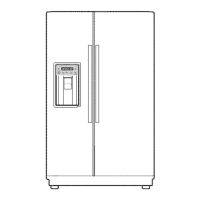
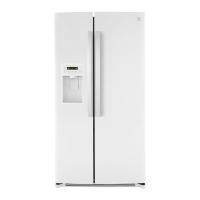
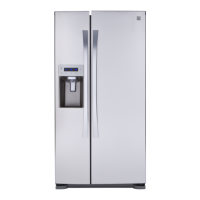
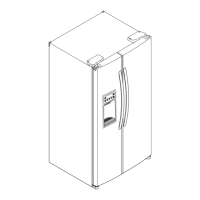
Kenmore 795.51022.001 - User Manual

Kenmore 795.51022.001
142 pages
Print Icon
To Next Page IconTo Next Page
Loading...
MODELS:
SXS FREEZER REFRIGERATOR
REFRIGERATOR
SERVICE MANUAL
CAUTION
BEFORE SERVICING THE PRODUCT
READ THE SAFETY PRECAUTIONS IN THIS MANUAL.
795.51022.001
795.51023.001
795.51024.001
795.51026.001
795.51029.001
795.51012.001
795.51013.001
795.51014.001
795.51016.001
795.51019.001
Sears Brands Management Corporation, Hoffman Estates, IL 60179 U.S.A.
www.sears.com
MFL62078230
Printed in Mexico
TM

Table of Contents

Question and Answer IconNeed help?

Do you have a question about the Kenmore 795.51022.001 and is the answer not in the manual?

Summary

Safety Precautions

1. Specifications

1.1. Key Specifications

Covers electrical parameters, no-load performance, and refrigeration system specifications.

1.2. Installation & Parts

Details installation clearance requirements and lists replacement parts.

1.3. Air Flow

Illustrates the air circulation path within the refrigerator unit.

2. Parts Identification

3. Disassembly

3.1. Door Alignment

Step-by-step guide to align refrigerator doors for proper fit and function.

3.2. Install Water Filter

Guide on how to install the water filter and reset the filter indicator.

3.3. Refrigerator Shelves

Details on how to remove and adjust refrigerator shelves for space optimization.

3.4. Freezer Shelf

Procedure for removing the shelf from the freezer compartment.

3.5. Control Water Supply to Icemaker

Method to control the amount of water supplied to the icemaker for optimal ice production.

4. How to Disassemble and Assembly

4.1. Door and Handle Procedures

Covers procedures for removing and replacing refrigerator doors and handles.

4.2. Component Disassembly

Instructions for disassembling components like switch lamp, fan grille, icemaker, and water valve.

4.3. System Assembly and Dispenser

Guide on assembling water valve tubes, fan motor, drip tray, and dispenser unit.

5. MICOM Function

5.1. Monitor Panel Functions

Overview of the refrigerator's control panel buttons, indicators, and their functions.

5.2. Display and Mode Operations

Explains display functions, modes like Demonstration, Lock, Filter status, and ULTRA ICE.

5.3. Special Function Operations

Details operations for ULTRA ICE, variable fan control, cooling fan, and door opening alarm.

5.4. Test and Diagnostic Functions

Explains test modes, sequential operations, and failure diagnosis functions for the MICOM system.

6. Explanation for MICOM Circuit

6.1. Power Circuit

Explanation of the refrigerator's power supply circuit, including rectifier, transformer, and feedback circuits.

6.2. Oscillation and Reset Circuits

Details the oscillation circuit for MICOM synchronization and the reset circuit for component restarts.

6.3. Load;Dispenser & Door Sensing Circuits

Covers circuits for load driving, dispenser operation, and door opening sensing.

6.4. Temperature and Switch Entry Circuits

Explains temperature sensing circuits and circuits for test and diagnostic switches.

6.5. Motor and Fan Motor Circuits

Details the stepping motor operation circuit and the fan motor driving circuit.

7. Icemaker and Dispenser Operation and Repairing

7.1. Ice Maker Operation

Explains the operational cycle of the ice maker from power input to ice ejection.

7.2. Dispenser Operation

Details on how the dispenser functions for water, cubed ice, and crushed ice.

8. Circuit Diagram

9. Trouble Diagnosis

9.1. General Troubleshooting Guide

Guides through common refrigerator faults, their causes, and check points.

9.2. Sensor Error Troubleshooting

Guides for diagnosing abnormal freezer, refrigerator, defrost, and temperature sensor errors.

9.3. Fan and Cooling System Troubleshooting

Guides for diagnosing abnormal fan errors and poor/overcooling performance in sections.

9.4. Icemaker & Dispenser Troubleshooting

Guides for diagnosing faults in ice cube, crush, dispensing modes, and ice maker unit.

10. Exploded View

Summary

Safety Precautions

1. Specifications

1.1. Key Specifications

Covers electrical parameters, no-load performance, and refrigeration system specifications.

1.2. Installation & Parts

Details installation clearance requirements and lists replacement parts.

1.3. Air Flow

Illustrates the air circulation path within the refrigerator unit.

2. Parts Identification

3. Disassembly

3.1. Door Alignment

Step-by-step guide to align refrigerator doors for proper fit and function.

3.2. Install Water Filter

Guide on how to install the water filter and reset the filter indicator.

3.3. Refrigerator Shelves

Details on how to remove and adjust refrigerator shelves for space optimization.

3.4. Freezer Shelf

Procedure for removing the shelf from the freezer compartment.

3.5. Control Water Supply to Icemaker

Method to control the amount of water supplied to the icemaker for optimal ice production.

4. How to Disassemble and Assembly

4.1. Door and Handle Procedures

Covers procedures for removing and replacing refrigerator doors and handles.

4.2. Component Disassembly

Instructions for disassembling components like switch lamp, fan grille, icemaker, and water valve.

4.3. System Assembly and Dispenser

Guide on assembling water valve tubes, fan motor, drip tray, and dispenser unit.

5. MICOM Function

5.1. Monitor Panel Functions

Overview of the refrigerator's control panel buttons, indicators, and their functions.

5.2. Display and Mode Operations

Explains display functions, modes like Demonstration, Lock, Filter status, and ULTRA ICE.

5.3. Special Function Operations

Details operations for ULTRA ICE, variable fan control, cooling fan, and door opening alarm.

5.4. Test and Diagnostic Functions

Explains test modes, sequential operations, and failure diagnosis functions for the MICOM system.

6. Explanation for MICOM Circuit

6.1. Power Circuit

Explanation of the refrigerator's power supply circuit, including rectifier, transformer, and feedback circuits.

6.2. Oscillation and Reset Circuits

Details the oscillation circuit for MICOM synchronization and the reset circuit for component restarts.

6.3. Load;Dispenser & Door Sensing Circuits

Covers circuits for load driving, dispenser operation, and door opening sensing.

6.4. Temperature and Switch Entry Circuits

Explains temperature sensing circuits and circuits for test and diagnostic switches.

6.5. Motor and Fan Motor Circuits

Details the stepping motor operation circuit and the fan motor driving circuit.

7. Icemaker and Dispenser Operation and Repairing

7.1. Ice Maker Operation

Explains the operational cycle of the ice maker from power input to ice ejection.

7.2. Dispenser Operation

Details on how the dispenser functions for water, cubed ice, and crushed ice.

8. Circuit Diagram

9. Trouble Diagnosis

9.1. General Troubleshooting Guide

Guides through common refrigerator faults, their causes, and check points.

9.2. Sensor Error Troubleshooting

Guides for diagnosing abnormal freezer, refrigerator, defrost, and temperature sensor errors.

9.3. Fan and Cooling System Troubleshooting

Guides for diagnosing abnormal fan errors and poor/overcooling performance in sections.

9.4. Icemaker & Dispenser Troubleshooting

Guides for diagnosing faults in ice cube, crush, dispensing modes, and ice maker unit.

10. Exploded View

Kenmore 795.51022.001 Specifications

General IconGeneral
BrandKenmore
Model Number795.51022.001
TypeFrench Door
Width35.75 inches
Ice MakerYes
Water DispenserYes
Energy Star CertifiedYes
ColorStainless Steel
Height69.75 inches

Related product manuals