EasyManua.ls Logo

Kenmore 795.5185 series - User Manual

Kenmore 795.5185 series
44 pages
Print Icon
To Next Page IconTo Next Page
Loading...
Use & Care Guide
Manual de Uso y Cuidado
795.5186*
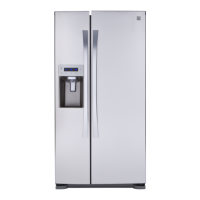
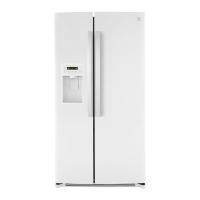
Side-by-Side Refrigerator
Refrigerador de Dos Puertas
* = color number, número de color
P/N MFL63288307-1
Sears Brands Management Corporation
www.kenmore.com
Sears Canada Inc.
Toronto, Ontario, Canada M5B 2C3
www.sears.ca
English / Español
®
795.5185*,Models/Modelos:
+RçPDQ(VWDWHV,/86$
www.sears.com

Questions and Answers

  • B
    bakerkimberlyAug 3, 2025
    Why is my Kenmore 795.5185 not cooling in the freezer and refrigerator sections?
    • F
      finleyjamesAug 3, 2025
      Several factors can cause cooling issues in your Kenmore Refrigerator. First, ensure the power cord is firmly plugged into a working outlet with the correct voltage. If the refrigerator is in demo mode, it disables cooling to save energy; refer to the Setting the Controls section to disable it. Also, the refrigerator may be in the defrost cycle, which causes a slight temperature increase; wait 30 minutes after the cycle. If recently installed or relocated, it can take up to 24 hours to reach the desired temperature, and if relocated, it needs to stand upright for 24 hours before plugging it in.
  • C
    Carolyn ShepherdAug 10, 2025
    Why does my Kenmore 795.5185 cooling system run so much?
    • J
      Jordan BradleyAug 10, 2025
      Several factors can cause your Kenmore Refrigerator's cooling system to run excessively. Modern refrigerators often run longer due to more efficient technology. If the refrigerator was recently plugged in, allow up to 24 hours to cool completely. Frequent door openings or adding large amounts of food can also cause this. Ensure doors are fully closed and clean the condenser cover and vents with a vacuum cleaner. A hot installation location will also cause the compressor to run longer.
  • E
    Emily GreenAug 18, 2025
    What to do if my Kenmore 795.5185 Refrigerator or Freezer section is too warm?
    • S
      Sheila LewisAug 18, 2025
      If your Kenmore Refrigerator or Freezer is too warm, several factors could be the cause. If recently installed, allow up to 24 hours to reach the desired temperature. Ensure air vents are not blocked by rearranging items. Reduce the frequency and duration of door openings. The refrigerator should not be operated in temperatures above 110ºF (43ºC). Allow hot food to cool before placing it inside. Also, ensure the temperature control is correctly set, adjusting it one increment at a time. If the defrost cycle has recently completed, wait 30 minutes for the temperature to stabilize.
  • M
    Madison HallAug 26, 2025
    How to prevent interior moisture buildup in my Kenmore 795.5185 Refrigerator?
    • C
      carl76Aug 26, 2025
      To minimize interior moisture buildup in your Kenmore Refrigerator, reduce how often and how long you open the doors. Ensure the doors are closing correctly. Maintaining a reasonable level of humidity in your home can also help. After a defrost cycle, wait 30 minutes for the temperature to stabilize. Ensure food is correctly packaged by wiping containers dry and storing food in sealed packaging.

Summary

Warranty

Protection Agreements

Master Protection Agreements

Describes the benefits and coverage of the extended protection plan.

Product Record

Section to record purchase details, model, and serial number.

Important Safety Instructions

Basic Safety Precautions

Outlines fundamental safety guidelines for using the appliance.

Electrical & Grounding Requirements

Use of Extension Cords

Provides warnings and guidelines regarding the use of extension cords.

Parts and Features

Refrigerator Installation

Unpacking the Refrigerator

Instructions for safely removing packaging and preparing the unit.

Refrigerator Door Handle Installation

Steps for removing and replacing the refrigerator door handle.

Removing and Replacing Refrigerator Doors

Detailed steps for removing and reinstalling refrigerator doors.

Leveling and Door Alignment

Procedures for leveling the refrigerator and adjusting door alignment.

Using Your Refrigerator

Control Panel and Settings

Guide to adjusting temperature, controls, and panel features.

Key Features and Controls

Details on Accela Ice, water filter reset, door alarm, control lock, mood light, and Demo Mode.

Automatic Icemaker Operation

Instructions and information on the operation and maintenance of the automatic icemaker.

Food Storage Guide

Recommendations for storing various food items to maintain freshness.

Water and Ice Dispenser

How to use and maintain the water and ice dispensing system.

Refrigerator;Freezer Shelves

Guidance on adjusting and maintaining refrigerator and freezer shelves.

GRAB-N-GO Compartment

Instructions for accessing and using the GRAB-N-GO compartment and its bins.

Ice Storage Bin

Instructions for removing and handling the ice storage bin.

Water Filter

Care and Cleaning

General Cleaning Tips

Basic instructions for cleaning the refrigerator's interior and exterior.

Exterior Care

Guidance on cleaning and waxing the refrigerator's exterior surfaces.

Vacation and Moving Preparations

Steps for handling power interruptions, vacation, and moving the appliance.

Connecting the Water Line

What You Will Need

List of tools and materials required for water line installation.

Installation Instructions

Step-by-step guide for connecting the water supply line.

Troubleshooting Guide

Cooling Issues

Common cooling problems and their solutions.

Noise Issues

Identification and resolution of common operational noises.

Parts and Features Issues

Troubleshooting problems related to specific parts or features of the appliance.

Diagnostics

Kenmore 795.5185 series Specifications

General IconGeneral
BrandKenmore
Model795.5185 series
CategoryRefrigerator
LanguageEnglish

Related product manuals