ENGLISH
USING YOUR MICROWAVE OVEN
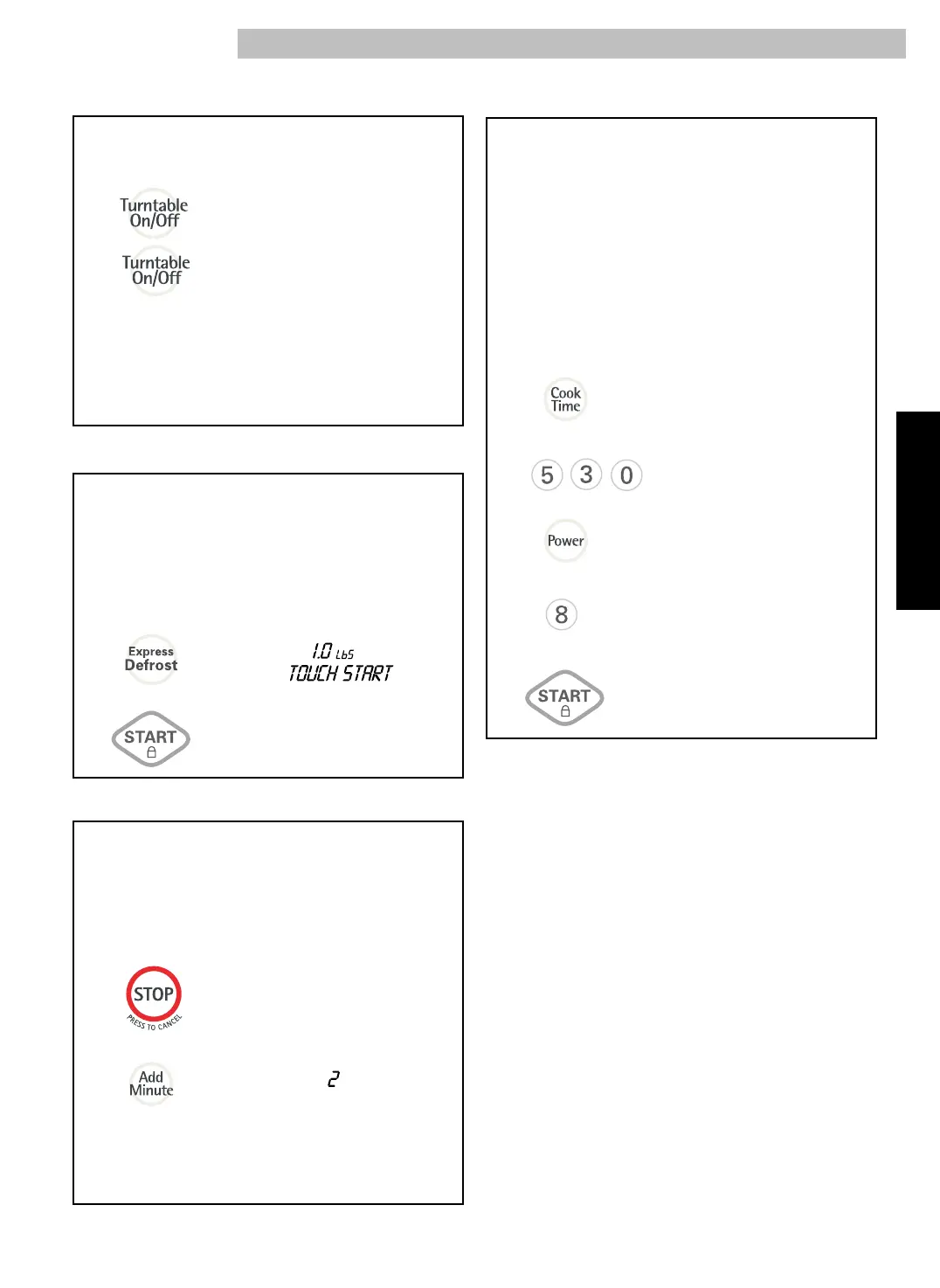
EXPRESS DEFROST
1.
2.
One express defrost sequence is preset in the oven,
The Express Defrost feature provides you with the quick
defrosting method for 1.0 pound “GROUND BEEF”
only.
Example: To defrost 1lb of Ground beef
Touch: Display Shows:
Time counting down and
EXPRESS DEFROST
scrolls across display.
TURNTABLE ON/OFF
1.
2.
For best cooking results, leave the turntable on.
It can be turned off for large dishes.
Touch: Display Shows:
Press Turntable On/Off to turn the turntable
on or off.
T/TABLE OFF
T/TABLE ON
TIMED COOKING
1.
2.
5.
3.
4.
This feature lets you program a specific cook time
and power. For best results, there are 10 power
level settings in addition to HIGH (100%) power.
Refer to the “Microwave Power Levels Table” on
page 16 for more information.
NOTE: If you do not select a power level, the oven
will automatically cook at HIGH (100%) power.
Example: To cook for 5 minutes, 30 seconds
at 80% power.
Touch: Display Shows:
::
ENTER COOKING TIME
5
::
30
TOUCH START
OR POWER
ENTER POWER
LEVEL
TO
10
5
::
30
POWER
80
TOUCH START
Time counting down
and POWER 80.
ADD MINUTE
1.
2.
A time-saving pad, this simplified control lets
you quickly set and start microwave cooking at
100% power without the need to touch START.
Example: To cook for 2 minutes.
Touch: Display Shows:
NOTE: Each time you touch ADD MINUTE, it will
add 1 minute up to 99 min 59 seconds.
Time counting down
and POWER 100.
::
00
CAUTION: Sometimes the turntable can become
hot
to touch during and after cooking.
Do not
run the oven empty without food in it.
LEVEL
0
POWER
1
00



 To Next Page