11
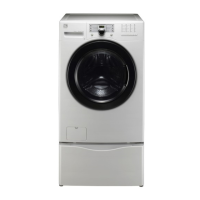
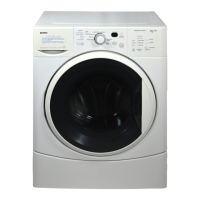
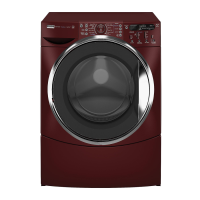
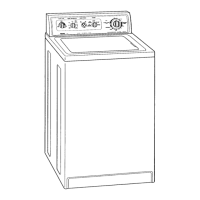
If your washer has this console:
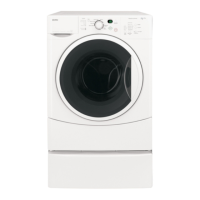
If your washer has this console:
Empty washer’s drum and close door.1.
After you plug in the washer the fi rst time: wake up the washer by pressing the 2. POWER button (3), rotate cycle knob to
cycle one up from lower right position (1), and within 10 seconds, immediately and simultaneously press and hold both
the far right options button above the LED (2a) and the far right settings button under the LED (2b) for 5 seconds, or
until the LED display changes.
The LED window will display 3.
(“Install”) and show estimated time of cycle completion. Press the START button (4).
The Installation Cycle will automatically perform various diagnostic routines. At cycle completion, the LCD window may
display
(“Install Pass”), meaning your new washer is properly installed and ready for use. If it prompts
an action such as
(“No Water”), (“Flip Hoses” - Reverse Hot and Cold Water Supply), or
(“Call Service” - 1-800-4-MY-HOME), review the installation steps and make the necessary corrections
before you attempt to use the washer.
Your washer will exit the 4. Installation Cycle and return to normal operation the next time you wake it up.
After you plug in the washer the fi rst time, the washer will power up on its own. Then follow the prompts on the touch 1.
screen LCD, including language selection.
The 2. Installation Cycle will automatically perform various diagnostic routines. At cycle completion, the LCD window may
display INSTALL PASS!, meaning your new washer is properly installed and ready for use. If it prompts an action such as
NO WATER, CHECK HOSES or CALL SERVICE - 1-800-4-MY-HOME, review the installation steps and make the neces-
sary corrections before you attempt to use the washer.
Your washer will exit the 3. Installation Cycle and return to normal operation the next time you wake it up.
Please read the 5.
Use & Care Guide
and enjoy your new premium washer!
Please read the 4.
Use & Care Guide
and enjoy your new premium washer!
NOTE
Washer will stay awake for 3 minutes after the Installation Cycle. If you wish to immediately run the
washer through a washing cycle, press the POWER button to put the unit to sleep and then rewake it
immediately with the POWER button to continue the normal operating mode.
NOTE
Washer will stay awake for 3 minutes after the Installation Cycle. If you wish to immediately run the
washer through a washing cycle, press the POWER button to put the unit to sleep and then rewake it
immediately with the POWER button to continue the normal operating mode.
With your washer in fi nal location, perform an Installation Cycle to assist in proper installation.
Installation Instructions - Performing Installation Cycle
1
2a
2b
34




 To Next Page