Always follow all safety precautions when
cleaning and servicing the POWER-MATE_L
! WARNIN 'G...................................
Electrical Shock Or Personal Injury
Hazard
Disconnect electrical supply before
servicing or cleaning the unit.
Failure to do so could result in elec-
trica! shock or persona] injury from
cleaner suddenly starting.
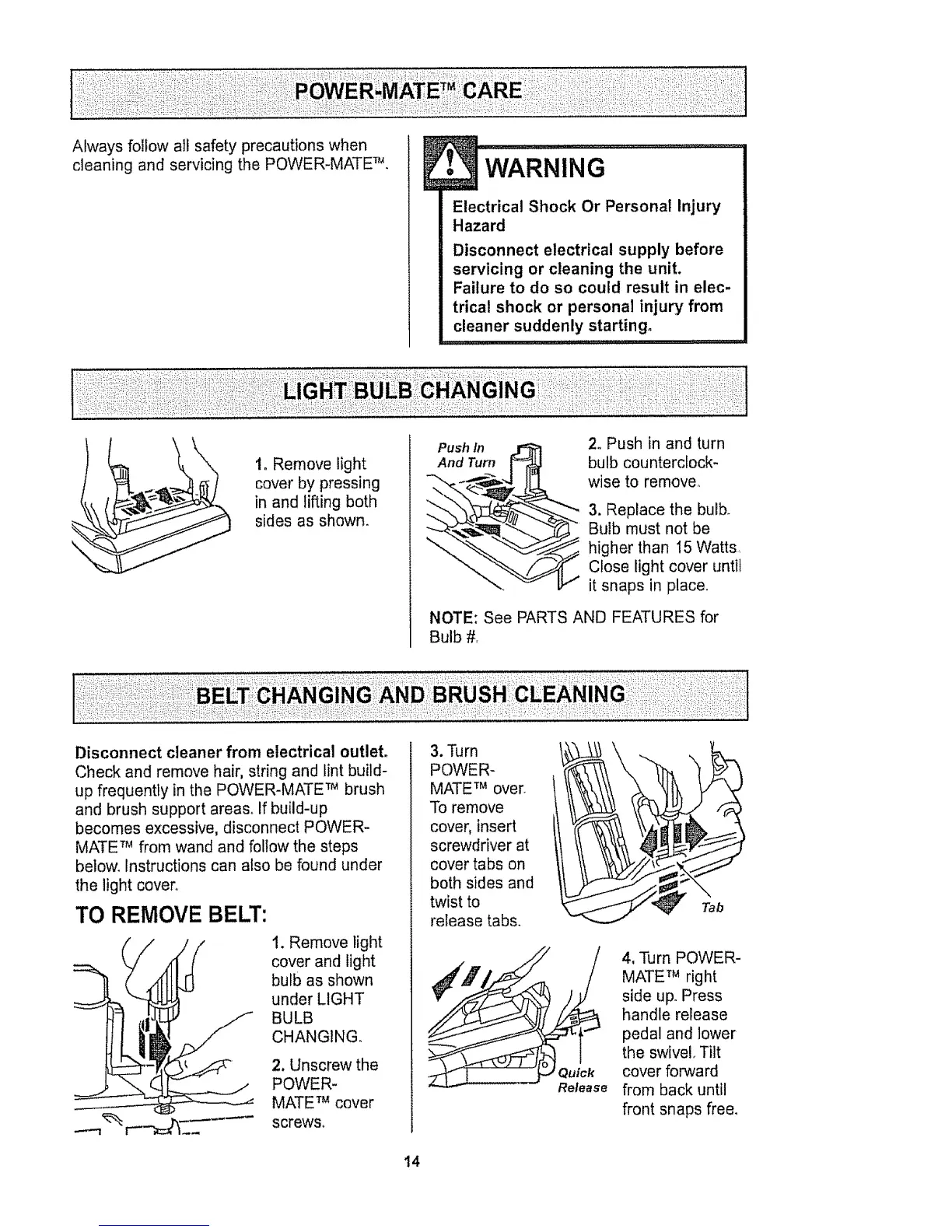
1. Remove light
cover by pressing
in and lifting both
sides as shown.
Push In _ 2. Push in and turn
And Turn [_ bulb counterclock-
-'-._-..___,.-4 IIq wise to remove_
_.,"__6_._ 3. Rep,ace the bu,b_
_ ulb must not be
higher than 15 Watts,
Close light cover until
it snaps in place.
NOTE: See PARTS AND FEATURES for
Bulb #.
Disconnect cleaner from electrical outlet.
Check and remove hair, string and lint build-
up frequently in the POWER-MATE TM brush
and brush support areas. If build-up
becomes excessive, disconnect POWER-
MATE TM from wand and follow the steps
below. Instructions can also be found under
the light cover
TO REMOVE BELT:
I. Remove light
cover and light
bulb as shown
under LIGHT
BULB
CHANGING.
2. Unscrew the
POWER-
MATE TM cover
screws°
3. Turn
POWER-
MATE TM over
To remove
cover, insert
screwdriver at
cover tabs on
both sides and
twist to
release tabs.
Tab
Quick
Release
4, Turn POWER-
MATE TM right
side up. Press
handle release
pedal and lower
the swivel Tilt
cover forward
from back until
front snaps free.
14



 To Next Page