Take care of the environment! Do not throw this device away
with other waste, but deliver it to the ocial collection point for
recycling.
Copying of this user manual for commercial purposes in prohibited.
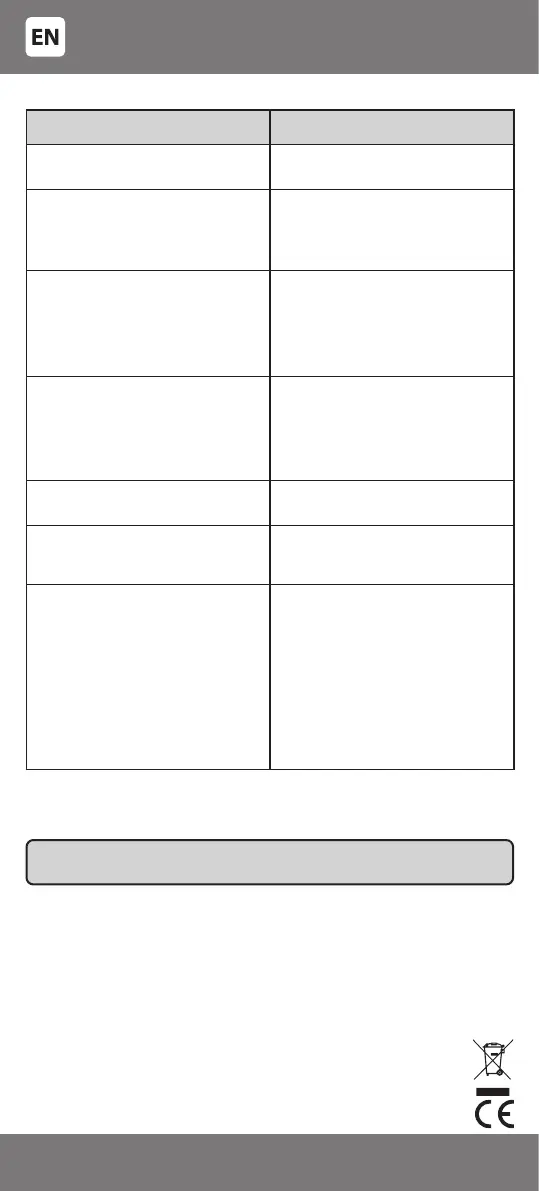
Problem Solution
Your device’s manufacturer is not on the
code list.
Use the ‘Automatic code search’ method
or the ‘Learning function’.
The device does not respond to the
commands of the universal remote.
Try to enter each code from the code list
indicated for the brand of your device.
Use the ‘Automatic code search’ method
or the ‘Learning function’.
Signals of the universal remote activate
incorrect function of the device.
The selected code may be wrong. Try
to enter another code from the list next
to the brand of your device or use the
‘Automatic code search’ method again
to nd the correct code, or try the
‘Learning function’.
The device does not respond to the
commands of the remote, but the
indicator on the remote lights up.
Press the key of the corresponding
device on the remote (e.g. for television
- [TV]).
Point the remote directly towards the
detection sensor of the controllable
device.
Operation distance of the remote has
decreased.
Replace the batteries with new ones (size
AAA/LR03, 2 pieces).
The device does not respond to the
commands of the remote, the indicator
does not light up.
Replace the batteries with new ones (size
AAA/LR03, 2 pieces).
The remote control cannot be ’taught’. 1. Insert new batteries in both remotes.
2. Place the remotes with emitting/
receiving diodes (windows) facing each
other in the distance of 3-5 cm
3. Each key must be pressed suciently
strong and must be held pressed for
approximately 1 second
4. Make sure that the remote from which
the signals are read works correctly, e.g.
the keys are working and the signal is
transmitted.
TROUBLESHOOTING*
You can download manuals of all Kenner remote control models with full
code lists in electronic form at www.digotv.eu
*If you have any further questions or queries about setup or operation
of the Kenner remote control, visit digotv.eu for the latest technical
information.
- 12 -
3301053


 To Next Page