IMPORTANT:
- The remote cannot increase the number of device functions.
E.g.: if the TV has no 'MUTE' function (sound switched o), the key [MUTE]
on the remote will not work.
- Some of the remote control functions may not work.
- Symbol on the key and the performed function may dier.
IMPORTANT:
- In the learning mode new batteries should be inserted in both remotes. Place
the remotes horizontally facing each other in the distance of 3-5 cm, windows
of the infrared emitter/receiver should be directed one against another. The keys
should be pressed suciently strong and be held pressed for at least 1 second.
- The remote cannot increase the number of device functions.
E.g.: if the receiver has no 'EXIT' function, the key [EXIT] on the remote will not
work.
- Some of the remote control functions may not work.
- Symbol on the key and the performed function may dier.
- If you change the batteries, observe correct polarity ('+' and '-').
- If due to some reason the remote does not operate normally, remove the
batteries and insert them back in the remote after 20 minutes.
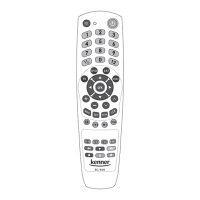
Point the remote towards the
controllable device and check
that the keys of the remote are
working. If some or all of main
keys are not working, repeat steps
2 - 5.
IMPORTANT: if the device (TV) switches o - the code detectable for the
device has been found. Please follow the search procedure carefully and
release the key [ ] immediately when the device switches o so that the
remote did not search for another code. After releasing the key [ ] the last
transmitted code is stored in the remote control memory.
C. LEARNING FUNCTION
The ‘Learning function’ is envisaged to unite the control on several devices
with one remote, provided that the original remote is still available and
is still in working order. It means that with the new RC-949 you can unite
even devices of rare models with a 100% guarantee. We recommend
to program the remote rst with the help of the ‘Code setup from code
table’ or ‘Automatic code search’ method. If you cannot nd the code or
it does not ensure operation of all remote control commands, add other
remaining commands with the help of the ‘Learning function’.
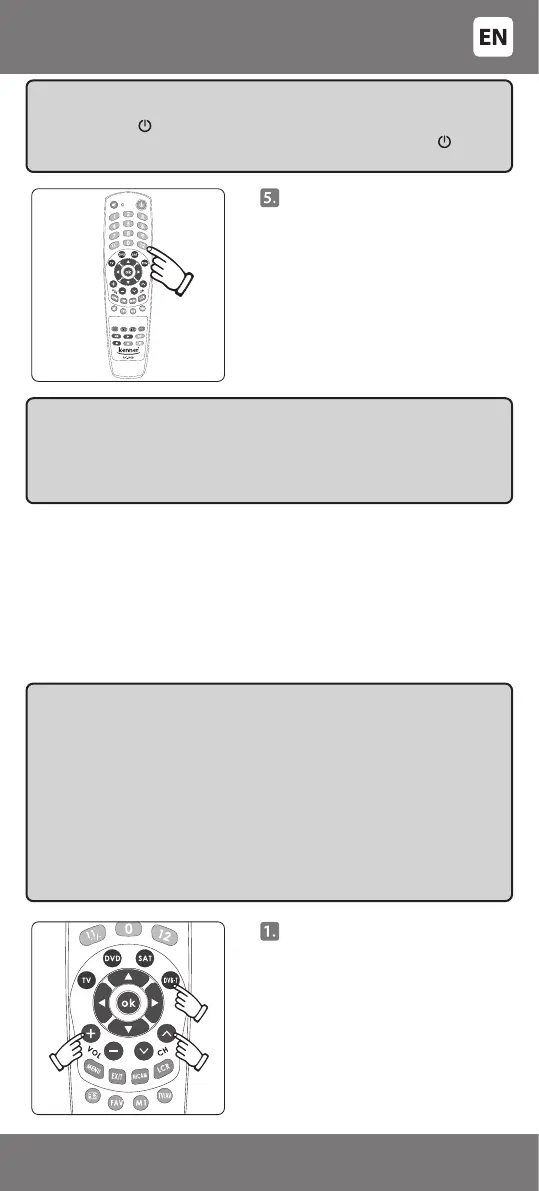
First press the key of the type
of the device (e.g. [DVB-T]). An
indicator will switch on. Release
the key, the indicator will switch
o. Press and hold [VOL+] and
[PROG
T
] keys simultaneously
until the indicator switches on.
Release both keys. Setup mode is
now switched on.
- 7 -
3301053


 To Next Page
 Loading...