EasyManua.ls Logo

Kenwood 104CD - Page 4

Kenwood 104CD
24 pages
Print Icon
To Next Page IconTo Next Page
To Previous Page IconTo Previous Page
Loading...
oystem
connections
i
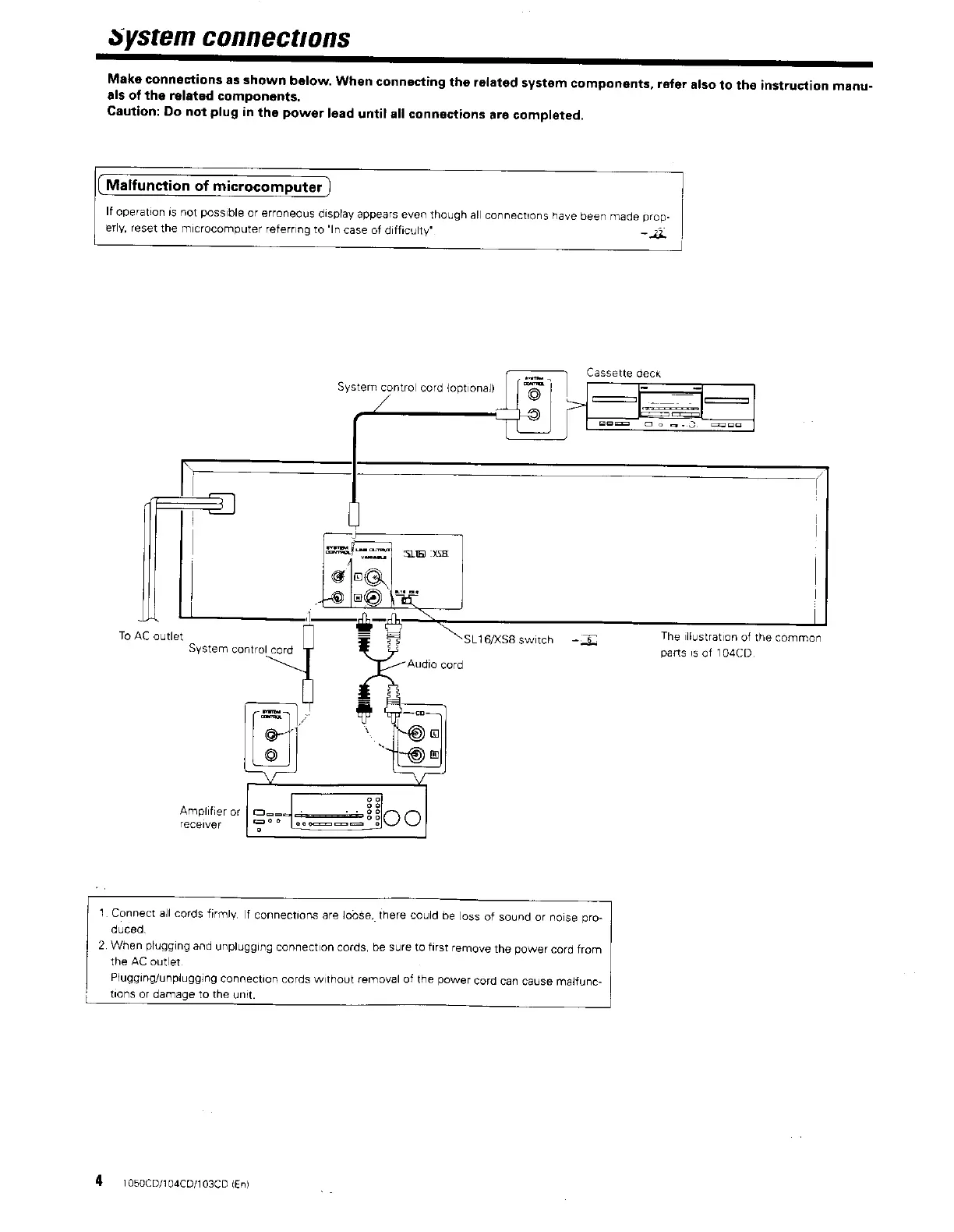
Make
connections
as
shown
below.
When
connecting
the
related
system
components,
refer
also
to
the
instruction
manu-
als
of
the
related
components.
Caution:
Do
not
plug
in
the
power
lead
until
all
connections
are
completed.
(Malfunction
of
microcomputer
)
|
If
operation
is
not
possible
or
erroneous
display
appears
even
though
all
connections
have
been
made
prop-
|
erly,
reset
the
microcomputer
referring
to
‘In
case
of
difficulty*
~
2
|
J
Cassette
deck
System
control
cord
(optional)
SLIG/XSB
switch
=
The
ilfustration
of
the
common
parts
1s
of
104CD
To
AC
outlet
System
control
cord
receiver
Amplifier
or
|
Gan.
me
@
1.
Connect
all
cords
firmly,
If
connections
are
loose,
there
could
be
loss
of
sound
or
noise
pro-
duced.
2.
When
plugging
and
unplugging
connection
cords,
be
sure
to
first
remove
the
power
cord
from
the
AC
outlet
Plugging/unpiugging
connection
cords
without
removal
of
the
power
cord
can
cause
malfunc-
i
tions
or
damage
to
the
unit.
4
1050CD/104CD/103CD
{En}