Need help?
Do you have a question about the Kenwood DP-1060 and is the answer not in the manual?
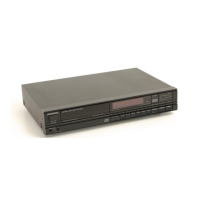
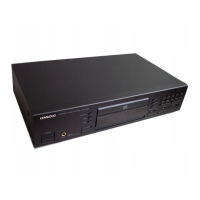
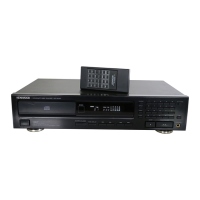
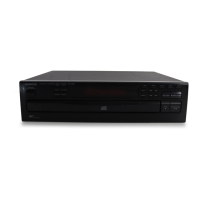
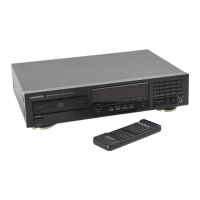
The Kenwood DP-2060/DP-1060 is a CD player designed for high-quality sound reproduction, offering a range of features for an enhanced listening experience. This instruction manual covers two models, with potential differences in availability and functions based on country and sales area.
The primary function of this device is to play compact discs. It supports normal playback in "TRACK mode," allowing users to listen to CDs from the beginning or select specific tracks. The player also features "Programmed Playback (PGM mode)," which enables users to create a custom playlist of up to 20 favorite tunes in any desired order.
A notable feature is the "EDIT function (CCRS)," designed for editing when recording CD content onto a cassette tape. This function ensures that the final track on both sides of the tape is fully recorded and that the available recording time on the tape is optimally utilized. When connected to a compatible Kenwood cassette deck via a system control cable, the CCRS function adjusts the cassette deck's recording level to match the CD's playing level, facilitating optimal recording.
The device also offers "Repeated Playback," allowing users to continuously play either programmed tracks or the entire CD. For convenience, it includes a "Timer operations" function, which, when used with a commercially available audio timer, enables playback to start at a desired preset time.
The CD player is designed for user-friendly operation. To begin, users simply press the POWER key to turn the unit on, load a CD into the disc tray (label side facing up), and then close the tray. Playback typically starts within a few seconds from track No. 1.
For selecting specific tracks, the device provides "Skip keys" to move forward or backward through tracks, and "Numeric keys" (1-0, +10) for direct track selection. A "Search key" allows for fast forward or reverse searching within a track. The "TIME DISPLAY key" provides various time information during playback, including elapsed time of the current track, remaining time of the current track, elapsed time of the entire CD, and remaining time of the entire CD.
In "Programmed Playback (PGM mode)," users can program up to 20 tracks. The "CHECK key" allows reviewing the programmed sequence, and the "CLEAR key" can be used to correct mistakes or clear the entire program. The "Auto-Space function," available in program mode, automatically inserts a 4-second space between programmed tracks, which is useful for cassette recording or for maintaining separation between tracks, especially in classical or live recordings.
The "EDIT function" involves inputting the two-way recording time of the tape. The player then automatically edits the CD content to fit both sides of the tape, prioritizing programmed tunes if any. The "EDIT SHUFFLE" feature, activated after editing is complete, shuffles the track order to minimize remaining time on tape sides A and B.
For private listening, the unit includes a "PHONES jack" for connecting stereo headphones. The "Remote control unit" (DP-2060 only) provides convenient control over all functions from a distance, including power, playback, track selection, programming, and time display.
Proper handling of compact discs is crucial for optimal performance and longevity. Users are advised to hold discs by the edges to avoid touching the playing surface and to wipe off fingerprints or foreign matter with a soft cotton cloth from the center outwards in a radial manner. Cracked or warped discs should never be played to prevent damage to the player. When not in use for extended periods, CDs should be removed from the player and stored in their cases.
Before transporting or moving the CD player, it is recommended to turn the power on without a disc loaded, wait a few seconds for the display to show "NO DISC," and then turn the power off. This prepares the unit for safe movement.
Condensation can affect the unit's operation. If condensation occurs (e.g., when moving the unit from a cold to a warm environment, or during high humidity), the unit should be left with the power on for several hours to dry out.
In case of difficulty, a troubleshooting guide is provided to help identify and resolve common issues such as discs not playing, no sound, or music interruptions. This guide suggests remedies like checking disc loading, cleaning discs, replacing damaged discs, and ensuring secure cable connections. It also advises against using contact cleaners containing oil, as they may deform plastic components. For more complex issues, users are directed to consult their dealer or a qualified service representative.
 General
| Type | CD Player |
|---|---|
| Disc format | CD |
| Frequency Response | 20Hz to 20kHz |
| Line output | 2V |
| Digital outputs | coaxial |

 To Next Page