EasyManua.ls Logo

Kenwood DP-87 - User Manual

Kenwood DP-87
16 pages
Print Icon
To Next Page IconTo Next Page
Loading...
COMPACT
DISC
PLAYER
DP-87
INSTRUCTION
MANUAL
Introduction
Your
choice
of
this
product
indicates
that
you
are
a
devotee
to
excellence
in
sound
reproduction.
We
appreciate
your
patronage
and
take
pride
in
the
long
tradition
of
quality
components.
So
that
you
can
get
the
most
out
of
your
unit,
we
suggest
that
you
take
the
time
to
read
through
this
manual
before
you
hook
up
and
operate
your
system.
This
will
acquaint
you
with
operating
features,
and
system-connection
con-
siderations,
so
that
your
listening
pleasure
will
be
enhanced
right
from
the
start.
You
will
notice
that
in
all
aspects
of
planning,
engineering,
styling,
operating
convenience
and
adaptability,
we
have
sought
to
anticipate
your
needs
and
desires.
Keep
this
manual
handy
for
future
reference.
For
your
records
Record
the
serial
number,
found
on
the
back
of
the
unit,
in
the
spaces
designated
on
the
warranty
card,
and
in
the
space
provided
below.
Refer
to
the
model
and
serial
numbers
whenever
you
cal}
upon
your
dealer
for
informa-
tion
or
service
on
this
product.
Model
DP-87
Serial
Number
Unpacking
Unpack
the
unit
carefully
and
make
sure
that
all
acces-
sories
and
cables
are
put
aside
so
they
will
not
be
lost.
Examine
the
unit
for
any
possibility
of
shipping
damage.
If
your
unit
is
damaged
or
fails
to
operate,
notify
your
dealer
immediately.
If
your
unit
was
shipped
to
you
directly,
notify
the
shipping
company
without
delay.
Only
the
consignee
(the
person
or
company
receiving
the
unit)
can
file
a
claim
against
the
carrier
for
shipping
damage.
We
recommend
that
you
retain
the
original
carton
and
packing
materials
for
use
should
you
transport
or
ship
the
unit
in
the
future.
KENWOOD
©PRINTED
IN
SINGAPORE
B50-8927-00(K,P,M.X.E,U,UE}(G)
88/12
11
109876543214
Nee
DIGITAL
AUDIO
CAUTION:
Use
of
controls
or
adjustments
or
perfor-
mance
of
procedures
other
than
those
specified
herein
may
result
in
hazardous
radiation
exposure.
In
compliance
with
Federal
Regulations.
following
are
reproductions
of
labels
on,
or
inside
the
product
relating
to
laser
product
safety.
KENWOOD
CORPORATION
'
SHIONOG!
SHIBUYA
BUILDING
17-5,
2-CHOME,
1
SHIBUYA,
SHIBUYA-KU,
TOKYO,
JAPAN
KENWOOD
CORP.
CERTIFIES
THIS
EQUIPMENT
CONFORMS
TO
DHHS
REGULATIONS
NO.
21
CFR
1040,
10,
CHAPTER
1,
SUBCHAPTER
J.
DANGER
|
INVISIBLE
LASER
RADIATION
WHEN
OPEN
AND
+
|
INTERLOCK
FAILED
OR
DEFEATED.
AVOID
DIRECT
|
|
EXPOSURE
TO
BEAM.
\
Location:
Inside,
near
the
Laser
mechanism.
Accessories
RCA
pin
plug
cord
System
control
cord
(Except
for
some
areas.)
Contents
A\
Before
applying
power.
A\
Safety
precautions......
A\
Important
safeguards.
Before
operation
Notes
on
handling
compact
System
connections..........
System
control
connections..
NOOO
WN
NM
Caution:
Read
the
following
pages
marked
in
A
ee
to
sie!
your
safety.
Controls
and
indicators...
tata
wunaettlaide,
6
Remote
contro
unit...
Operating
instructions
For
servicing...
add
in
case
of
difficulty.
Specifications
Question and Answer IconNeed help?

Do you have a question about the Kenwood DP-87 and is the answer not in the manual?

Summary

Laser Safety Precautions

Laser Beam Exposure Warning

Warning about invisible laser radiation and avoiding direct exposure to the beam.

Before Applying Power

Critical Safety Warnings

Covers AC plug safety, fire prevention, and internal shock hazard warnings.

Important Safeguards

Electrical Safety and Connections

Precautions for power sources, cords, grounding, and AC outlet usage.

Direct Shock and Enclosure Safety

Warnings regarding electric shock hazards from internal parts and enclosure removal.

Important Safeguards (Continued)

Hazard and Service Procedures

Handling abnormal smells, conditions requiring service, and user servicing limitations.

System Connections

Controls and Indicators Overview

Power and Playback Control Buttons

Details the POWER, PLAY/PAUSE, STOP, REPEAT, CLEAR, TIME DISPLAY, and PHONES controls.

Display Window Indicators

Operating Instructions

Manual Playback and Control

Guides manual playback, pausing, resuming, and stopping disc play.

Operating Instructions (Continued)

Programmed Playback

How to program and play a sequence of tracks in a desired order.

Programming Playback Tracks

Step-by-step guide for programming up to 20 tracks.

For Servicing

Servicing Preparation

Instructions for packing the unit for service and securing the laser pick-up.

Troubleshooting Guide

Power and Disc Playback Issues

Troubleshooting for no power supply and discs not starting play.

Audio and Track Playback Issues

Solutions for no sound, sound skipping, and slow track searching.

Tray Operation Issues

Troubleshooting steps for when the disc tray fails to open.

Summary

Laser Safety Precautions

Laser Beam Exposure Warning

Warning about invisible laser radiation and avoiding direct exposure to the beam.

Before Applying Power

Critical Safety Warnings

Covers AC plug safety, fire prevention, and internal shock hazard warnings.

Important Safeguards

Electrical Safety and Connections

Precautions for power sources, cords, grounding, and AC outlet usage.

Direct Shock and Enclosure Safety

Warnings regarding electric shock hazards from internal parts and enclosure removal.

Important Safeguards (Continued)

Hazard and Service Procedures

Handling abnormal smells, conditions requiring service, and user servicing limitations.

System Connections

Controls and Indicators Overview

Power and Playback Control Buttons

Details the POWER, PLAY/PAUSE, STOP, REPEAT, CLEAR, TIME DISPLAY, and PHONES controls.

Display Window Indicators

Operating Instructions

Manual Playback and Control

Guides manual playback, pausing, resuming, and stopping disc play.

Operating Instructions (Continued)

Programmed Playback

How to program and play a sequence of tracks in a desired order.

Programming Playback Tracks

Step-by-step guide for programming up to 20 tracks.

For Servicing

Servicing Preparation

Instructions for packing the unit for service and securing the laser pick-up.

Troubleshooting Guide

Power and Disc Playback Issues

Troubleshooting for no power supply and discs not starting play.

Audio and Track Playback Issues

Solutions for no sound, sound skipping, and slow track searching.

Tray Operation Issues

Troubleshooting steps for when the disc tray fails to open.

Overview

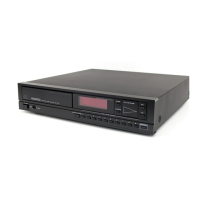
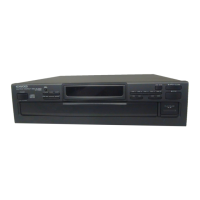
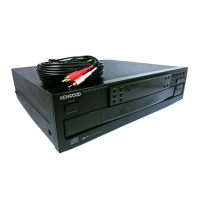
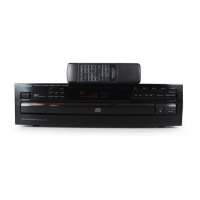
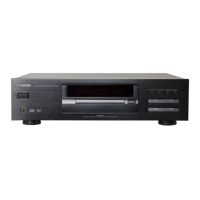
This document describes the Kenwood DP-87 Compact Disc Player, an audio component designed for high-quality sound reproduction.

Function Description:

The Kenwood DP-87 is a compact disc player that reads digital audio data from compact discs and converts it into an analog audio signal for playback through an amplifier and speaker system. It supports standard compact discs and offers various playback modes, including manual play, programmed play, and repeat play. The unit features a disc tray for loading discs, a headphone jack for private listening, and a comprehensive display window to show track numbers, time information, and program status. It can be integrated into a larger Kenwood audio system for enhanced control and functionality, including automatic play operation, synchronized recording with a cassette deck, and remote control via a compatible Kenwood amplifier or receiver.

Important Technical Specifications:

  • Number of channels: 2 channels
  • Frequency response: 20 Hz - 20 kHz, ± 1 dB
  • Dynamic range: More than 92 dB at 1 kHz
  • Signal to noise ratio: More than 92 dB
  • Total harmonic distortion: Less than 0.007% at 1 kHz
  • Channel separation: More than 88 dB at 1 kHz
  • Wow & flutter: Unmeasurable limit
  • Line output level/impedance: 1.6 V/3.3 kohms
  • Headphones output level/impedance: 31 mW/32 ohms
  • Playing speed: 1.2 - 1.4 m/sec (constant linear velocity)
  • Quantization: 16 bits linear 1 channel
  • Sampling frequency: 44.1 kHz
  • Power consumptions: 15 W
  • Dimensions (W x H x D): 420 mm (16-9/16") x 90 mm (3-9/16") x 262 mm (10-5/16")
  • Weight (Net): 3.8 kg (8.36 lb)
  • Power supply: Operates on 110-120V or 220-240V AC, depending on the region and AC voltage selector switch setting (if present). Units for U.S.A., Canada, Australia, and Europe are designed for specific voltages (120V, 240V, or 220V AC respectively) and do not feature an AC voltage selector switch.

Usage Features:

  • Power On/Off: Controlled by a dedicated POWER switch.
  • Disc Loading: A motor-driven disc tray opens and closes via the OPEN/CLOSE (▲) key. Discs are placed label side up.
  • Manual Play: Pressing the PLAY/PAUSE (▷/II) key starts playback. The Music Calendar displays track numbers (up to 20).
  • Pause Mode: Pressing PLAY/PAUSE (▷/II) during play pauses playback; pressing it again resumes play.
  • Stop Play: The STOP (■) key halts playback.
  • Track Selection: Numeric keys (1-0) or SKIP (◄◄, ►►) keys allow direct selection of desired tracks. For two-digit track numbers, the tens digit is pressed first, followed by the ones digit within 3 seconds.
  • Search Function: SEARCH (◄◄, ►►) keys enable fast forward or fast reverse scanning during play or pause.
  • Programmed Play: The P-MODE key activates program mode, allowing users to program up to 20 tunes in any desired order using the numeric keys. The program can be checked, modified, or cleared.
  • Repeat Play: The REPEAT key enables continuous playback of all tunes on the disc or a single programmed track.
  • Time Display: The TIME DISPLAY key cycles through four display modes: elapsed time of the current tune, remaining time of the current tune, total elapsed time on the disc (or programmed tunes), and total remaining time on the disc (or programmed tunes).
  • Auto Space Function: In Program mode, the Auto Space function automatically inserts a 4-second non-recorded blank between tunes.
  • System Control: When connected to compatible Kenwood system components via the system control cord, the DP-87 supports automatic play, synchronized recording, and remote control from the amplifier or receiver's remote unit.
  • Headphone Output: A PHONES jack allows private listening with headphones.

Maintenance Features:

  • Cleaning: The cabinet should be cleaned with a clean, dry cloth. Volatile solvents like alcohol, paint thinner, gasoline, or benzine should not be used. Compact discs should be wiped with a dry cloth in a radial direction to remove fingerprints or dirt; chemical solvents or conventional record cleaners are not recommended.
  • Storage: Compact discs should always be stored in their cases and kept away from heat, moisture, and direct sunlight.
  • Condensation: If condensation occurs internally (e.g., when moving the unit from a cold to a warm environment), the player may malfunction. The unit should be left powered ON for several hours to dry out before normal operation can resume.
  • Shipping: It is recommended to retain the original carton and packing materials for future transport or shipping. For servicing, the unit should be repacked with original materials, and the laser pick-up system should be secured by turning the power ON without a disc, then OFF after the display shows the specific indication.
  • Troubleshooting: The manual provides a troubleshooting guide for common issues such as no power, disc not playing, no sound, or sound skipping, suggesting remedies like checking power connections, disc orientation, cleanliness, and unit temperature.
  • Safety Precautions: The manual emphasizes important safeguards, including proper power source connection, power-cord protection, ventilation, avoiding water and moisture, preventing electric shock, and not removing the enclosure. It also warns against abnormal smells or smoke, advising immediate power off and disconnection. Servicing should be referred to qualified personnel.


Kenwood DP-87 Specifications

General IconGeneral
BrandKenwood
ModelDP-87
CategoryCD Player
LanguageEnglish

Related product manuals