Need help?
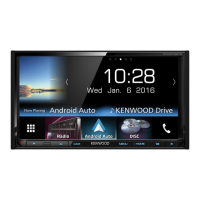
Do you have a question about the Kenwood DDX916WS and is the answer not in the manual?
Crucial safety, warnings, and operational guidelines for initial use.
Guides through the first-time setup process.
Instructions for setting a security code to prevent theft.
How to operate the unit using hand gestures.
Steps to connect a USB device for playback.
Choosing between wired and Bluetooth connections.
How to use Android Auto features.
How to use Apple CarPlay features.
Setting different audio sources for front and rear.
Important warnings and precautions before installation.
Detailed wiring diagrams for connecting the unit.
Common issues and solutions for the unit.
 General
| Display Size | 6.8 inches |
|---|---|
| Resolution | 800 x 480 pixels |
| Bluetooth | Yes |
| Apple CarPlay | Yes |
| Android Auto | Yes |
| USB Ports | 2 |
| Preamp Outputs | 3 (Front, Rear, Subwoofer) |
| Radio Tuner | AM/FM |
| DVD/CD Player | Yes |
| Touchscreen | Yes |
| HD Radio | Yes |
| Built-in Microphone | Yes |
| Rear Camera Input | Yes |
| Video Playback | Yes |


 To Next Page