EasyManua.ls Logo

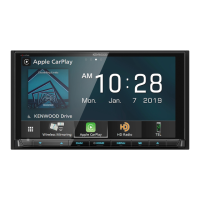
Kenwood DDX9702S - User Manual

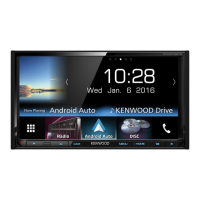
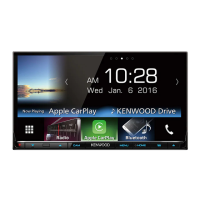
Kenwood DDX9702S
84 pages
Print Icon
To Next Page IconTo Next Page
Loading...
Take the time to read through this instruction manual.
Familiarity with installation and operation procedures will help you obtain the best performance from your new DVD-receiver.
For your records
Record the serial number, found on the back of the unit, in the spaces designated on the warranty card, and in the space provided below. Refer to the model and serial
numbers whenever you call upon your Kenwood dealer for information or service on the product.
Model DDX9902S/DDX9702S Serial number
US Residents Only
Register Online
Register your Kenwood product at www.Kenwoodusa.com
B5A-0663-00 (KN)© 2015 JVC KENWOOD Corporation
DDX9902S
DDX9702S
MONITOR WITH DVD RECEIVER
INSTRUCTION MANUAL
DDXHighK.indb1 2015/04/1516:15
Question and Answer IconNeed help?

Do you have a question about the Kenwood DDX9702S and is the answer not in the manual?

Summary

BEFORE USE

Important Safety Information

Read this manual before use, observe warnings and cautions. Keep manual accessible.

How to Reset Your Unit

Procedure to press the reset button if the unit fails to operate properly.

INITIAL SETTINGS

Initial Setup Process

Configure initial settings like demonstration, language, and panel color.

BASICS

Component Overview and Operations

Identify unit parts and learn common operations like power and volume control.

Screen Navigation and Source Selection

Understand screen operations and how to select playback sources.

DISCS

Disc Playback and Settings

Learn how to play discs, manage playback, and set disc options like parental lock.

USB

USB Connection and Playback

Connect USB devices, manage playback, and select files.

iPod;iPhone

iPod;iPhone Setup and Playback

Connect, configure, and control iPod/iPhone playback.

APPS

Smartphone App Integration

Use Apple CarPlay, Android Auto, and other apps from your smartphone.

Pandora

Pandora App Usage and Requirements

Connect, set up, and use the Pandora music streaming application.

HD Radio tuner

HD Radio Broadcast and Operations

Understand HD Radio technology and control broadcast reception.

SiriusXM Satellite Radio

SiriusXM Subscription and Controls

Activate subscription, listen to channels, and manage settings.

Content Alerts and Parental Controls

Set up alerts for content and manage parental restrictions.

OTHER EXTERNAL COMPONENTS

External Device Connections

Connect AV-IN devices, rear view cameras, and smartphones.

BLUETOOTH

Bluetooth Pairing and Phone;Audio Operations

Pair devices, manage calls, and stream audio via Bluetooth.

SETTINGS

Application, Sound, and Speaker Settings

Configure apps, adjust audio, and set up speakers.

Display, System, and Customization

Adjust display, system settings, and customize the interface.

CONNECTION;INSTALLATION

Installation Precautions and Procedures

Follow safety guidelines and procedures for unit installation.

Wiring and Device Connections

Details on connecting power, speakers, and external devices.

REFERENCES

Maintenance, Specifications, and File Types

Unit care, supported file types, and product specifications.

Troubleshooting Common Issues

Solutions for common problems and error messages.

Specifications

Monitor and Tuner Specifications

Technical details for the display monitor and radio tuner.

Trademarks and Licenses

Smartphone Usage Precautions

Kenwood DDX9702S Specifications

General IconGeneral
BrandKenwood
ModelDDX9702S
CategoryCar Receiver
LanguageEnglish

Related product manuals