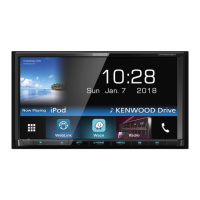
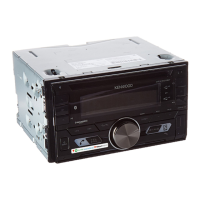
Need help?
Do you have a question about the Kenwood DMX908S and is the answer not in the manual?
Details software components and licensing terms.
Outlines terms for using licensed software.
Safety and usage guidelines before operating the unit.
Introduces basic SiriusXM functions and usage.
Steps to activate a SiriusXM subscription and find Radio ID.
Tunes directly to a channel by number.
Main setup screen for SiriusXM features.
Sets a parental code for content restriction.
Prevents unauthorized access to mature content or selected channels.
Configuration options for SportsFlash alerts.
Process to pair and register Bluetooth devices.
Selects which registered Bluetooth device to connect.
Controls playback of audio from a connected Bluetooth device.
Basic playback controls for Bluetooth audio.
Instructions for using the Bluetooth hands-free phone function.
Steps for initiating phone calls via Bluetooth.
Uses voice commands for phonebook search and control.
Configures various hands-free function settings.
Displays views from connected cameras.
Configures camera assignments and settings.
Assigns cameras to specific input terminals.
Precautions and warnings before installing the unit.
Step-by-step guide for installing the unit.
Detailed instructions for installing the unit in the vehicle.
Explains terminal connections for power, speakers, and accessories.
Connects external amplifiers, cameras, and audio/video sources.
Connects USB devices for data transfer and power.
Connects iPod/iPhone via USB for audio playback.
Connects Android smartphones via USB for data and features.
Connects various cameras (front, rear, dashboard).
Accesses various system configuration options.
Adjusts audio equalizer settings for sound customization.
Optimizes sound field based on listening position and delay.
Saves and recalls audio settings.
Lists common issues and their resolutions.
Lists and explains error messages displayed on the unit.
Troubleshooting issues related to SiriusXM reception and subscription.
Troubleshooting common issues with Apple CarPlay.
Technical specifications of the unit's hardware components.
 General
| Display Size | 6.8 inches |
|---|---|
| Touchscreen | Yes |
| Apple CarPlay | Yes |
| Android Auto | Yes |
| Bluetooth | Yes |
| USB Ports | 2 |
| Preamp Outputs | 3 (Front, Rear, Subwoofer) |
| Power Output | 50 watts x 4 channels |
| SiriusXM Ready | Yes |
| Backup Camera Input | Yes |
| HD Radio | Yes |
| iDatalink Maestro Ready | Yes |
| Built-in Microphone | Yes |
| Steering Wheel Control Compatible | Yes |
| EQ Settings | 13-band graphic EQ |
| Dimensions (W x H x D) | 7 x 4 x 6 inches |
| RMS Power Output | 22 Watts x 4 Channels |
| Navigation | No |
| Resolution | 1280 x 720 pixels |


 To Next Page