EasyManua.ls Logo

Kenwood DMX906S - User Manual

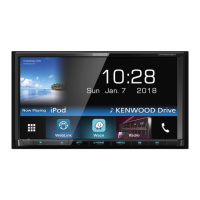
Kenwood DMX906S
112 pages
Print Icon
To Next Page IconTo Next Page
Loading...
B5K-0609-00 (K/R)© 2019 JVC KENWOOD Corporation
MONITOR WITH DVD RECEIVER
MONITEUR AVEC RÉCEPTEUR DVD
MONITOR CON RECEPTOR DVD
DDX9906XR
DDX8906S
DDX8706S
DDX819WBTL
MONITOR WITH RECEIVER
MONITEUR AVEC RÉCEPTEUR
MONITOR CON RECEPTOR
DMX906S
DMX9706S
Quick Start Guide
Guide de démarrage rapide
Guía de inicio rápido
Take the time to read through this instruction manual.
Familiarity with installation and operation procedures will help you obtain the best performance from your new receiver.
For your records
Record the serial number, found on the back of the unit, in the spaces designated on the warranty card, and in the space
provided below. Refer to the model and serial numbers whenever you call upon your KENWOOD dealer for information or
service on the product.
Model DDX9906XR / DDX8906S / DDX8706S / DDX819WBTL / DMX906S / DMX9706S Serial number
US Residence Only
Register Online
Register your KENWOOD product at www.kenwood.com/usa/
Updated information (the latest Instruction Manual, system updates, new functions, etc.) is available from <http://www.kenwood.com/cs/ce/>.
The Instruction manual is subject to change for modification of specifications and so forth. Be sure to download the latest edition of the
Instruction manual for reference. <http://manual.kenwood.com/edition/im401/>
Des informations actualisées (le dernier mode d'emploi, les mises à jour du système, les nouvelles fonctions, etc.) sont disponibles sur le site
<http://www.kenwood.com/cs/ce/>.
Le mode d'emploi est susceptible d'être modifié suite aux changements pouvant être apportés aux spécifications etc. Téléchargez impérativement
la dernière édition du mode d'emploi aux fins de référence. <http://manual.kenwood.com/edition/im401/>
La información actualizada (el Manual de instrucciones más actualizado, actualizaciones del sistema, nuevas funciones, etc.) está disponible
desde <http://www.kenwood.com/cs/ce/>.
El Manual de instrucciones está sujeto a cambios por modificaciones de las especificaciones, etc. Asegúrese de descargar la última edición del
Manual de instrucciones a título de referencia. <http://manual.kenwood.com/edition/im401/>
B5K-0609-00_DDX_K.indb 1 2019/02/06 13:35

Table of Contents

Question and Answer IconNeed help?

Do you have a question about the Kenwood DMX906S and is the answer not in the manual?

Summary

Before Use - Introduction and General Precautions

Precautions

General safety warnings for preventing injury or fire, and precautions for unit usage.

Before Use - Specific Precautions

Basic Operations - Front Panel Overview

Functions of the Buttons on the Front Panel

Details the buttons on the front panel for different models of the unit.

Basic Operations - Unit Power and Controls

Turning on the Unit

Provides instructions on how to turn the unit on, with model-specific methods.

Initial Setup and Configuration

Initial setup

Guides through the initial setup process for language, clock, display, camera, and demo mode.

Security Code Setup and Management

Calendar, Clock, and Volume Adjustment

Adjusting the volume

Instructions on how to control the audio volume level.

Display and Viewing Angle Adjustments

Display Adjustment

Guides on adjusting screen tilt and angle for specific models.

Viewing Angle

Guides on adjusting screen tilt and angle for specific models.

Touch Screen Operations and Home Screen

Touch screen operations

Explains the different ways to interact with the touch screen interface.

Playback Source Selection and Standby

Select the playback source

How to choose and switch between different audio and video sources.

Disc Insertion, Ejection, and Basic Playback

Insert a disc

Step-by-step guide on how to insert a disc into the unit's player.

Eject a disc

Instructions for safely removing a disc from the unit.

DVD Disc Menu Operations

DVD Disc Menu Operation

Explains how to set up functions using the DVD-VIDEO disc menu.

USB and iPod;iPhone Connectivity

HD Radio Tuner Operations

Radio Operations and Memory Management

Bluetooth Device Registration and Setup

Register the Bluetooth device

Steps to pair a Bluetooth audio player or cell-phone with the unit.

Hands-Free Unit Operation for Calls

Using the Hands-Free Unit

How to use the telephone function via Bluetooth connection.

Bluetooth Call Management

Controlling Audio Settings

Controlling Audio

Adjusting various audio settings like balance and subwoofer level.

Connection and Installation - Pre-Installation Precautions

Before Installation

Important precautions and warnings to observe before installing the unit.

WARNINGS

Critical safety warnings related to wiring and potential hazards.

Connection and Installation - Procedures and Accessories

Installation procedure

Step-by-step instructions for the physical installation of the unit.

Installing the Unit and GPS Antenna

Installing the unit

General guidance on physically mounting the unit in the vehicle.

Wiring Connections for DDX9906 XR;DDX8906 S;DMX906 S

Connecting wires to terminals

Overview of connecting various wires to the unit's terminals.

Wiring Connections for DDX819 WBTL

System and External Component Connections

Connecting the system and external components

How to connect external components and systems to the unit.

External Component Connection Details

Connecting USB and iPod;iPhone Devices

Connecting a USB device

Diagram showing how to connect USB devices to the unit.

Connecting Smartphones (Android;iPhone)

Connecting an Android smartphone

Diagram showing how to connect an Android smartphone to the unit.

Camera Connection Guide

Connecting the camera

General instructions for connecting cameras to the unit.

Camera Assignment Settings

To set up the camera assignment settings

Steps to assign camera inputs for front, rear, or dashboard cameras.

Summary

Before Use - Introduction and General Precautions

Precautions

General safety warnings for preventing injury or fire, and precautions for unit usage.

Before Use - Specific Precautions

Basic Operations - Front Panel Overview

Functions of the Buttons on the Front Panel

Details the buttons on the front panel for different models of the unit.

Basic Operations - Unit Power and Controls

Turning on the Unit

Provides instructions on how to turn the unit on, with model-specific methods.

Initial Setup and Configuration

Initial setup

Guides through the initial setup process for language, clock, display, camera, and demo mode.

Security Code Setup and Management

Calendar, Clock, and Volume Adjustment

Adjusting the volume

Instructions on how to control the audio volume level.

Display and Viewing Angle Adjustments

Display Adjustment

Guides on adjusting screen tilt and angle for specific models.

Viewing Angle

Guides on adjusting screen tilt and angle for specific models.

Touch Screen Operations and Home Screen

Touch screen operations

Explains the different ways to interact with the touch screen interface.

Playback Source Selection and Standby

Select the playback source

How to choose and switch between different audio and video sources.

Disc Insertion, Ejection, and Basic Playback

Insert a disc

Step-by-step guide on how to insert a disc into the unit's player.

Eject a disc

Instructions for safely removing a disc from the unit.

DVD Disc Menu Operations

DVD Disc Menu Operation

Explains how to set up functions using the DVD-VIDEO disc menu.

USB and iPod;iPhone Connectivity

HD Radio Tuner Operations

Radio Operations and Memory Management

Bluetooth Device Registration and Setup

Register the Bluetooth device

Steps to pair a Bluetooth audio player or cell-phone with the unit.

Hands-Free Unit Operation for Calls

Using the Hands-Free Unit

How to use the telephone function via Bluetooth connection.

Bluetooth Call Management

Controlling Audio Settings

Controlling Audio

Adjusting various audio settings like balance and subwoofer level.

Connection and Installation - Pre-Installation Precautions

Before Installation

Important precautions and warnings to observe before installing the unit.

WARNINGS

Critical safety warnings related to wiring and potential hazards.

Connection and Installation - Procedures and Accessories

Installation procedure

Step-by-step instructions for the physical installation of the unit.

Installing the Unit and GPS Antenna

Installing the unit

General guidance on physically mounting the unit in the vehicle.

Wiring Connections for DDX9906 XR;DDX8906 S;DMX906 S

Connecting wires to terminals

Overview of connecting various wires to the unit's terminals.

Wiring Connections for DDX819 WBTL

System and External Component Connections

Connecting the system and external components

How to connect external components and systems to the unit.

External Component Connection Details

Connecting USB and iPod;iPhone Devices

Connecting a USB device

Diagram showing how to connect USB devices to the unit.

Connecting Smartphones (Android;iPhone)

Connecting an Android smartphone

Diagram showing how to connect an Android smartphone to the unit.

Camera Connection Guide

Connecting the camera

General instructions for connecting cameras to the unit.

Camera Assignment Settings

To set up the camera assignment settings

Steps to assign camera inputs for front, rear, or dashboard cameras.

Kenwood DMX906S Specifications

General IconGeneral
Display Resolution800 x 480 pixels
TouchscreenYes
Apple CarPlayYes
Android AutoYes
BluetoothYes
SiriusXM ReadyYes
HD RadioYes
Rear Camera InputYes
Steering Wheel Control CompatibleYes
EQ Settings13-Band
Preamp Outputs3 (Front, Rear, Subwoofer)
Time AlignmentYes
Video PlaybackYes
Max Video Resolution1080p
Built-in MicrophoneYes
Built-in Amplifier Power50 Watts x 4 Channels
RMS Power Output22W x 4
Display Size6.95 inches
USB Ports2 (Rear)

Related product manuals