Need help?
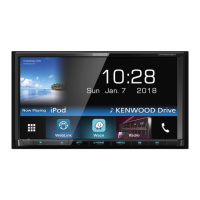
Do you have a question about the Kenwood DMX8021DABS and is the answer not in the manual?
Details about software components, EULA, GPL/LGPL, and source code.
Establishes conditions for using licensed software and user obligations.
Warnings, handling, cleaning, GPS, and smartphone usage advice.
Guidance on reading the manual and its symbols.
Detailed explanation of the unit's front panel buttons and their functions.
Instructions for powering the unit on/off and initial configuration.
Guide to setting up a security code for system protection.
Instructions for setting date, time, and adjusting volume.
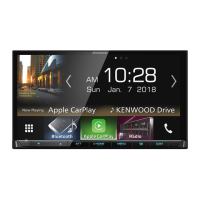
Explanation of touch gestures and HOME screen navigation.
Using popup menus, turning off screen, and selecting playback sources.
Arranging shortcut icons and understanding source control screen.
Displaying artwork, list screens, and their functions.
Description of play, search, navigation keys, and content lists.
Adding, replacing, or deleting widgets on the HOME screen.
Details on Weather and Photo Frame widgets.
How to transfer image files for widgets.
Configuration options for various widgets.
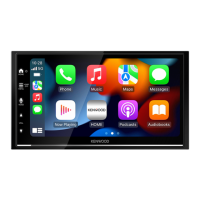
Displaying Android screen wirelessly and using iPhone via CarPlay.
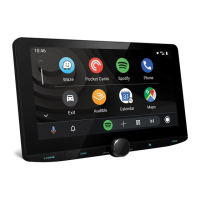
Using Android smartphone features via Android Auto.
Receiving weather forecasts via INRIX app.
Connecting, disconnecting, and basic operation of USB devices.
Searching for music/video files on USB.
Connecting and selecting output methods for iPod/iPhone.
Basic controls and functions for iPod/iPhone playback.
Searching for music files from iPod/iPhone.
Controlling radio functions via source screen.
Storing and recalling radio stations automatically or manually.
Tuning stations via presets, program type, and traffic bulletins.
Configuring radio parameters like NEWS, AF, and Regional.
Controlling digital radio functions and information display.
Saving digital radio services to presets and tuning by program type.
Receiving traffic information via digital radio.
Configuring digital radio settings like Priority and Announcement.
Overview of Bluetooth technology and pairing devices.
Switching and deleting registered Bluetooth devices.
Making calls, voice commands, and hands-free setup.
Basic controls, music mix, and file search for Bluetooth audio.
Transferring and deleting phonebook data.
Configuring hands-free call and audio settings.
Displaying camera feeds, settings, and assignment.
Connecting and using dashboard camera, AV-IN, and HDMI sources.
Configuring screen, system, UI, special features, and display settings.
Configuring AV input and device connection settings.
Setting up speaker systems and configuring crossover frequencies.
Adjusting audio balance, EQ, sound effects, and listening position.
Memorize and recall audio control settings.
Battery installation and functions of remote control buttons.
Precautions and step-by-step guide for installing the unit.
Connecting wires, speaker systems, and external components.
Diagnosing problems and understanding error messages.
Supported media, technical specifications, and product information.
Copyrights and legal notices related to the product.
 General
| Display Size | 6.8 inches |
|---|---|
| Resolution | 800 x 480 pixels |
| Touch Panel | Yes |
| Bluetooth | Yes |
| DAB+ Radio | Yes |
| Android Auto | Yes |
| Apple CarPlay | Yes |
| Rear View Camera Input | Yes |
| HD Radio | No |
| Built-in Microphone | Yes |
| AM/FM Tuner | Yes |
| Satellite Radio Ready | No |
| Steering Wheel Control Compatible | Yes |
| DVD Player | No |
| CD Player | No |
| Audio Formats Supported | MP3, WMA, AAC, WAV |
| Video Formats Supported | MKV |
| Pre-out | 3 (Front, Rear, Subwoofer) |
| USB Ports | 2 |


 To Next Page