Basic Operations
12
NOTE
• Please set the date and time. If they are not set,
some functions may not work.
Adjusting the volume
You can adjust the volume (0 to 40).
Press [R] to increase, and press [S] to decrease.
Holding [R] increases the volume continuously
to level 15.
DDX9907XR / DDX9707S
DMX957XR / DMX907S / DMX9707S
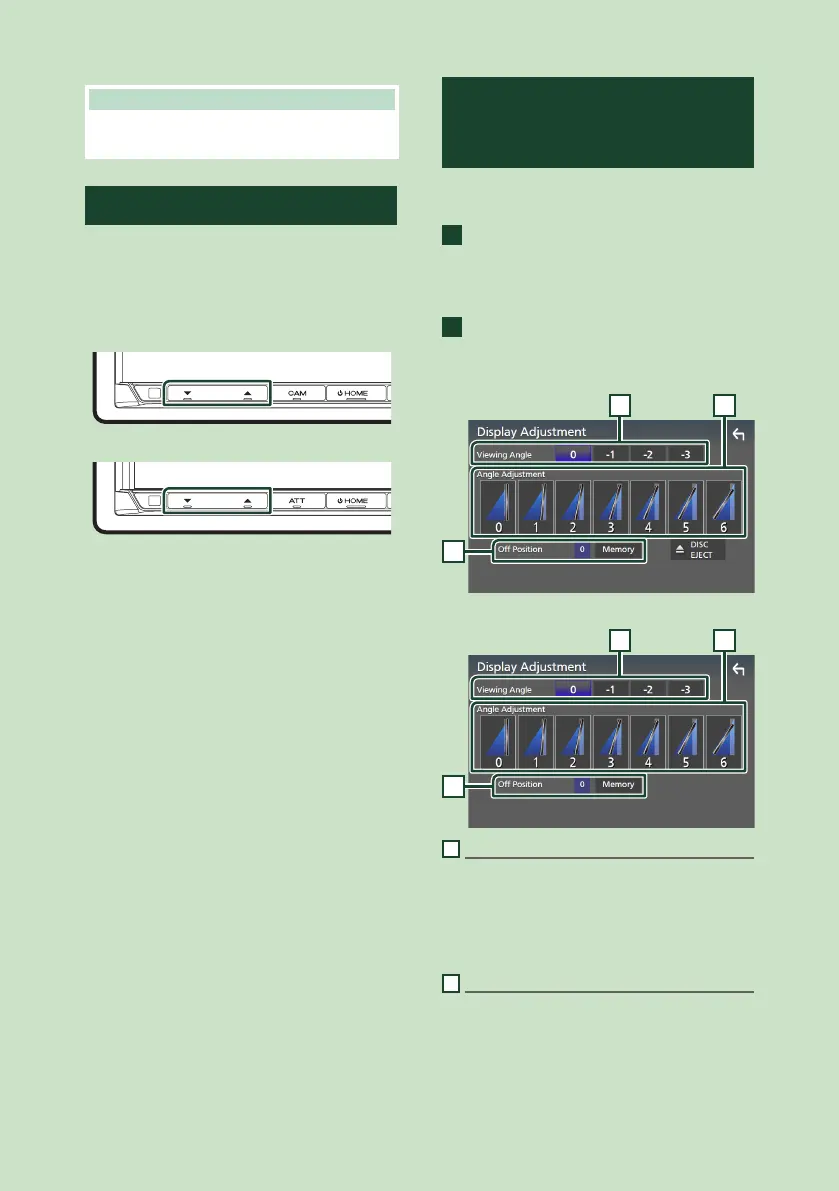
Display Adjustment
(DDX9907XR / DDX9707S /
DMX957XR)
DDX9907XR / DDX9707S
1
Press the [G] button.
Display Adjustment screen appears.
DMX957XR
1
Press and hold the [CAM] button.
Display Adjustment screen appears.
DDX9907XR / DDX9707S
1 2
3
DMX957XR
1 2
3
1
Viewing Angle
You can adjust the viewing angle when the
image on the screen is difficult to see evenly.
The smaller the (negative) value, the more
whitish the image on the screen looks.
"0" (Default)/"-1"/"-2"/"-3"
2
Angle Adjustment
Select a tilt position you want to set up.
Default is "0".


 To Next Page
 Loading...




