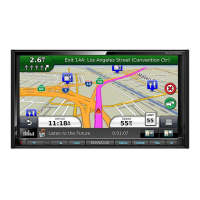
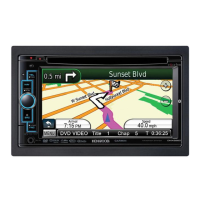
EasyManua.ls Logo

Kenwood DNN991HD - User Manual

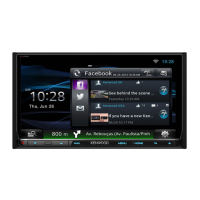
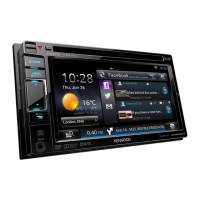
Kenwood DNN991HD
261 pages
Print Icon
To Next Page IconTo Next Page
Loading...
You can update the system by connecting a USB device containing an
update le.
For updating the system, visit <http://www2.jvckenwood.com/cs/ce/>.
Puede actualizar el sistema conectando un dispositivo USB que incluya
un archivo de actualización.
Para actualizar el sistema, visite <http://www2.jvckenwood.com/cs/ce/>.
LVT2542-001B (KN/RN)© 2014 JVC KENWOOD Corporation
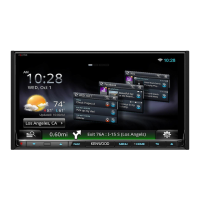
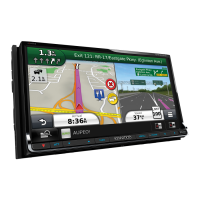
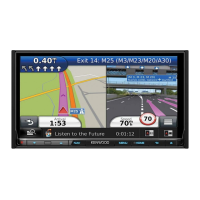
DNN991HD
DNN9710BT
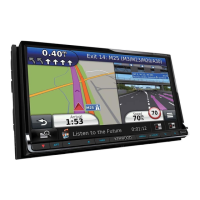
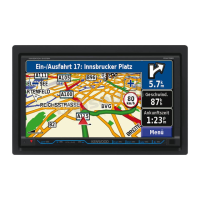
CONNECTED NAVIGATION SYSTEM
Quick Start Guide
SISTEMA DE NAVEGACIÓN CONECTADO
Guía de inicio rápido
Take the time to read through this instruction manual.
Familiarity with installation and operation procedures will help you obtain the best
performance from your new GPS Navigation System.
For your records
Record the serial number, found on the back of the unit, in the spaces designated on the warranty card,
and in the space provided below. Refer to the model and serial numbers whenever you call upon your
Kenwood dealer for information or service on the product.
Model DNN991HD/ DNN9710BT Serial number
US Residence Only
Register Online
Register your Kenwood product at www.Kenwoodusa.com

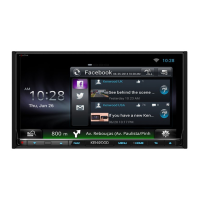
Table of Contents

Other manuals for Kenwood DNN991HD

Questions and Answers

  • M
    Madeline RomeroSep 23, 2025
    What to do if my Kenwood DNN991HD Car Navigation system plays the wrong disc?
    • T
      Theresa KingSep 23, 2025
      If your Kenwood Car Navigation system plays the wrong disc, the disc may be dirty. Clean the disc. Alternatively, the disc may be severely scratched, so try another disc instead.
  • A
    Autumn LeonAug 23, 2025
    Why is radio reception poor on my Kenwood Car Navigation system?
    • B
      Bryan OlsonAug 23, 2025
      If the radio reception is poor on your Kenwood Car Navigation system, make sure the car antenna is fully extended. Also, check that the antenna control wire is correctly connected.
  • A
    Andrew RodriguezAug 25, 2025
    What to do if I cannot select the output destination of the subsource in the dual zone on my Kenwood DNN991HD?
    • M
      Michael BaileyAug 26, 2025
      If you can't select the output destination of the subsource in the dual zone on your Kenwood Car Navigation system, it might be because the dual zone function is disabled. To solve this, set the dual zone function to on.
  • B
    barronkristinAug 26, 2025
    Why can't I adjust the volume of the rear speakers on my Kenwood DNN991HD?
    • M
      Mark SandersAug 26, 2025
      If you cannot adjust the volume of the rear speakers on your Kenwood Car Navigation system, it may be because the dual zone function is disabled. Set the dual zone function to on.
  • J
    jasmine71Aug 27, 2025
    What to do if there is no output from the subwoofer on Kenwood DNN991HD Car Navigation system?
    • B
      Bradley ThomasAug 27, 2025
      If there is no output from the subwoofer on your Kenwood Car Navigation system, the subwoofer may not be set to 'on'. To fix this, set the subwoofer to 'on'.
  • K
    kellyyoungSep 18, 2025
    Why can't I perform repeat play during VCD playback on my Kenwood DNN991HD Car Navigation system?
    • A
      Ashley SullivanSep 18, 2025
      If you cannot perform repeat play during VCD playback on your Kenwood Car Navigation system, it is because the PBC function is enabled. Turn off the PBC function.
  • J
    Joseph Rhodes DVMSep 15, 2025
    Why can't my Kenwood DNN991HD Car Navigation system play audio files stored on a disc?
    • C
      Courtney GutierrezSep 15, 2025
      If your Kenwood Car Navigation system cannot play audio files stored on a disc, it might be because “CD Read” is set to “2”. Set “CD Read” to “1”.
  • J
    jasondavisSep 16, 2025
    Why can't I select a folder on my Kenwood DNN991HD Car Navigation system?
    • M
      Mary WrightSep 16, 2025
      If you cannot select a folder on your Kenwood Car Navigation system, the random play function might be enabled. Turn off the random function.
  • A
    Alexandria HuangSep 6, 2025
    Why can't I select the output destination of the subsource in the dual zone on my Kenwood DNN991HD Car Navigation system?
    • T
      Tim GuzmanSep 6, 2025
      If you cannot select the output destination of the subsource in the dual zone on your Kenwood Car Navigation system, it is because the dual zone function is disabled. Set the dual zone function to on.
  • M
    Mark RamosSep 3, 2025
    Why can't I set up the equalizer on my Kenwood DNN991HD Car Navigation system?
    • K
      kentkevinSep 3, 2025
      If you cannot set up the equalizer on your Kenwood Car Navigation system, it might be because the dual zone function is enabled. To solve this, set the dual zone function to off.

Kenwood DNN991HD Specifications

General IconGeneral
TouchscreenYes
GPS NavigationYes
BluetoothYes
HD RadioYes
SiriusXM ReadyYes
HDMI InputYes
AUX InputYes
iPod/iPhone CompatibilityYes
Android CompatibilityYes
Steering Wheel Control CompatibilityYes
Backup Camera InputYes
Display Size6.95 inches
Resolution800 x 480 pixels
Audio Formats SupportedMP3, WMA, AAC, WAV, FLAC
Video Formats SupportedMPEG1, MPEG2, MPEG4, WMV
Preamp Outputs5V

Related product manuals