EasyManua.ls Logo

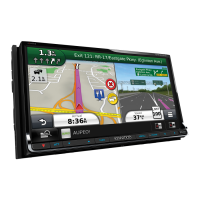
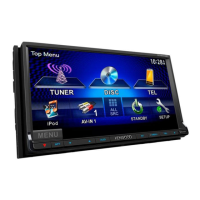
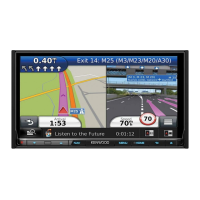
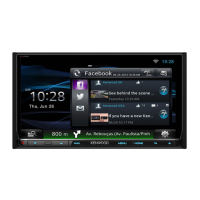
Kenwood DNN9250DAB - User Manual

Kenwood DNN9250DAB
172 pages
Print Icon
To Next Page IconTo Next Page
Loading...
14DNN_IM383_Ref_E_en_00 (E)© 2014 JVC KENWOOD Corporation
CONNECTED NAVIGATION SYSTEM
DNN9250DAB
DNN6250DAB
CONNECTED MONITOR WITH DVD RECEIVER
DNR8025BT
INSTRUCTION MANUAL
Before reading this manual, click the button below to check the latest edition and the
modified pages.
http://manual.kenwood.com/edition/im383/
Check the latest edition

Table of Contents

Other manuals for Kenwood DNN9250DAB

Questions and Answers

  • D
    daniel85Aug 16, 2025
    What to do if the sound skips when playing audio file on Kenwood Car Navigation system?
    • J
      justinmorrisAug 16, 2025
      If the sound skips when playing an audio file on your Kenwood Car Navigation system, it might be because the disc is scratched or dirty. Try cleaning the disc to resolve this issue.
  • M
    Mrs. Brittany Davis MDAug 18, 2025
    Why does the sound skip when playing audio files on my Kenwood Car Navigation system?
    • S
      samantharaymondAug 18, 2025
      If the sound skips when playing an audio file on your Kenwood Car Navigation system, the recording condition might be bad. Try recording the file again or use another disc.
  • A
    Ann BrownAug 22, 2025
    What to do if Kenwood DNN9250DAB plays another disc instead of the specified one?
    • S
      Scott WashingtonAug 22, 2025
      If your Kenwood Car Navigation system won't play a specific disc but plays others, it could be because the disc is quite dirty. Clean the disc following the precautions for handling discs.
  • J
    John FarrellAug 25, 2025
    Why does my Kenwood DNN9250DAB Car Navigation system play another disc instead of the specified one?
    • S
      Scott SmithAug 25, 2025
      If your Kenwood Car Navigation system won't play a specific disc but plays others, it might be because the disc is severely scratched. In this case, try using another disc.
  • D
    deborahbarronAug 28, 2025
    Why I cannot adjust the volume of the rear speakers on my Kenwood DNN9250DAB Car Navigation system?
    • T
      Terri LeeAug 28, 2025
      If you cannot adjust the volume of the rear speakers on your Kenwood Car Navigation system, it is likely because the dual zone function is disabled. To fix this, set the dual zone function to on.
  • K
    Kimberly MooreAug 30, 2025
    What to do if I cannot play audio files stored in a disc on Kenwood DNN9250DAB?
    • T
      Timothy MooreAug 31, 2025
      If you cannot play audio files stored on a disc with your Kenwood Car Navigation system, it's likely because “CD Read” is set to “2”. Change the setting to “1” to resolve this.
  • D
    Daniel TurnerSep 2, 2025
    Why is there no output from the subwoofer on my Kenwood DNN9250DAB?
    • M
      Mark GonzalesSep 2, 2025
      If there is no output from the subwoofer on your Kenwood Car Navigation system, ensure that the subwoofer is set to on.
  • R
    Robert ChapmanSep 5, 2025
    Why I cannot select a folder on Kenwood DNN9250DAB Car Navigation system?
    • L
      Laurie BrewerSep 5, 2025
      If you cannot select a folder on your Kenwood Car Navigation system, it is because the random play function is enabled. Turn off the random function.
  • P
    Pamela WarrenSep 9, 2025
    Why I cannot perform repeat play during VCD playback on Kenwood DNN9250DAB Car Navigation system?
    • R
      rebeccacontrerasSep 9, 2025
      If you cannot perform repeat play during VCD playback on your Kenwood Car Navigation system, it is because the PBC function is enabled. Turn off the PBC function.
  • J
    Jeffrey FranklinSep 12, 2025
    Why is video or audio interrupted on Streaming Video and AUPEO! on Kenwood Car Navigation system?
    • B
      Bobby RobersonSep 12, 2025
      Video or audio interruptions on Streaming Video and AUPEO! with your Kenwood Car Navigation system may occur if the communication environment is unstable. The interruption depends on the communication environment and the unit’s operation condition.

Summary

Before Use

WARNING

General safety warnings to prevent injury or fire.

Precautions on using this unit

Guidelines for proper operation and accessory compatibility.

Erase the personal information

Procedure to delete all personal data before selling or transferring the unit.

How to Read this Manual

Search Operation

Methods for searching music, video, or picture files.

List search

Searching tracks, folders, and files according to hierarchy.

Features of Connected systems

Cooperation with Route Collector site

Integration with the Route Collector site for destination input and route logging.

About the account

Explanation of account registration and types for internet services.

Basic Operations

Functions of the Buttons on the Front Panel

Detailed description of the unit's front panel buttons.

Login

Procedure for logging into the system with different user accounts.

Initial setup

Steps for initial configuration after installation or reset.

Detaching The Front Panel

Instructions for removing the front panel for theft prevention.

How to Play Media

Procedures for playing various media sources like discs and devices.

Operation on the Home Screen

Navigating and utilizing the main home screen interface.

Network Setup

Wi-Fi Setup

Steps to connect the unit to a Wi-Fi access point.

Wi-Fi Hotspot Setup

Instructions for enabling and configuring the unit as a Wi-Fi hotspot.

Clock and Date Setup

Adjust the date and time manually

Manual adjustment of the unit's date, time, and time zone.

Account Setup

Create User Account

Procedure to create a new user account for the system.

Set Owner Account

Steps to register the primary owner account for system management.

Widget and Application Operation

Weather Widget

Displaying weather forecasts for a selected region.

SNS Widget

Integration with social networks like Facebook, Twitter, and Gmail.

Facebook (SNS Application)

Using the Facebook application for posts and status updates.

Twitter (SNS Application)

Using the Twitter application for posts and updates.

E-mail (SNS Application)

Using the Email application for sending and receiving messages.

RSS Application

Displaying RSS feeds and news updates.

Now playing Widget

Information about the currently playing song or station.

Summary Board Widget

Displaying favorite songs, YouTube history, and charts.

Photo Frame Widget

Displaying photos stored on USB or SD card as a slideshow.

Mixed Media Search

Searching for media files by artist, album, or genre.

DVD;Video CD (VCD) Operation

DVD;VCD Basic Operation

Fundamental controls for playing DVD and VCD media.

DVD Disc Menu Operation

Interacting with the DVD disc's menu options.

DVD Setup

Configuring settings for DVD playback functions.

CD;Audio and Visual Files;iPod;Apps Operation

Music;Video Basic Operation

Fundamental controls for playing music and video files.

USB device, SD card and iPod

Operating USB devices, SD cards, and iPods.

Search Operation

Methods for searching and locating media files.

Cloud Storage Operation

Starting procedure

Initial setup steps for playing music files from Dropbox.

Music Basic Operation

Playing music files uploaded to Dropbox.

Kenwood Wireless Link Operation

Media Server function

Accessing content stored on other network devices.

Media Player function

Playing content stored on another media server.

Media Controller function

Handling content stored on other devices.

Radio and TV Tuner Operation

Radio Basic Operation

Fundamental controls for radio reception.

Digital Radio Basic Operation (DNN9250 DAB; DNN6250 DAB)

Basic operations for digital radio reception.

Tuner Setup

Configuring various tuner-related parameters.

DAB Setup (DNN9250 DAB; DNN6250 DAB)

Settings specific to Digital Audio Broadcasting.

TV Tuner Operation

Connecting and operating an external TV tuner.

Streaming Service Application

Streaming Video Application

Playing videos uploaded to YouTube.

AUPEO! Application

Listening to online radio stations via AUPEO!.

Bluetooth Control

About the Smartphone;cell phone and Bluetooth audio player

Bluetooth specifications and compatibility information.

Registering and Connecting Bluetooth Unit

Process for pairing Bluetooth devices with the unit.

Playing Bluetooth Audio Device

Playing audio content from a connected Bluetooth device.

Using Hands-Free Feature

Making and receiving calls using the hands-free function.

Voice Control (DNN9250 DAB)

Voice Control

General procedures for operating the unit using voice commands.

Camera Control (DNN9250 DAB; DNR8025 BT)

Camera Control

Adjusting camera angles and displaying guidelines.

Switching the View Camera

Switching between front and rear camera views.

Setting Up

Monitor Screen Setup

Adjusting image quality and display settings.

System Setup

Configuring system-wide parameters and preferences.

User interface

Customizing user interface elements like language and beep.

Navigation Setup (DNN9250 DAB; DNN6250 DAB)

Setting navigation system parameters.

Camera Setup

Configuring parameters for connected cameras.

Software Information

Checking software version and performing updates.

AV Input Setup

Configuring settings for AV input sources.

AV Output Interface Setup

Configuring settings for AV output.

Controlling Audio

Setting Audio

Basic audio configuration including speaker and car type.

Speaker setup

Selecting speaker types and sizes for optimal sound.

DSP select

Selecting the Digital Signal Processor system.

Controlling General Audio

Adjusting general audio parameters like fader and balance.

Equalizer Control

Adjusting equalizer settings and EQ curves.

Zone Control

Selecting audio sources for different zones in the vehicle.

Sound Effect

Applying various sound effects to the audio output.

Listening Position

Adjusting sound effects based on listening position.

Remote Control

Battery Installation

Instructions for installing batteries in the remote control.

Functions of the Remote Control Buttons

Detailed explanation of remote control buttons and their functions.

Troubleshooting

Problems and Solutions

Common issues encountered and their corresponding solutions.

Error Messages

Explanations of various error messages and their causes.

Resetting the Unit

Procedure to reset the unit to factory settings.

Appendix

Playable Media and Files

List of supported media discs and file types.

Connectable iPod;iPhone

List of compatible iPod and iPhone models.

Usable USB device

Information regarding compatible USB storage devices.

Status Bar Indicator Items

Explanation of icons displayed on the status bar.

Region Codes in the World

Map illustrating DVD region codes by geographical area.

DVD Language Codes

List of language codes used for DVD menus and audio.

Specifications

Detailed technical specifications of the unit.

Safety precaution

Important safety warnings and precautions for product usage.

Voice Command Table

General opreration

Common voice commands applicable across various screens.

Displaying Voice Commands

Instructions on how to view the list of available voice commands.

Kenwood DNN9250DAB Specifications

General IconGeneral
FM band range87.5 - 108 MHz
Supported radio bandsAM, FM, LW, MW
Preset stations quantity24
CD playerYes
Built-in speaker(s)-
Audio formats supportedAAC, FLAC, MP3, WAV, WMA
Image formats supportedJPG
Video formats supportedH.264, MPEG1, MPEG2, MPEG4
Equalizer bands quantity13
Display diagonal7 \
Grayscale levels256
Display resolution800 x 480 pixels
Placement supportedHorizontal
Display number of colors262144 colors
DIN size2 DIN
Form factorFixed
Product colorBlack
Storage media typeFlash
Compatible memory cardsSDHC
Maximum memory card size32 GB
Internal storage capacity8 GB
Wi-Fi standards802.11b, 802.11g, Wi-Fi 4 (802.11n)
Bluetooth version3.0+HS
USB 2.0 ports quantity1
Address inputStreet
Auto re-routeNo
Languages supportMulti
Number of waypoints500
Map coverageCzech Republic, Denmark, Finland, France, Greece, Italy
Map view options2D/3D
GPS accuracy - position0.1 m
GPS accuracy - velocity2.5 m/s
Operating temperature (T-T)-10 - 60 °C
Weight and Dimensions IconWeight and Dimensions
Depth163 mm
Width171.7 mm
Height112.3 mm
Weight2700 g

Related product manuals