EasyManua.ls Logo

Kenwood DNR8015BT - User Manual

Kenwood DNR8015BT
151 pages
Print Icon
To Next Page IconTo Next Page
Loading...
15DNN_IM387_Ref_M_en_01 (M/M2/X)© 2014 JVC KENWOOD Corporation
CONNECTED NAVIGATION SYSTEM
DNN9150BT
DNN9150BTM
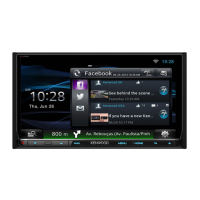
CONNECTED MONITOR WITH DVD RECEIVER
DNR8015BT
DNR8015BTM
INSTRUCTION MANUAL
Before reading this manual, click the button below to check the latest edition and the
modified pages.
http://manual.kenwood.com/edition/im387/
Check the latest edition

Table of Contents

Other manuals for Kenwood DNR8015BT

Questions and Answers

  • J
    John LongAug 10, 2025
    Why is the radio reception poor on my Kenwood DNR8015BT?
    • M
      Melissa LucasAug 10, 2025
      Poor radio reception on your Kenwood Car Navigation system can occur if the car antenna is not fully extended. Ensure you pull out the antenna all the way. Also, check that the antenna control wire is correctly connected, referring to the "Connection" section in the Quick Start Guide to connect the wire correctly.
  • S
    stephanie86Aug 17, 2025
    What to do if there is no output from the subwoofer on my Kenwood Car Navigation system?
    • L
      Laura LarsonAug 18, 2025
      If there's no output from the subwoofer, the subwoofer may not be turned on. Turn the subwoofer on. See Speaker setup (P.119).
  • T
    Tina MorrisonAug 25, 2025
    Why can't I set up the low pass filter on my Kenwood DNR8015BT?
    • S
      Seth DavisAug 25, 2025
      You may not be able to set up the low pass filter because the subwoofer is not set to on. Set the subwoofer to on. See Speaker setup (P.119).
  • N
    nathangraySep 2, 2025
    Why can't I set up the high pass filter on my Kenwood DNR8015BT Car Navigation system?
    • D
      Daniel LindseySep 2, 2025
      You may not be able to set up the high pass filter because the subwoofer is not set to on. Set the subwoofer to on. See Speaker setup (P.119).

Summary

Before Use

WARNING

Safety precautions to prevent injury or fire, including handling metallic objects and display usage.

Features of Connected systems

Use of internet service

Details on using streaming, email, social networking, and RSS information services.

Basic Operations

Functions of the Buttons on the Front Panel

Identifies and explains the functions of physical buttons on the unit's front panel.

Turning on the Unit

Step-by-step guide on how to power on the unit and turn it off.

Initial setup

WiFi Setup

Steps to configure settings for connecting to a Wi-Fi access point for internet.

How to Play Media

Network Setup

Wi-Fi Hotspot Setup

Turns the unit into a Wi-Fi access point for connecting smartphones and PCs.

Bluetooth Control

Controlling Audio

Troubleshooting

Problems and Solutions

Provides a table of common problems, their reasons, and suggested solutions.

Error Messages

Lists common error messages, their causes, and recommended solutions for unit failures.

Resetting the Unit

Kenwood DNR8015BT Specifications

General IconGeneral
BrandKenwood
ModelDNR8015BT
CategoryCar Navigation system
LanguageEnglish

Related product manuals