EasyManua.ls Logo

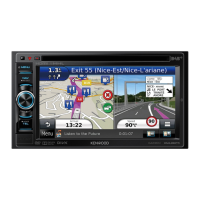
Kenwood DNR8035BT - User Manual

Kenwood DNR8035BT
153 pages
Print Icon
To Next Page IconTo Next Page
Loading...
14DNN_IM383_Ref_M_en_00 (M/M2/X)© 2014 JVC KENWOOD Corporation
CONNECTED NAVIGATION SYSTEM
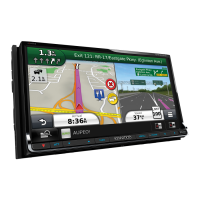
DNN9350BT
DNN9350BTM
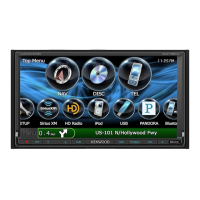
CONNECTED MONITOR WITH DVD RECEIVER
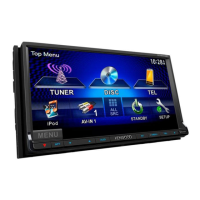
DNR8035BT
DNR8035BTM
INSTRUCTION MANUAL
Before reading this manual, click the button below to check the latest edition and the
modified pages.
http://manual.kenwood.com/edition/im383/
Check the latest edition

Table of Contents

Other manuals for Kenwood DNR8035BT

Questions and Answers

  • M
    Marissa EsparzaAug 14, 2025
    What to do if there is no output from the subwoofer on Kenwood DNR8035BT Car Navigation system?
    • P
      Patrick LaraAug 14, 2025
      If there is no output from the subwoofer in your Kenwood Car Navigation system, the subwoofer might not be activated. To resolve this, ensure that the subwoofer is set to 'on'.
  • M
    Michael HudsonAug 17, 2025
    Why I cannot adjust the volume of the rear speakers on my Kenwood DNR8035BT?
    • A
      Ashley PhillipsAug 17, 2025
      If you're unable to adjust the volume of the rear speakers in your Kenwood Car Navigation system, it's possible that the dual zone function is disabled. To fix this, turn the dual zone function to 'on'.
  • A
    Ashley GuzmanAug 20, 2025
    Why I cannot set up the equalizer on my Kenwood DNR8035BT?
    • W
      Wendy BenjaminAug 21, 2025
      If you cannot set up the equalizer on your Kenwood Car Navigation system, it might be because the dual zone function is enabled. Turn the dual zone function to 'off' to set up the equalizer.
  • W
    William GainesAug 25, 2025
    What to do if I cannot select the output destination of the subsource in the dual zone on Kenwood Car Navigation system?
    • A
      Ashley DunnAug 25, 2025
      If you cannot select the output destination of the subsource in the dual zone on your Kenwood Car Navigation system, the dual zone function might be disabled. Set the dual zone function to 'on'.
  • C
    carlsimmonsAug 27, 2025
    Why I cannot set up the crossover network on my Kenwood DNR8035BT Car Navigation system?
    • E
      Eric MarshAug 27, 2025
      If you're unable to set up the crossover network on your Kenwood Car Navigation system, it's possible the dual zone function is enabled. Turn the dual zone function to 'off'.
  • E
    Emily CastilloAug 31, 2025
    What to do if the sound skips when an audio file is being played on Kenwood DNR8035BT Car Navigation system?
    • M
      Mark ChungAug 31, 2025
      If the sound skips when playing an audio file on your Kenwood Car Navigation system, it could be due to a scratched or dirty disc. Try cleaning the disc. Alternatively, the recording condition might be poor, so re-record the file or use a different disc.
  • J
    Joseph HarrisSep 3, 2025
    What to do if the specified disc does not play on Kenwood Car Navigation system?
    • T
      Thomas MendozaSep 3, 2025
      If the specified disc doesn't play on your Kenwood Car Navigation system, but another one does, it might be because the disc is dirty. You should clean the disc. Alternatively, the disc could be severely scratched, in which case you should try a different disc.
  • J
    Justin McguireSep 6, 2025
    Why I cannot select a folder on my Kenwood Car Navigation system?
    • J
      Jeremy GreeneSep 6, 2025
      If you cannot select a folder on your Kenwood Car Navigation system, the random play function might be enabled. Turn off the random function.
  • C
    Christina HuangSep 9, 2025
    Why I cannot perform repeat play during VCD playback on Kenwood DNR8035BT?
    • J
      Jeff PetersenSep 9, 2025
      If you cannot perform repeat play during VCD playback on your Kenwood Car Navigation system, the PBC function might be enabled. Turn off the PBC function.

Summary

Before Use

Safety Warnings and Precautions

Covers warnings, usage, lens fogging, and disc handling precautions.

Unit Care and Information Erasure

Details on protecting the monitor, cleaning, and erasing personal data.

How to Read this Manual

Understanding Manual Conventions

Explains manual elements like link headers, reference marks, and screenshots.

Search Operation Guide

Details on list search and other search methods for files.

Features of Connected Systems

Connected Services Overview

Highlights internet services, Route Collector site integration, and account management.

Basic Operations

Wi-Fi Connectivity Options

Explains Wi-Fi access point and hotspot features.

Front Panel Buttons and SD Card Slot

Details front panel buttons and SD card insertion/ejection.

Initial Unit Setup and Login

Covers initial setup, language, Wi-Fi, date, and account login.

Media Playback and Home Screen Navigation

Guides on playing media and navigating the home screen.

Common Operation Methods

Explains common operations like quick menus and list scrolling.

Navigation System Functions

Details navigation screen, trip logs, and location-based features.

Network Setup

Wi-Fi Connection and Hotspot Configuration

Guides for setting up Wi-Fi access and configuring a Wi-Fi hotspot.

Clock and Date Setup

Manual Date and Time Adjustment

Step-by-step instructions for setting date, time, and time zone.

Account Setup and Management

Account Types and Registration

Explains account types, registration process, and creating user accounts.

Owner and User Account Management

Covers setting owner/user accounts, switching logins, and deletion.

Widget and Application Operation

Using On-Screen Widgets

Details for Today, SNS, RSS, Now Playing, Summary Board, and Photo Frame widgets.

Application Services Usage

Guides for Schedule, Facebook, Twitter, Email, and general Apps operation.

DVD;Video CD (VCD) Operation

Basic Playback and Disc Menu Controls

Covers basic playback, sub function menus, and DVD disc menu operations.

DVD Playback Settings and Controls

Details DVD play modes, zoom control, setup, language, and parental levels.

CD;Audio;Visual;iPod;Apps Operation

Music;Video and Disc Media Controls

Covers music CD, disc media, search, folder, and artwork operations.

USB Device and iPod Operations

Guides for USB/iPod basic playback, sub functions, and file management.

Pandora Streaming Service

Details Pandora operation, control screens, and function menus.

Application Services Playback

Covers YouTube video playback and AUPEO! music streaming.

Cloud Storage Operation

Dropbox Integration for Music Playback

Guides for Dropbox setup, file upload, and music playback.

Dropbox File Management Functions

Details file management, repeat, random, and category search.

Kenwood Wireless Link Operation

Wireless Network Connectivity

Explains starting procedures and network connection types.

Media Sharing Functions

Details Media Server, Player, Controller, and Renderer functions.

Radio Operation

Basic Radio Tuning and Memory

Covers basic controls, station memory, and selection methods.

Advanced Radio Features

Details traffic information and tuner setup options.

Bluetooth Control

Bluetooth Device Pairing and Connection

Guides for registering and connecting Bluetooth units.

Hands-Free Calling and Audio Streaming

Covers Bluetooth audio playback and hands-free call operations.

Hands-Free Setup Configuration

Details settings for auto-response, auto-pairing, and call alerts.

Camera Control

Camera Setup and View Switching

Guides for adjusting camera settings and switching views.

Setting Up

Monitor and System Setup

Covers monitor screen adjustments and system setup options.

User Interface and Key Settings

Details UI customization, language, and steering remote learning.

Security, Memory, and Display Setup

Covers security, memory settings, display adjustments, and panel color.

Navigation and Camera Configuration

Details setup parameters for navigation and camera systems.

Software Information and Updates

Provides information on checking software versions and updates.

AV Input;Output Interface Setup

Guides for configuring AV input sources and AV output interfaces.

Controlling Audio

Audio Setup and General Controls

Covers audio setup, fader, balance, volume offset, and bass boost.

Speaker and Crossover Network Configuration

Details speaker selection, size adjustment, and crossover network setup.

Car Type, Location, and DSP Settings

Covers car type setup, speaker location, and DSP selection.

Equalizer and Sound Effect Adjustments

Guides for equalizer control and sound effect settings.

Audio Positioning and Zone Control

Details listening position adjustment and dual zone audio control.

Remote Control Operations

Remote Control Battery and Button Functions

Covers battery installation and functions of remote control buttons.

Direct Search and Mode Switching

Explains direct search mode and switching operation modes.

Troubleshooting Common Issues

Resolving Common Problems

Lists problems related to settings and operations with solutions.

Error Message Explanations

Details error messages, their causes, and solutions.

Resetting the Unit

Instructions for resetting the unit to factory settings.

Appendix and Specifications

Playable Media and File Formats

Lists supported disc types, audio, video, and picture file formats.

Device Compatibility and Requirements

Details connectable iPod/iPhone, USB requirements, and status bar indicators.

Disc Information and Regional Codes

Explains DVD disc marks, region codes, and language codes.

Technical Specifications

Monitor, DVD, USB, and Network Specs

Details specifications for monitor, DVD, USB, network, and Wi-Fi sections.

Bluetooth, HDMI;MHL, DSP, and Navigation Specs

Covers Bluetooth, HDMI/MHL, DSP, navigation, and general specifications.

Radio, Video, and Audio Specifications

Details specifications for FM/AM tuner, video, and audio sections.

Safety Precautions and Compliance

Laser Product Safety and Disposal

Covers laser product warnings and environmental disposal information.

Regulatory Compliance and Trademarks

Lists compliance statements, trademarks, and software licenses.

Kenwood DNR8035BT Specifications

General IconGeneral
BrandKenwood
ModelDNR8035BT
CategoryCar Navigation system
LanguageEnglish

Related product manuals