
 To Next Page
S
Susan DennisSep 9, 2025
What does “COPY PRO” mean on my Kenwood Car Receiver?
- Jjoseph47Sep 9, 2025
If your Kenwood Car Receiver displays “COPY PRO”, it means a copy-protected file is being played.

What does “COPY PRO” mean on my Kenwood Car Receiver?
If your Kenwood Car Receiver displays “COPY PRO”, it means a copy-protected file is being played.
Why is the radio reception so poor on my Kenwood Car Receiver?
If you are experiencing poor radio reception on your Kenwood Car Receiver, ensure the antenna is firmly connected.
What to do if my Kenwood Car Receiver does not work?
If your Kenwood Car Receiver is not working at all, try resetting the unit.
How to fix “READ ERROR” on Kenwood Car Receiver?
If your Kenwood Car Receiver displays “READ ERROR”, copy the files and folders onto the USB device again. If the problem continues, reset the USB device or try using another USB device.
How to eject a disc from my Kenwood Car Receiver?
To eject a disc from your Kenwood Car Receiver, press and hold the M button to forcibly eject the disc. If this does not work, reset the unit.
What to do if my Kenwood Car Receiver says “ANDROID ERROR” or “NA DEVICE”?
If your Kenwood Car Receiver displays “ANDROID ERROR” or “NA DEVICE”, try reconnecting the Android device. If the issue persists, restart the Android device.
What does “RATING ERROR” mean on Kenwood Car Receiver?
If your Kenwood Car Receiver displays “RATING ERROR”, the registration of thumbs up/thumbs down has failed due to insufficient network connectivity.
What does “THUMBS N/A” mean on Kenwood Car Receiver?
If your Kenwood Car Receiver displays “THUMBS N/A”, registration of thumbs up/thumbs down is not allowed.
Why is the elapsed playing time not correct on my Kenwood Car Receiver?
The elapsed playing time may not be correct due to how the tracks were recorded.
Why are correct characters not displayed on my Kenwood Car Receiver?
Your Kenwood Car Receiver can only display uppercase letters, numbers, and a limited number of symbols. Depending on the display language you have selected, some characters may not be displayed correctly.
Critical safety warning about distracted driving.
Important notes on volume, external devices, and handling.
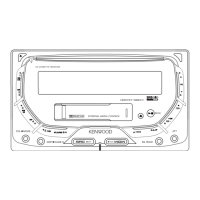
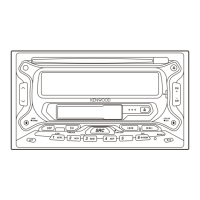
Identification of controls and indicators on the unit's front panel.
Procedure to set display language and disable the demo mode.
Step-by-step guide for setting the unit's clock and date.
Configuration of basic system settings like audio and speaker options.
Steps to set up the Pandora application and connect the device.
How to begin Pandora playback.
Adjusting subwoofer, bass, mid, and treble levels for optimal sound.
Groups PRESET EQ, BASS BOOST, LOUDNESS, SUBWOOFER SET, LPF SUBWOOFER, SOUND RECNSTR.
Troubleshooting common audio and unit operation problems.
Specific error messages and troubleshooting steps for media playback.
Troubleshooting Android connection and playback problems.
Troubleshooting disc, USB, and iPod playback errors.
Troubleshooting Pandora app and connection errors.
Technical details for the FM and AM radio tuner sections.
Crucial safety warnings and precautions for installation and wiring.
Detailed explanation and diagram of the unit's wiring harness connections.
Step-by-step guide for installing the unit in the dashboard.
 General
| Brand | Kenwood |
|---|---|
| Model | DPX-3000U |
| Category | Car Receiver |
| Language | English |