EasyManua.ls Logo

Kenwood DPX-U5140 - User Manual

Kenwood DPX-U5140
36 pages
Print Icon
To Next Page IconTo Next Page
Loading...
Data Size: B6L (182 mm x 128 mm)
Book Size: B6L (182 mm x 128 mm)
B5A-0341-10 (MN)© 2014 JVC KENWOOD Corporation
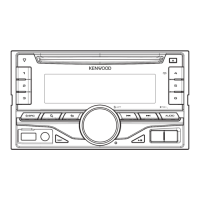
DPX-U5140
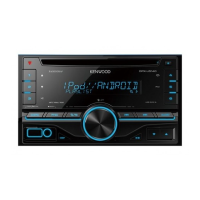
DUAL DIN SIZED CD RECEIVER
INSTRUCTION MANUAL
JS_KWD_DPX_U5140_MN_C10.indd 1JS_KWD_DPX_U5140_MN_C10.indd 1 12/12/2014 10:28:32 AM12/12/2014 10:28:32 AM

Questions and Answers

Summary

BEFORE USE

Safety Precautions

Warnings and cautions for safe operation and handling.

BASICS

Unit Layout

Identification of the faceplate controls and display.

GETTING STARTED

Initial Setup and Clock Setting

Steps to cancel demo, set clock, and configure initial settings.

AUDIO SETTINGS

Equalizer and Tone Adjustments

Adjusting sound profiles and bass/loudness levels.

TROUBLESHOOTING

General and Radio Issues

Solutions for sound, wiring, and radio reception problems.

Media and App Issues

Troubleshooting for CD, USB, iPod, Android, and Pandora.

SPECIFICATIONS

Connectivity and Media Specs

Technical details for Tuner, CD player, and USB.

INSTALLATION; CONNECTION

Mounting Procedures

Steps for installing the unit into the dashboard and specific car models.

Basic Wiring and Reset

Fundamental steps for wiring and resetting the unit.

Wiring Connection

Wiring Harness and Connections

Diagram and explanation of speaker and power wire connections.

Summary

BEFORE USE

Safety Precautions

Warnings and cautions for safe operation and handling.

BASICS

Unit Layout

Identification of the faceplate controls and display.

GETTING STARTED

Initial Setup and Clock Setting

Steps to cancel demo, set clock, and configure initial settings.

AUDIO SETTINGS

Equalizer and Tone Adjustments

Adjusting sound profiles and bass/loudness levels.

TROUBLESHOOTING

General and Radio Issues

Solutions for sound, wiring, and radio reception problems.

Media and App Issues

Troubleshooting for CD, USB, iPod, Android, and Pandora.

SPECIFICATIONS

Connectivity and Media Specs

Technical details for Tuner, CD player, and USB.

INSTALLATION; CONNECTION

Mounting Procedures

Steps for installing the unit into the dashboard and specific car models.

Basic Wiring and Reset

Fundamental steps for wiring and resetting the unit.

Wiring Connection

Wiring Harness and Connections

Diagram and explanation of speaker and power wire connections.

Kenwood DPX-U5140 Specifications

General IconGeneral
CD PlaybackYes
BluetoothYes
DIN SizeDouble DIN
iPod CompatibilityYes
HD RadioNo
Memory Card SlotNo
CEA-2006 CompliantYes
Tuner TypeAM/FM
Display TypeLCD
Preamp Voltage2.5 volts
RMS Power Output22 watts
Peak Output50 watts x 4 channels
RMS Power Bandwidth20-20kHz
USB InputFront
Auxiliary InputFront

Related product manuals