To Next Page
O
ofloresSep 23, 2025
What does “NO STATIONS” mean on Kenwood DPX520BT?
- QqyorkSep 23, 2025
No stations are found.

What does “NO STATIONS” mean on Kenwood DPX520BT?
No stations are found.
How to fix Bluetooth pairing on Kenwood Car Receiver?
If you're unable to pair your device with the Kenwood Car Receiver via Bluetooth, make sure you've entered the same PIN code on both devices. If pairing still fails, delete the pairing information from both the unit and your Bluetooth device, and then try the pairing process again.
What does “DEVICE FULL” mean on Kenwood Car Receiver?
If your Kenwood Car Receiver displays “DEVICE FULL”, retry after deleting an unnecessary device.
What to do if sound skips on my Kenwood DPX520BT Car Receiver during Bluetooth playback?
If the sound is being interrupted during playback of a Bluetooth audio player on your Kenwood Car Receiver: - Reduce the distance between the unit and the Bluetooth audio player. - Turn off, then turn on the unit and try to connect again. - Be aware that other Bluetooth devices might be trying to connect to the unit.
Why can't I control my Bluetooth player on my Kenwood Car Receiver?
To address control issues with a connected Bluetooth audio player on your Kenwood Car Receiver: - Check whether the connected Bluetooth audio player supports Audio/Video Remote Control Profile (AVRCP). - Disconnect and connect the Bluetooth player again.
What does “STATION LIMIT” mean on Kenwood DPX520BT?
If your Kenwood Car Receiver displays “STATION LIMIT”, retry after deleting unnecessary stations from your device.
What does “CHECK DEVICE” mean on Kenwood Car Receiver?
If your Kenwood Car Receiver displays “CHECK DEVICE”, check the Pandora application on your device.
Why doesn't my Kenwood DPX520BT Car Receiver play tracks in the order I want?
The playback order on your Kenwood Car Receiver is determined when files are recorded.
What does “NO DISC” mean on Kenwood DPX520BT?
If your Kenwood Car Receiver displays “NO DISC”, insert a playable disc into the loading slot.
What does “NA FILE” mean on Kenwood DPX520BT?
If your Kenwood Car Receiver displays “NA FILE”, make sure the media contains supported audio files.
Instructions and warnings related to the remote control unit.
Guidelines for cleaning the unit and handling discs safely.
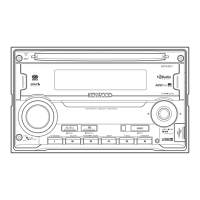
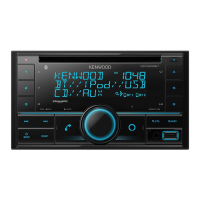
Overview of the faceplate and remote control layout and functions.
Instructions for replacing the battery in the remote control unit.
Steps to cancel the demo mode and set the clock.
How to tune into radio stations using direct access or other methods.
Configuration options for radio reception like auto memory and PTY search.
How to connect and start playback from USB, iPod, iPhone, and Android.
Methods for browsing folders, selecting files, and using quick search features.
Instructions for connecting a portable audio player and setting AUX name.
Steps for preparing, listening, and managing Pandora stations and songs.
How to prepare, listen, search, and delete stations on iHeartRadio.
Steps to pair and connect Bluetooth devices to the unit.
Managing calls, voice quality, and phonebook features via Bluetooth.
How to play audio from a Bluetooth-enabled device.
Adjusting subwoofer, bass, mid, treble, and EQ presets for sound.
Adjusting color, dimmer, brightness, and text scroll for the display.
Information on playable and unplayable discs, audio files, and USB devices.
Details on connecting iPod/iPhone, Android, and using Pandora/iHeartRadio.
Solutions for sound issues, wiring errors, unit malfunction, and radio reception.
Troubleshooting for disc, USB, iPod, and Android playback issues.
Resolving problems with Android, Pandora, iHeartRadio, and Bluetooth connectivity.
Detailed technical specifications for Tuner, CD, USB, Bluetooth, and Audio.
Safety warnings, cautions, and steps for installing the unit in the vehicle.
Visual guide for connecting wires for power, speakers, and other functions.
 General
| Brand | Kenwood |
|---|---|
| Model | DPX520BT |
| Category | Car Receiver |
| Language | English |