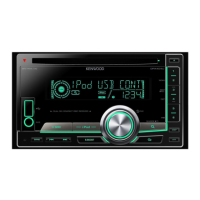
What does “NO INFO”/“NO DATA” mean on my Kenwood DPX505BT Car Receiver?
- AAmy NguyenSep 15, 2025
If your Kenwood Car Receiver displays “NO INFO”/“NO DATA”, it means the Bluetooth device cannot get the contact information.
What does “NO INFO”/“NO DATA” mean on my Kenwood DPX505BT Car Receiver?
If your Kenwood Car Receiver displays “NO INFO”/“NO DATA”, it means the Bluetooth device cannot get the contact information.
How to fix poor radio reception on Kenwood DPX505BT?
To improve radio reception on your Kenwood Car Receiver, ensure the antenna is firmly connected. Note that static noise may occur while listening to the radio.
Why is my iPod/iPhone not working with my Kenwood DPX505BT?
If your iPod/iPhone is not working with your Kenwood Car Receiver, check the connection between the unit and your device. You can also try disconnecting and resetting the iPod/iPhone using a hard reset.
Why is my Bluetooth device not detected by my Kenwood DPX505BT Car Receiver?
If your Bluetooth device is not being detected by your Kenwood Car Receiver, try searching from the Bluetooth device again. You can also try to reset the unit.
What does “SWITCHING NG” mean on my Kenwood DPX505BT Car Receiver?
If your Kenwood Car Receiver displays “SWITCHING NG”, it means the connected phones might not support the phone switching feature.
Why can't I go to the “LISTENING” screen after activating Alexa on my Kenwood Car Receiver?
If you are unable to go to the “LISTENING” screen after activating Alexa on your Kenwood Car Receiver, disconnect and reconnect the Bluetooth connection. Also, disconnect and reconnect the Alexa connection. Try turning off the unit for about 10 seconds, then turn on the unit and try again.
Why are the characters on my Kenwood DPX505BT Car Receiver display incorrect?
The Kenwood Car Receiver can only display uppercase letters, numbers, and a limited number of symbols. Also, depending on the display language you have selected, some characters may not be displayed correctly.
Why is the phone sound quality poor on my Kenwood DPX505BT Car Receiver?
If the phone sound quality is poor on your Kenwood Car Receiver, try reducing the distance between the unit and the Bluetooth device. Additionally, move the car to a location with better signal reception.
What to do if the disc cannot be ejected from my Kenwood DPX505BT?
If a disc cannot be ejected from your Kenwood Car Receiver, press and hold to forcibly eject the disc, being careful not to drop it. If this doesn't work, you can reset the unit.
What to do if my Kenwood DPX505BT displays “TOC ERROR”?
If your Kenwood Car Receiver displays “TOC ERROR”, make sure the disc is clean and inserted properly.
Essential safety warnings and cautions before operating the unit.
Identification of the unit's buttons, display, and remote control.
Steps for language, clock, date, and basic system settings.
Procedures for updating the unit's firmware and restoring default settings.
Tuning radio stations and playing CDs, USB, and iPod/iPhone media.
Connecting and listening to satellite radio, auxiliary input, and Bluetooth audio.
Setting up and using Alexa for voice commands and information.
Adjusting sound settings, equalizer, and display appearance.
Safety precautions, parts, and wiring diagrams for installation.
Unit care, common issue resolution, and maintenance guides.
Detailed specifications for the unit's components and features.
Essential safety warnings and cautions before operating the unit.
Identification of the unit's buttons, display, and remote control.
Steps for language, clock, date, and basic system settings.
Procedures for updating the unit's firmware and restoring default settings.
Tuning radio stations and playing CDs, USB, and iPod/iPhone media.
Connecting and listening to satellite radio, auxiliary input, and Bluetooth audio.
Setting up and using Alexa for voice commands and information.
Adjusting sound settings, equalizer, and display appearance.
Safety precautions, parts, and wiring diagrams for installation.
Unit care, common issue resolution, and maintenance guides.
Detailed specifications for the unit's components and features.
| Bluetooth | Yes |
|---|---|
| USB Ports | 1 |
| Auxiliary Input | Yes |
| CD Playback | Yes |
| AM/FM Tuner | Yes |
| Built-in Amplifier | Yes |
| Subwoofer Output | Yes |
| MP3 Playback | Yes |
| WMA Playback | Yes |
| AAC Playback | Yes |
| FLAC Playback | Yes |
| SIRI Eyes Free | Yes |
| Android Music Playback | Yes |
| Pandora Control | Yes |
| Spotify Control | Yes |
| Equalizer | Yes |
| Power Output | 50 Watts x 4 Channels |
| DIN Size | 2 DIN |
| EQ | 13-Band |
| Compatible Audio Formats | MP3, WMA, AAC |
| Preamp Outputs | 3 (Front, Rear, Subwoofer) |
| RMS Power Output | 22W x 4 |
| Preamp Voltage | 2.5 volts |
Loading...