EasyManua.ls Logo

Kenwood DPX592BT - User Manual

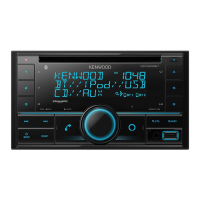
Kenwood DPX592BT
41 pages
Print Icon
To Next Page IconTo Next Page
Loading...
For your records
Record the serial number, found on the back of the unit, in the spaces designated on the warranty card, and in the space provided below.
Refer to the model and serial numbers whenever you call upon your Kenwood dealer for information or service on the product.
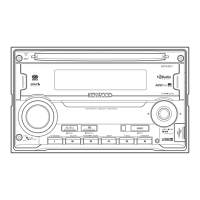
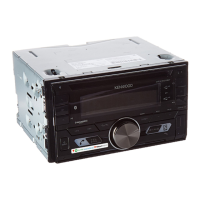
Model DPX792BH/ DPX702BH/ DPX592BT/ DPX502BT
Serial number
US Residents Only
Register Online
Register your Kenwood product at www.Kenwoodusa.com
B5A-0909-00 (KN)© 2015 JVC KENWOOD Corporation
DPX792BH
DPX702BH
DUAL DIN SIZED CD RECEIVER
INSTRUCTION MANUAL
RECEPTEUR CD FORMAT DUAL DIN
MODE D’EMPLOI
RECEPTOR DUAL DE CD TAMAÑO DIN
MANUAL DE INSTRUCCIONES
DPX592BT
DPX502BT
JS_KWD_DPX792BH_KN_C00_1.indd 1 28/10/2015 12:16:18 PM


Questions and Answers

  • M
    munozdanielSep 3, 2025
    What does 'READ ERROR' mean on my Kenwood Car Receiver?
    • J
      Jacob WhiteSep 3, 2025
      If your Kenwood Car Receiver displays “READ ERROR”: * Copy the files and folders onto the USB device again. * If this does not solve the problem, reset the USB device or use another USB device.
  • A
    Amy BarnettAug 25, 2025
    What does 'PROTECTING SEND SERVICE' mean on my Kenwood DPX592BT?
    • L
      Lisa McdanielAug 25, 2025
      If your Kenwood Car Receiver displays “PROTECTING SEND SERVICE”, send the unit to the nearest service center.
  • V
    vwalkerAug 25, 2025
    What does 'DEVICE FULL' mean on my Kenwood DPX592BT?
    • A
      Angela KellerAug 26, 2025
      If your Kenwood Car Receiver displays “DEVICE FULL”, the number of registered devices has reached its limit. Retry after deleting an unnecessary device.
  • E
    Erika DickersonSep 10, 2025
    Why is my Kenwood DPX592BT Car Receiver showing “MISWIRING CHECK WIRING THEN PWR ON”?
    • K
      Karen NelsonSep 10, 2025
      This message indicates a wiring issue. Turn off the power, ensure the speaker wire terminals are properly insulated, and then turn the power back on.
  • R
    Robert LeeSep 16, 2025
    Why is my Kenwood DPX592BT showing “READ ERROR”?
    • N
      Natalie JohnsonSep 16, 2025
      If your Kenwood Car Receiver displays “READ ERROR”, copy the files and folders onto the USB device again. If the problem continues, reset the USB device or use another USB device.
  • M
    Mrs. Emily WebsterSep 6, 2025
    Why is playback intermittent on my Kenwood DPX592BT Car Receiver?
    • S
      Scott CombsSep 6, 2025
      If playback is intermittent or sound skips on your Kenwood Car Receiver, turn off the power saving mode on the Android device.
  • A
    Albert SmithAug 31, 2025
    What does 'READING' flashing mean on my Kenwood DPX592BT?
    • G
      gmasonAug 31, 2025
      If “READING” keeps flashing on your Kenwood Car Receiver, avoid using too many hierarchical levels or folders.
  • J
    Jeremy HughesSep 22, 2025
    Why the connected Bluetooth audio player cannot be controlled on my Kenwood DPX592BT Car Receiver?
    • J
      jordanalyssaSep 22, 2025
      If the connected Bluetooth audio player cannot be controlled, check whether it supports Audio/Video Remote Control Profile (AVRCP). You may also try disconnecting and reconnecting the Bluetooth player.
  • V
    Vickie RodriguezSep 13, 2025
    What to do if voice calling method is not successful on Kenwood Car Receiver?
    • D
      dustin56Sep 13, 2025
      If voice calling is unsuccessful, try using it in a quieter environment. Also, speak closer to the microphone and ensure you use the same voice as the registered voice tag.
  • A
    armstrongmelanieAug 27, 2025
    Why is voice calling not working on my Kenwood Car Receiver?
    • M
      mary59Aug 28, 2025
      If voice calling is not successful on your Kenwood Car Receiver: * Use voice calling in a quieter environment. * Reduce the distance from the microphone when you speak the name. * Make sure the same voice as the registered voice tag is used.

Kenwood DPX592BT Specifications

General IconGeneral
Channels4
Max Power Output50W x 4
RMS Power Output22W x 4
BluetoothYes
USB PortYes
AUX InputYes
CD PlayerYes
Display TypeLCD
Remote ControlYes
Subwoofer OutputYes
TunerAM/FM
Built-in MicrophoneYes
Steering Wheel ControlYes
Equalizer13-band
Preamp RCA Outputs3 pairs
Compatible FormatsMP3, WMA, AAC, WAV

Related product manuals