EasyManua.ls Logo

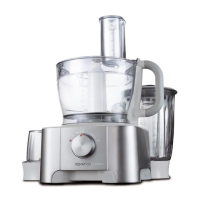
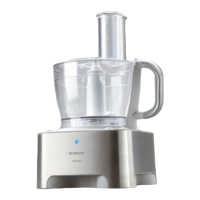
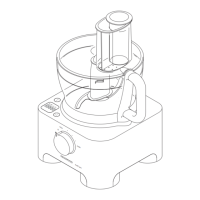
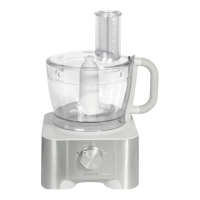
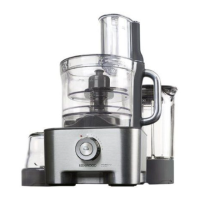
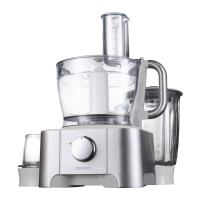
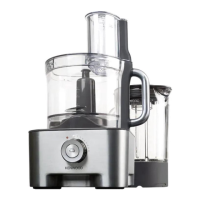
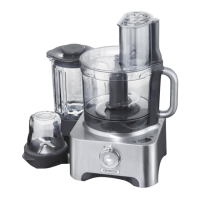
Kenwood FP920 series - User Manual

Kenwood FP920 series
76 pages
Print Icon
To Next Page IconTo Next Page
Loading...
Kenwood Limited, New Lane, Havant, Hampshire PO9 2NH, UK
www.kenwoodworld.com
56222/4

Other manuals for Kenwood FP920 series

Questions and Answers

  • M
    Mary BuckleyAug 18, 2025
    Why is my Kenwood Food Processor not working?
    • J
      jacobsonmelissaAug 18, 2025
      If your Kenwood Food Processor doesn't start, begin by ensuring it's properly plugged into a power source. Also, verify that the bowl is correctly locked into position with the handle towards the right. Confirm that the lid is securely interlocked with the handle area, as the processor won't function if either the bowl or lid is incorrectly fitted. If these steps don't resolve the issue, check the fuse or circuit breaker in your home.
  • A
    Alejandra MeyerAug 21, 2025
    What to do if my Kenwood Food Processor will not operate?
    • V
      Victoria ReedAug 21, 2025
      First, ensure the Kenwood Food Processor is properly plugged into a power outlet. If the indicator light is off, this suggests a power issue. Next, verify that the bowl is correctly locked into place, with the handle situated on the right-hand side. Also, check that the lid is properly locked, ensuring the lid interlock is correctly located in the handle area. If these steps don't resolve the issue, check the fuse or circuit breaker in your home.
  • J
    Justin FisherAug 23, 2025
    Why does my Kenwood Food Processor stop during processing?
    • D
      Dennis SheltonAug 23, 2025
      Your Kenwood Food Processor might stop during processing because it's overloaded or the maximum capacities have been exceeded. Refer to the manual section 'to use your food processor' for maximum capacity guidelines. Another cause might be an unlocked lid, so ensure the lid is locked correctly.
  • J
    Jeffrey EstradaAug 26, 2025
    Why my Kenwood FP920 Food Processor will not operate?
    • K
      Kristin WeissAug 26, 2025
      If your Kenwood Food Processor won't operate, start by ensuring it's properly plugged into a power source. If the indicator light isn't on, this is the first thing to check. Next, verify that the bowl is correctly locked into place, with the handle situated on the right-hand side. Also, make sure the lid is securely locked, ensuring the lid interlock aligns correctly with the handle area. Finally, if these steps don't resolve the issue, check the fuse or circuit breaker in your home.
  • S
    Steven SheltonAug 27, 2025
    What to do if my Kenwood Food Processor stops during processing?
    • E
      elizabethcoleAug 27, 2025
      If your Kenwood Food Processor stops during processing, it could be due to overloading or exceeding the maximum capacity. Refer to the 'to use your food processor' section for maximum capacity guidelines. Also, ensure that the lid is locked correctly.
  • K
    ksinghAug 30, 2025
    Why will my Kenwood Juicer processor not operate?
    • P
      Paula ChaneyAug 30, 2025
      If your Kenwood Juicer processor isn't operating, there are several potential reasons. First, ensure the processor is properly plugged in and check if the indicator light is on. Next, verify that the bowl is correctly locked, with the handle situated towards the right-hand side. Also, confirm that the lid interlock is properly located in the handle area. Finally, check the fuse or circuit breaker in your home.
  • D
    Dr. Martin SmallSep 1, 2025
    What to do if Kenwood FP920 stops during processing?
    • P
      Paul TapiaSep 1, 2025
      Your Kenwood Food Processor might stop during processing if it's overloaded or exceeding maximum capacity. Review the maximum capacities outlined in the “to use your food processor” section. Another reason could be an unlocked lid, so ensure the lid is securely locked in place.
  • E
    ericmartinSep 3, 2025
    How to improve the performance of Kenwood FP920 attachments?
    • S
      Stephen PatelSep 3, 2025
      If you're experiencing poor performance with the tools or attachments of your Kenwood Food Processor, ensure that the attachments are assembled correctly. Also, refer to the hints provided in the relevant “using the attachment” section for additional guidance.
  • A
    Amanda CaldwellSep 6, 2025
    How to improve poor performance of tools/attachments on my Kenwood FP920 Food Processor?
    • A
      Angel KelleySep 6, 2025
      To address poor performance of tools or attachments on your Kenwood Food Processor, check that the attachments are assembled correctly. Also, refer to the hints in the relevant 'using the attachment' section.
  • A
    anita91Sep 8, 2025
    Why Kenwood FP920 Food Processor liquidiser/mill will not operate?
    • J
      jonestonyaSep 8, 2025
      If your Kenwood Food Processor liquidiser/mill won't operate, ensure you're using the correct base. The mill base isn't interchangeable with the FP920/FP930 liquidiser jug. The processor won't operate if the wrong base is fitted. Check that the graphic on the base matches the jug you are using.

Summary

Safety and First Use

Before Using for the First Time

Initial preparation steps before operating the food processor for the first time.

Additional Attachments

Information regarding optional attachments not included with all models.

Speed Selection and Processor Operation

To Use Your Food Processor

Step-by-step guide on how to assemble and operate the main food processor unit.

Liquidiser Operation

To Use Your Liquidiser (FP910)

Instructions for operating the FP910 model liquidiser attachment.

To Use Your Liquidiser (FP920;FP930)

Instructions for operating the FP920/FP930 model liquidiser attachment.

Using Specific Attachments

Knife Blade and Dough Tool

Guidance on using the versatile knife blade and the dedicated dough tool.

Whisk Operation

Steps for using the whisk attachment for light mixtures like egg whites and cream.

Maxi-Blend Canopy

How to use the maxi-blend canopy with the knife blade to increase liquid capacity.

Slicing, Shredding, and Grating Discs

Instructions for using reversible slicing/shredding discs and the rasping disc.

To Use the Cutting Discs

General procedure for fitting and using various cutting discs.

Mill and Citrus Press Usage

Mill Operation

Guide to using the mill attachment for herbs, nuts, and coffee beans.

Citrus Press Operation

Instructions for using the citrus press to extract juice from citrus fruits.

To Use Your Mill

Step-by-step instructions for assembling and operating the mill.

Mini Processor and Juicer Operation

Mini Processor Bowl Usage

How to use the mini processor bowl for chopping small quantities of ingredients.

Centrifugal Juicer Operation

Guide to using the centrifugal juicer for making juice from firm fruits and vegetables.

To Use the Mini Processor Bowl

Step-by-step instructions for assembling and operating the mini processor bowl.

To Use the Centrifugal Juicer

Step-by-step instructions for assembling and operating the centrifugal juicer.

Storage, Cleaning, and Service

KENSTORE Attachments Carousel

Information on using the storage carousel for food processor attachments.

Care and Cleaning

Instructions for cleaning the power unit, liquidiser, mill, whisk, and other parts.

Service and Customer Care

Guidance on what to do if the appliance is damaged or for general help.

Troubleshooting Guide

Kenwood FP920 series Specifications

General IconGeneral
Power1000W
MaterialPlastic
Speed SettingsVariable
Pulse FunctionYes
Dishwasher Safe PartsYes
Bowl Capacity (Dry)1.5 kg
Bowl Capacity3.0 liters
Included AccessoriesDough tool, Whisk
Dimensions23 x 23 x 40 cm

Related product manuals