EasyManua.ls Logo

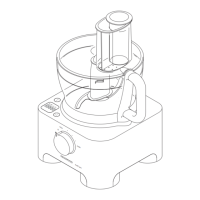
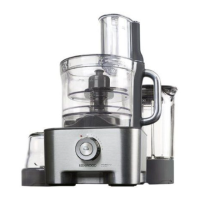
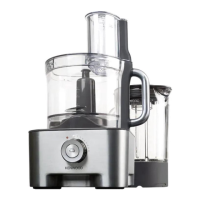
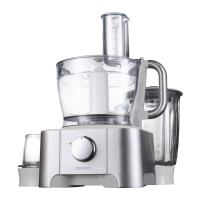
Kenwood FP950 series - User Manual

Kenwood FP950 series
90 pages
Print Icon
To Next Page IconTo Next Page
Loading...
57841/4
Kenwood Limited, New Lane, Havant, Hampshire PO9 2NH, UK
www.kenwoodworld.com

Other manuals for Kenwood FP950 series

Questions and Answers

  • L
    lwilliamsonJul 31, 2025
    Why is my Kenwood FP950 not turning on?
    • T
      Troy TaylorJul 31, 2025
      Your Kenwood Food Processor might not be operating due to several reasons. First, ensure the processor is properly plugged into a power source. Second, verify that the bowl is correctly locked in place, with the handle situated on the right-hand side. Third, check that the lid is correctly interlocked into the handle area, as the processor will not function if the bowl and lid are not properly fitted. Finally, check the fuse or circuit breaker in your home.
  • K
    Kathleen WallaceAug 9, 2025
    What to do if my Kenwood Food Processor stops while processing?
    • N
      Natalie StephensAug 10, 2025
      If your Kenwood Food Processor stops during processing, it could be due to overloading or exceeding the maximum capacities. Check the maximum capacities outlined in the "to use your food processor" section. Also, make sure that the lid is locked correctly.
  • H
    Holly ReeseAug 19, 2025
    Why does the Kenwood Food Processor weighing function freeze?
    • G
      Gabrielle HernandezAug 19, 2025
      If the display screen of your Kenwood Food Processor freezes on [- - - -] or the weight changes on the display screen, it may be because the quantity weighed is too small. Use teaspoon and tablespoon measures for very small quantities. Also, avoid moving the power unit during operation.

Summary

Safety Precautions

General Safety Guidelines

Essential safety instructions for using the Kenwood food processor and its attachments.

Electrical and Handling Safety

Precautions regarding electrical safety, proper handling of blades, and liquidiser use.

Appliance Limitations and Care

Information on avoiding damage, unauthorized attachments, and unattended operation.

Appliance Key Components

Processor Unit

Identification and description of the main parts of the food processor.

Weighing Function Details

Explanation of the integrated weighing scale, its buttons, and display.

Liquidiser Attachment Parts

Identification and description of the liquidiser jug, lid, and blade unit.

Attachments

List of Included Attachments

Detailed list of all available attachments for the Kenwood food processor, numbered 20-33.

Operating the Food Processor

Assembly and Operation Steps

Step-by-step guide on how to assemble and operate the food processor with attachments.

Speed Selection Guide

Recommendations for selecting the appropriate speed for various attachments and functions.

Using the Weighing Function

How to Use the Weighing Function

Detailed steps for weighing ingredients directly into the bowl or liquidiser jug.

Weighing Plate Usage

Instructions for using the removable weighing plate accessory.

Automatic Display Switch-Off

Information on the display's auto-off feature and manual deactivation.

Operating the Liquidiser

Liquidiser Assembly and Use

Step-by-step guide for assembling and using the liquidiser attachment safely and effectively.

Important Liquidiser Tips

Key advice for optimal liquidiser performance, durability, and safety.

Using Food Processor Attachments

Knife Blade and Dough Tool

Details on the versatile knife blade for various tasks and the dough tool for yeast mixes.

Twin Beater Whisk Operation

Instructions for using the whisk for light mixtures like egg whites and cream.

Maxi-Blend Canopy Benefits

Explanation of how the canopy enhances liquid processing capacity and prevents leaks.

Slicing and Shredding Discs

Guidance on using reversible discs, chipper disc, and raspiing disc for various cutting tasks.

Cutting Disc Safety and Use

Safety warnings for sharp cutting discs and instructions on their proper installation and use.

Citrus Press Operation

How to Use the Citrus Press

Step-by-step instructions for preparing and using the citrus press for juicing.

Using the Mill Attachment

Mill Safety and Important Notes

Safety precautions, important usage tips, and hints for operating the mill attachment.

Mill Operation Guide

Detailed steps for assembling and using the mill for grinding herbs, nuts, and coffee beans.

Mini Processor Bowl Usage

Mini Processor Bowl Operation

Instructions for using the mini processor bowl for chopping small quantities.

Mini Processor Safety and Tips

Safety warnings, important notes, and helpful hints for the mini processor bowl.

Centrifugal Juicer Operation

How to Use the Centrifugal Juicer

Step-by-step guide for assembling and operating the centrifugal juicer.

Centrifugal Juicer Safety and Tips

Safety precautions, important usage advice, and helpful hints for the centrifugal juicer.

KENSTORE Attachment Carousel

Using the Storage Carousel

Instructions for fitting and using the KENSTORE™ carousel for storing attachments.

Care and Cleaning

General Cleaning Advice

Important notes on cleaning the power unit, liquidiser, whisk, and other parts.

Cleaning Specific Parts

Detailed cleaning instructions for the liquidiser/mill, twin beater whisk, and other components.

Service and Customer Support

Troubleshooting and Repairs

Guidance on seeking assistance for cord damage or operational problems.

Contacting Kenwood Support

Information on how to get help with using the appliance or for servicing and repairs.

Product Disposal Information

Correct Disposal Procedures

Important information regarding the correct disposal of the product according to EC directive.

Troubleshooting Common Issues

Processor Not Operating

Solutions for when the processor fails to start, including power and locking checks.

Processing Stops Unexpectedly

Troubleshooting steps for when the processor stops mid-operation due to overload or unlocked lid.

Poor Tool Performance

Advice for addressing unsatisfactory performance of attachments and tools.

Weighing Function Display Errors

Solutions for display freezes or incorrect weight readings during weighing.

Kenwood FP950 series Specifications

General IconGeneral
BrandKenwood
ModelFP950 series
CategoryFood Processor
LanguageEnglish

Related product manuals