Need help?
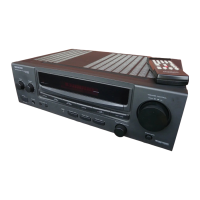
Do you have a question about the Kenwood KA-V7700 and is the answer not in the manual?
Instructions for setting the AC voltage selector switch according to your region's voltage.
Covers 11 essential safety points for operating the unit, including power, grounding, ventilation, heat, and shock.
Details further safety precautions regarding carts, non-use periods, abnormal smells, servicing, power lines, and AC outlets.
Detailed instructions on how to connect front, rear, and center speakers, including impedance guidelines.
Step-by-step guide to selecting and playing audio sources, adjusting volume, balance, and tone.
Introduction to DSP and its role in creating acoustic fields for enhanced listening experiences.
Detailed steps for adjusting Dolby Surround modes, center modes, and speaker volumes with test tones.
How to select Dolby Surround mode, center mode, and adjust volume/tone.
Procedure for adjusting Dolby 3 Stereo modes, center modes, and speaker volumes.
How to fine-tune sound fields using Room Size, Wall, Seat Position, and Effect Level parameters.
Step-by-step guide to selecting presence patterns, channel modes, and adjusting volumes.
How to customize sound fields by adjusting Room Size, Wall, Seat Position, and Effect Level.
Step-by-step guide to programming the remote control unit with other devices' signals.
A table listing common symptoms, their causes, and remedies for expected performance issues.
Detailed technical data for the audio output, sensitivity, impedance, and tone controls.
Technical specifications for the audio section, including power, distortion, and frequency response.

 To Next Page
 General