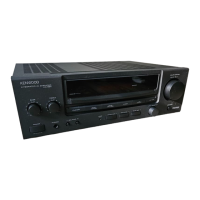
Need help?
Do you have a question about the Kenwood KA-V7500 and is the answer not in the manual?
Record serial number for reference and service.
Instructions for unpacking and checking unit for shipping damage.
Important safety precautions for connecting power in different regions.
Comprehensive safety and operating instructions for safe unit usage.
Diagram and instructions for connecting various audio devices.
Diagram and instructions for connecting video sources like VCRs and VDPs.
Detailed instructions and warnings for connecting front, center, and rear speakers.
Details on CENTER OUT, FRONT PRE OUT, REAR PRE OUT, and SUB WOOFER jacks.
Details on MONITOR OUT, S-VIDEO, and other video output connections.
Cautions for connecting DBS/TV, turntable, and AUX input jacks.
Connecting KENWOOD components for system control and remote operation.
Information on using switched AC outlets for powering other components.
Explanation of various indicators on the unit's display panel.
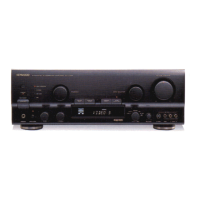
Overview of buttons, knobs, and jacks on the front panel.
Explanation of keys used for selecting audio and video input sources.
Instructions for inserting batteries into the remote control unit.
Specifies the effective range and angle for remote control operation.
Details of remote control keys for operating KENWOOD audio components.
Using the remote to control non-KENWOOD audio components.
Keys for programming and controlling video components.
Making all keys programmable for remote control functions.
Step-by-step guide to programming the remote's learning keys.
How to verify functions programmed into the remote control.
Resetting the remote control to its factory default settings.
Procedure to change or re-program stored functions.
How to use the remote for its intended functions after programming.
How to display operating status and settings on the TV screen.
Shows the selected input source on the TV screen.
Displays surround mode, delay time, and speaker levels on the TV screen.
Step-by-step guide to playing back audio sources.
Instructions for using the headphone jack for private listening.
How to record audio from sources to tape decks.
Instructions for copying audio tapes between deck 1 and deck 2.
Steps to select and play back video sources on the TV.
How to record video and audio signals onto VCR 1.
How to record video and audio signals onto VCR 2.
How to record video and audio signals onto VCR 3.
Recording onto VCR 1 from a different source than playback.
Explanation of surround sound modes and their purpose.
How to select center modes for Dolby Pro Logic and Dolby 3 Stereo.
Adjusting surround settings for NORMAL/WIDE modes using the remote.
Adjusting surround settings for PHANTOM mode using the remote.
Information on automatic input balance adjustments.
Adjusting surround settings for Theater, Stadium, and Simulated modes.
Steps to select modes, adjust volume, and set delay time for surround playback.
Procedure to disable surround effects and return to bypass mode.
Guide to adjusting delay time for optimal surround sound experience.
Suggestions for optimal rear speaker placement for surround sound.
Storing current surround settings for quick recall.
Retrieving previously saved surround settings.
Entering custom titles for components in the system display.
Creating titles for saved surround setups.
Common problems and solutions for unit malfunctions.
Technical specifications for the audio performance of the unit.
Technical specifications for the video handling capabilities.
General technical details including power consumption and dimensions.
Technical specifications for audio performance in international models.
Technical specifications for video handling in international models.
General technical details for international models.
FCC compliance statement and potential interference information for US users.
DOC regulation compliance statement for Canadian users.

 To Next Page
 General