EasyManua.ls Logo

Kenwood KCTAL30 - User Manual

Kenwood KCTAL30
36 pages
Print Icon
To Next Page IconTo Next Page
Loading...
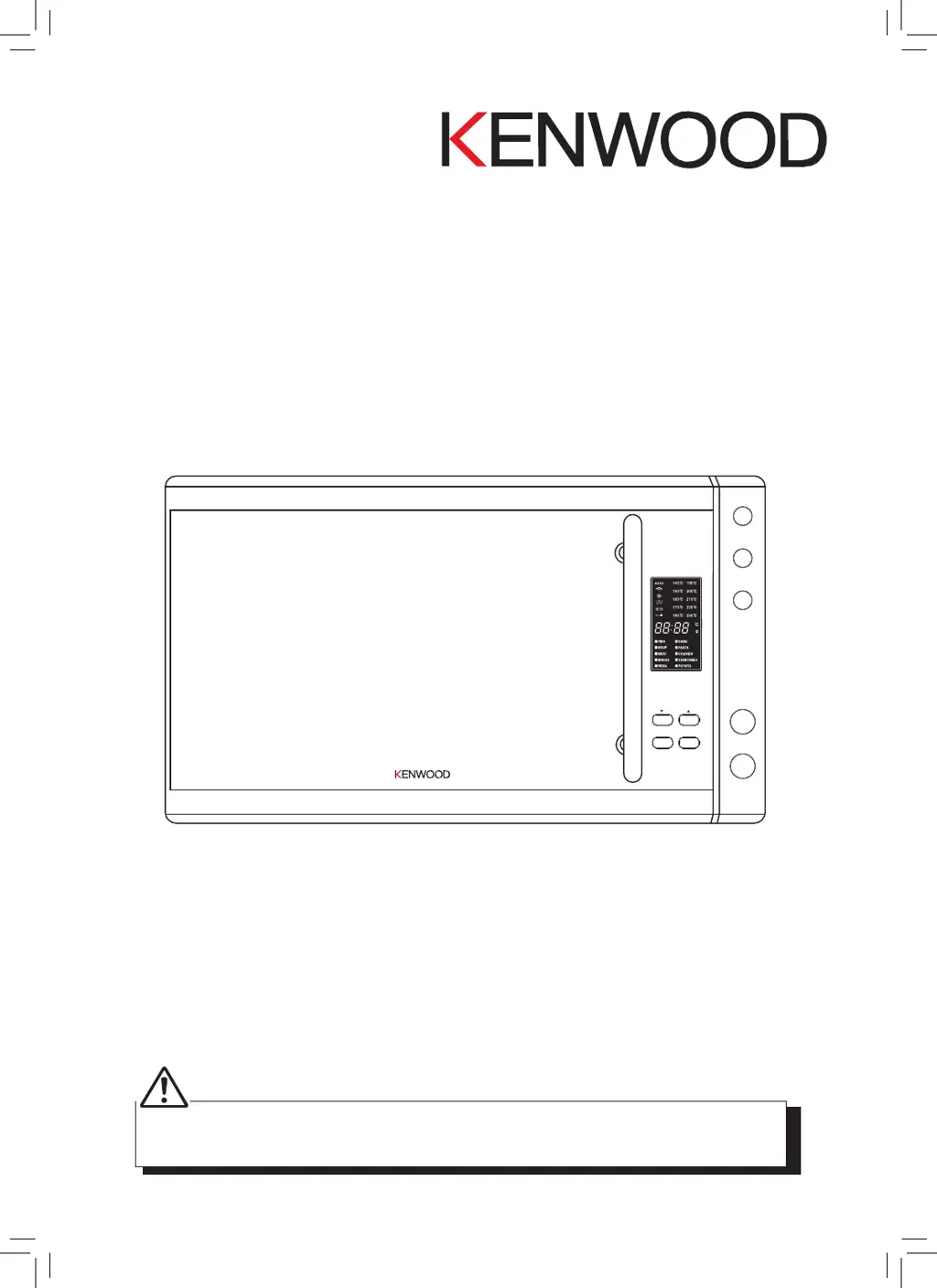
Microwave / Combination
Oven
KCTAL30
DSG Retail Limited is responsible for after sales service.
If you have a query about the product please contact our product support line
0844 561 6263 (Currys) and 08700 118 117 (Pixmania).
stop
auto reheat
convection
grill
combi
start
microwave
clock/pre-set
auto menu
defrost by
weight/time

Questions and Answers

  • J
    johnsonashleyAug 14, 2025
    Why doesn’t the light turn on in my Kenwood KCTAL30 Microwave Oven?
    • D
      Denise StevensAug 14, 2025
      If your Kenwood Microwave Oven light doesn't illuminate, first open the door. If the light still doesn't turn on, call a qualified repairer and do not attempt to change the bulb yourself.
  • J
    Judy GillAug 18, 2025
    Why is my food undercooked or overcooked in my Kenwood Microwave Oven?
    • D
      davidhernandezAug 18, 2025
      If food seems undercooked or overcooked in your Kenwood Microwave Oven, double-check that you've set the correct cooking time and power setting.
  • L
    Leslie BrownAug 20, 2025
    What to do if there are sparks inside Kenwood KCTAL30?
    • J
      Jared TaylorAug 21, 2025
      If you see sparks inside your Kenwood Microwave Oven while it's in use, ensure that you're not using any metal utensils or containers with metal trim. Avoid using metal in the microwave, with the exception of foil.
  • J
    Jordan JacksonAug 25, 2025
    How to stop TV and radio interference from Kenwood KCTAL30?
    • K
      Krystal MartinezAug 25, 2025
      To minimize TV and radio interference when using your Kenwood Microwave Oven, try moving the microwave farther away from the TV or radio.
  • S
    Sherry VasquezAug 27, 2025
    Why is there condensation inside the Kenwood Microwave Oven door?
    • S
      stevenhoffmanAug 27, 2025
      Condensation inside the Kenwood Microwave Oven door is normal, especially when cooking foods with high moisture content, like potatoes.
  • A
    Abigail GeorgeAug 31, 2025
    Why doesn't my Kenwood Microwave Oven cook food properly?
    • V
      valeriebanksAug 31, 2025
      If food doesn't seem to cook in your Kenwood Microwave Oven, ensure the cooking time has been set and that the door is properly closed. Also, check that the power socket isn't overloaded, which could cause the fuse to blow.
  • N
    Natalie MarshallSep 3, 2025
    How to stop eggs from popping in Kenwood Microwave Oven?
    • M
      Michael MorganSep 3, 2025
      To prevent eggs from popping in your Kenwood Microwave Oven, pierce the yolk with a toothpick before cooking.
  • J
    johnsondianeSep 6, 2025
    What happens if I turn on my Kenwood KCTAL30 Microwave Oven when it’s empty?
    • K
      kathleen56Sep 6, 2025
      Do not switch on your Kenwood Microwave Oven when it is empty. It's advisable to keep a cup of water inside just in case someone accidentally starts it.
  • X
    xtaylorSep 10, 2025
    Why does my Kenwood Microwave Oven take longer to cook than the recipe says?
    • P
      Penny KennedySep 12, 2025
      If your Kenwood Microwave Oven takes longer to cook than a recipe indicates, first verify that the oven settings match the recipe instructions. Use your judgment along with the recipe to check if the food is properly cooked.

Summary

Know Your Kenwood Microwave

Before Using Your Kenwood Microwave

Read instructions carefully and retain for future reference. Dispose of packaging properly.

Safety Information

General Safety Precautions

Essential safety precautions for operating the appliance, including warnings about damaged machines, empty operation, and children's safety.

Cooking and Fire Safety

Advice on safe cooking practices, especially with high sugar/fat foods, and emergency fire procedures.

Usage Restrictions and Precautions

List of materials to avoid, delayed boiling precautions, baby food safety, and caution about hot surfaces.

Using Aluminium Foil in Your Microwave

Unpacking and Getting Ready

Introducing Microwave Cooking

Control Panel Overview

Checking Your Microwave

Clock Setting

Setting the Child Lock

Microwave Cooking

Grill or Combination Cooking

Convection Cooking (with Preheating)

Convection Cooking (without Preheating)

Multi-Stage Cooking

Delay Start Cooking

Auto Cooking

Auto Menu Programs

Guides on selecting and using automatic cooking programs based on food category and weight.

Auto Reheat

Quick Start Cooking

Defrosting

Defrost by Weight

Instructions for defrosting food by entering its weight, with tips for large items.

Defrost by Time

Instructions for defrosting food by setting a specific time duration.

Kenwood KCTAL30 Specifications

General IconGeneral
BrandKenwood
ModelKCTAL30
CategoryMicrowave Oven
LanguageEnglish

Related product manuals