To Next Page
J
johnsonjamesAug 16, 2025
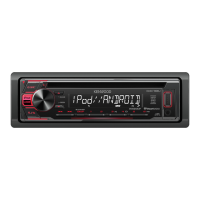
How to fix Kenwood Car Receiver if it does not turn on?
- Rrobert72Aug 16, 2025
If your Kenwood Car Receiver does not turn on, try resetting the unit.

How to fix Kenwood Car Receiver if it does not turn on?
If your Kenwood Car Receiver does not turn on, try resetting the unit.
What to do if Kenwood Car Receiver says 'MISWIRING CHECK WIRING THEN PWR ON'?
If the Kenwood Car Receiver displays 'MISWIRING CHECK WIRING THEN PWR ON', turn the power off. Check that the terminals of the speaker wires are properly insulated, then turn the power back on.
What to do if Kenwood KDC-120U Car Receiver displays 'NO DEVICE or READING'?
If the Kenwood Car Receiver displays 'NO DEVICE or READING' keeps flashing, try the following: * Switch off the developer options on the Android device. * Reconnect the Android device. * If the problem persists, the connected Android device may not support [BROWSE MODE].
Why is there no sound from my Kenwood Car Receiver?
If you can't hear any sound from your Kenwood Car Receiver, try the following: * Clean the connectors. * Adjust the volume to the optimum level. * Check the cords and connections.
What to do if there is no sound during playback on Kenwood KDC-120U Car Receiver?
If the sound cannot be heard during playback on your Kenwood Car Receiver, try reconnecting the Android device. If in [HAND MODE], launch any media player application on the Android device and start playback.
Why does my Kenwood Car Receiver playback skip?
If you are experiencing intermittent playback or sound skipping on your Kenwood Car Receiver, turn off the power saving mode on the Android device.
What does 'NA FILE' mean on Kenwood Car Receiver?
If your Kenwood Car Receiver displays 'NA FILE', make sure the disc contains supported audio files.
What does 'NO DISC' mean on Kenwood KDC-120U Car Receiver?
If your Kenwood Car Receiver displays 'NO DISC', insert a playable disc into the loading slot.
What does 'TOC ERROR' mean on Kenwood Car Receiver?
If your Kenwood Car Receiver displays 'TOC ERROR', make sure the disc is clean and inserted properly.
What does 'COPY PRO' mean on Kenwood Car Receiver?
If your Kenwood Car Receiver displays 'COPY PRO', a copy-protected file is being played.
Steps to set initial display language and disable the demo mode.
Procedure for setting the unit's clock and date.
Guide to configuring basic system settings upon initial use.
Methods for finding radio stations using tuning and seeking functions.
Procedure for directly tuning to a specific radio frequency.
How to begin playback from CD, USB, iPod, or Android devices.
Options for controlling iPod or Android devices via the unit or the device itself.
Using the remote control for direct music selection.
How to begin Pandora streaming on the unit.
Main section for adjusting audio parameters like bass, treble, and levels.
Troubleshooting common issues not specific to radio or media playback.
Further troubleshooting for Android device playback issues.
Solutions for problems related to radio reception and playback.
Solutions for problems encountered with Pandora streaming.
Troubleshooting common issues with CD, USB, and iPod playback.
Safety warnings regarding installation and wiring of the unit.
Diagram and explanation of wiring for specific models.
Diagram and explanation of wiring for the KDC-153UM model.
Precautions to be taken during installation to ensure safety and proper function.
Technical specifications for the tuner section of specific models.
Technical specifications for the CD player functionality.
Technical specifications for the tuner section of the KDC-153UM model.
Technical specifications related to USB connectivity and playback.
Specifications for audio output power, impedance, and tone controls.
 General
| Brand | Kenwood |
|---|---|
| Model | KDC-120U |
| Category | Car Receiver |
| Language | English |