To Next Page
J
Jacqueline PayneAug 19, 2025
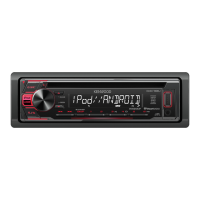
How to fix Kenwood KDC-125U Car Receiver that does not turn on?
- KkschmidtAug 19, 2025
If your Kenwood Car Receiver does not turn on, reset the unit.

How to fix Kenwood KDC-125U Car Receiver that does not turn on?
If your Kenwood Car Receiver does not turn on, reset the unit.
Why is the radio reception poor on my Kenwood KDC-125U?
If the radio reception is poor on your Kenwood Car Receiver, ensure the antenna is firmly connected.
What to do if sound cannot be heard on Kenwood KDC-125U?
If you cannot hear any sound from your Kenwood Car Receiver, first adjust the volume to the optimum level. Also, check the cords and connections to ensure they are properly connected.
What to do if Kenwood KDC-125U displays “PLEASE EJECT”?
If your Kenwood Car Receiver displays “PLEASE EJECT”, reset the unit.
How to fix “iPod ERROR” on Kenwood Car Receiver?
If your Kenwood Car Receiver displays “iPod ERROR”, try reconnecting the iPod. If the error persists, reset the iPod.
How to fix “READ ERROR” on Kenwood KDC-125U Car Receiver?
If your Kenwood Car Receiver displays “READ ERROR”, copy the files and folders onto the USB device again. If the problem continues, reset the USB device or use another USB device.
What to do if Kenwood Car Receiver shows “ANDROID ERROR”?
If your Kenwood Car Receiver displays “ANDROID ERROR”, reconnect the Android device or restart the Android device.
How to resolve “TOC ERROR” on Kenwood KDC-125U Car Receiver?
If your Kenwood Car Receiver displays “TOC ERROR”, make sure the disc is clean and inserted properly.
Why can't I playback at [BROWSE MODE] on my Kenwood Car Receiver?
If you cannot playback in [BROWSE MODE] on your Kenwood Car Receiver, ensure that KENWOOD MUSIC PLAY APP is installed on the Android device. Reconnect the Android device and select the appropriate control mode. If the problem persists, the connected Android device may not support [BROWSE MODE].
What to do if Kenwood KDC-125U Car Receiver displays “PLEASE LOGIN”?
If your Kenwood Car Receiver displays “PLEASE LOGIN”, log in again.
Read through the manual and observe warnings and cautions for proper product use.
Follow driving safety guidelines and adjust volume to ensure awareness of surroundings.
Configure display language, clock/date, and initial system settings.
Prepare your device and start listening to Pandora radio broadcasts.
Prepare your device and start listening to iHeartRadio broadcasts.
Adjust preset EQ, bass boost, loudness, and subwoofer output settings.
Fine-tune EQ pro, bass, mid, treble levels, and sound reconstruction.
Customize display and button illumination colors for different zones.
Resolve sound issues, wiring errors, protection mode, and poor radio reception.
Address common errors like TOC, reading, copy protection, and device detection.
Manage audio muting and resumption during incoming or outgoing phone calls.
Adhere to essential warnings and cautions before installing the unit.
Detailed diagram for connecting power, speakers, and antenna wires.
Details of Kenwood's limited warranty for car stereo components in the United States.
 General
| Brand | Kenwood |
|---|---|
| Model | KDC-125U |
| Category | Car Receiver |
| Language | English |