To Next Page
M
Michelle CunninghamAug 20, 2025
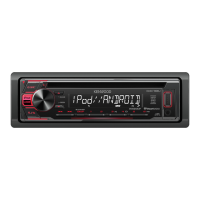
How to fix Kenwood KDC-165U that does not turn on?
- JJames EverettAug 20, 2025
If your Kenwood Car Receiver does not turn on, reset the unit.

How to fix Kenwood KDC-165U that does not turn on?
If your Kenwood Car Receiver does not turn on, reset the unit.
Why is the radio reception poor on my Kenwood Car Receiver?
If the radio reception is poor on your Kenwood Car Receiver, ensure the antenna is firmly connected.
What to do if sound cannot be heard on Kenwood Car Receiver?
If you cannot hear any sound from your Kenwood Car Receiver, first adjust the volume to the optimum level. Also, check the cords and connections to ensure they are properly connected.
What to do if Kenwood Car Receiver displays “PLEASE EJECT”?
If your Kenwood Car Receiver displays “PLEASE EJECT”, reset the unit.
How to fix “iPod ERROR” on Kenwood KDC-165U?
If your Kenwood Car Receiver displays “iPod ERROR”, try reconnecting the iPod. If the error persists, reset the iPod.
How to fix “READ ERROR” on Kenwood Car Receiver?
If your Kenwood Car Receiver displays “READ ERROR”, copy the files and folders onto the USB device again. If the problem continues, reset the USB device or use another USB device.
What to do if Kenwood KDC-165U shows “ANDROID ERROR”?
If your Kenwood Car Receiver displays “ANDROID ERROR”, reconnect the Android device or restart the Android device.
How to resolve “TOC ERROR” on Kenwood KDC-165U Car Receiver?
If your Kenwood Car Receiver displays “TOC ERROR”, make sure the disc is clean and inserted properly.
Why can't I playback at [BROWSE MODE] on my Kenwood KDC-165U?
If you cannot playback in [BROWSE MODE] on your Kenwood Car Receiver, ensure that KENWOOD MUSIC PLAY APP is installed on the Android device. Reconnect the Android device and select the appropriate control mode. If the problem persists, the connected Android device may not support [BROWSE MODE].
What to do if Kenwood KDC-165U Car Receiver displays “PLEASE LOGIN”?
If your Kenwood Car Receiver displays “PLEASE LOGIN”, log in again.
Instructions for proper use and safety warnings in the manual.
Do not operate functions that distract from safe driving.
Advice on volume settings and general safe usage practices.
Adjusting preset EQ, bass boost, loudness, and treble/mid/bass levels.
Settings for subwoofer output, low-pass filter, level, and phase.
Fine-tuning audio with EQ PRO, fader, balance, volume offset, and sound reconstruction.
Solutions for common problems like no sound, wiring errors, and poor radio reception.
Troubleshooting steps for media playback errors and device recognition problems.
Resolving problems with Android, Pandora, and iHeartRadio connectivity and functionality.
Information on playable audio files, unplayable discs, USB devices, and iPod/iPhone compatibility.
Important warnings and cautions before and during installation.
Step-by-step guide for installing the unit into a vehicle dashboard.
Alternative method for securing the unit if the mounting sleeve is not used.
Detailed diagram and instructions for connecting the unit's wires.
List of components included for the unit's installation.
Technical details for FM/AM tuner and CD playback capabilities.
Technical data for USB, audio output, and auxiliary input functions.
Overall unit specifications including operating voltage, dimensions, and weight.
Important safety precautions, FCC compliance, and radiation exposure warnings.
Information on filling out the warranty card and locating authorized service centers.
 General
| Brand | Kenwood |
|---|---|
| Model | KDC-165U |
| Category | Car Receiver |
| Language | English |