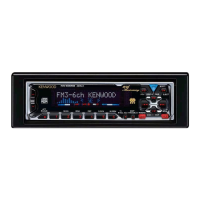
KDC-8021/M9021/X859
11
[1/5]key • Version display (8 digits; Mo. Dy. Hr. Mn.)
(Display) SYS XXXXXXXX system microprocessor
PAN XXXXXXXX panel microprocessor
• Serial No. display (8 digits)
(Display) SNo XXXXXXXX
[2/6]key • Press once: Power on time display
(Does not count during All-Off)
Press long: Clears the time display during power-on.
(Display) PonTim XXXXX MAX 65535(time)
• Press once: CD operating time display.
Press long: Clears CD operating time.
(Display) CDTime XXXXX MAX 65535(time)
[3/7]key Press once: CD eject count display.
Press long: Clears CD eject count display.
(Display) EjeTim XXXXX MAX 65535(count)
[4/8]key Press once: PANEL open/shut count display.
Press long: Clears PANEL open/shut count display.
(Display) PnCnt XXXXX MAX 655350(count)
1. How to enter test mode
While holding the [1/5] key and the [3/7] key, reset the
unit.
2. How to exit from test mode.
While holding down the [4/8] key, reset the unit.
Note: Does not exit from test mode ACC OFF, Power
OFF or momentary power down
3. Test mode reset status
• Sources are all OFF
• All display segment lit up
• Volume at -10dB (shows 30 on display)
• LOUD is OFF.
• CRSC is OFF regardless of whether switching function
is provided.
• SYSTEM Q is in FLAT
• BEEP sounds at momentarily pressing at any time.
4. Special displays in Tuner
When the following displays appear in tuner mode it
shows a problem with the front end.
• "TNE2P NG" : F/E is not aligned and EEPROM is in
reset (no settings) such as when
shipped.
• "TNCON NG" : Cannot communicate with F/E (front
end).
5. K3I switching
Each time the Preset 6 key is pressed in Tuner mode,
switches one at a time through the following sequence:
AUTO î Forced Wide î Forced Middle î Forced
Narrow î AUTO.
When reset, displays the following in AUTO.
• AUTO : FMA
• Forced Wide : FMW
• Forced Middle : FMM
• Forced Narrow : FMN
6. CD receiver test mode specifications
• No automatic ejection during reset-start. Does not make
a CD check in reset with a CD loaded.
• Using the Track up key jumps to the following tracks.
No. 9 î No. 15 î No. 10 î No. 11 î No. 12 î No.
13 î No. 14 î and back to No. 9
• Using the Track down key moves 1 track downwards
from the track being played.
• When the total number of MP3 or WMA disc tracks is 9
or less, playback starts from the first track.
• With the model equipped with the MP3 or MP3/WMP
mechanism, the mechanism model name and version
number are displayed at the bottom line.
7. Audio items
• Momentarily pressing the Q key calls up audio adjust-
ment mode.
• Pressing the
✽
key on the remote control calls up audio
alignment mode.
• An initial item is set to Feder.
• Continuous forward is disabled on the remote control.
• Bass/Middle/Treble/NF are settable in 3 steps of MIN /
Center / MAX with the Track up/down keys.
Test Mode
• Balance is settable in 3 steps of Left MAX / Center /
Right MAX with the Track up/down keys.
• Fader is settable in 3 steps of Rear MAX / Center /
Front MAX with the Track up/down keys.
• HPF is settable in 2 steps of THRU/220Hz with the
Track up/down keys.
• LPF is settable in 2 steps of THRU/120Hz with the
Track up/down keys.
• Bass f / Bass Q / Bass EXT / Middle f / Middle Q /
Treble f do not appear in the audio alignment.
8. Menu items
• The DNPP/SBF keys on the remote control calls up
Menu mode.
• Continuous forward is disabled on the remote control.
9. Backup current measurement
The MUTE terminal turns off 2 seconds (not 15 seconds)
after being reset in ACC off (backup on).
(The panel and CD mechanisms are disabled during this
time.)
10. Special displays during All-Off with all lamps on
The following displays appear when the preset keys are
pressed with all display segment lit up.
11. Channel space switching (K/M type)
While holding the [1/5] key and the [4/8] key, reset the
unit.
12. Others
• Automatic panel close is disabled when CD is inserted.
• Panel operation is disabled at Power-ON or Power-
OFF.
• Panel open and closes with press long the Q key.
• No displays such as "CODE OFF" during Power-ON.
• Pressing the TI (AUTO) key during changer operation
turns on 2zone. Cancel by pressing the TI (AUTO) key
again. The P/S dot is lit during 2zone.
• Pressing the [4/8] key for 1 second or more during All
OFF, calls up the Mask Key (security) write mode.
TEST MODE


 To Next Page
 Loading...