EasyManua.ls Logo

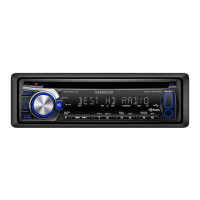
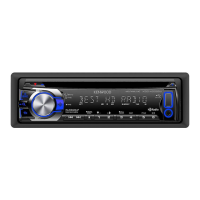
Kenwood KDC-HD262U - User Manual

Kenwood KDC-HD262U
20 pages
Print Icon
To Next Page IconTo Next Page
Loading...
Take the time to read through this instruction manual.
Familiarity with installation and operation procedures will help
you obtain the best performance from your new CD-receiver.
For your records
Record the serial number, found on the back of the unit, in the
spaces designated on the warranty card, and in the space provided
below. Refer to the model and serial numbers whenever you
call upon your Kenwood dealer for information or service on the
product.
Model KDC-HD262U Serial number
US Residents Only
Register Online
Register your Kenwood product at www.Kenwoodusa.com
B5A-0143-00 (KN)© 2014 JVC KENWOOD Corporation
KDC-HD262U
CD-RECEIVER
INSTRUCTION MANUAL
AMPLI-TUNER LECTEUR DE CD
MODE D’EMPLOI
REPRODUCTOR DE DISCOS COMPACTOS RECEPTOR DE FM/AM
MANUAL DE INSTRUCCIONES
JS_KWD_KDC_HD262U_KN_C00_1.indd 1 24/9/2014 4:18:22 PM

Questions and Answers

Summary

Before Use

Safety and Operation Precautions

Essential safety guidelines for driving, volume, and handling the unit.

Unit Maintenance and Cleaning

Procedures for cleaning the faceplate, connectors, and handling discs.

Basic Operations

Unit and Remote Controls

Identification and function of faceplate buttons and remote control features.

System Reset and Battery

Guide on resetting the unit and replacing the remote control battery.

Core Functions

Step-by-step instructions for power, volume, and source selection.

Getting Started

Initial Setup and Clock Setting

Procedures for canceling demo mode, setting the clock, and initial system configuration.

System Configuration Options

Explanation of audio, display, tuner, and system settings.

HD Radio Tuner Features

Station Tuning and Access

How to find and select HD Radio stations and multicast channels.

Tuner Settings and Modes

Configuration of tuner selectivity, memory, and receive modes.

Media Playback (CD;USB;iPod;Android)

Connecting Devices and Starting Playback

Instructions for connecting various media devices and initiating playback.

Playback Control and Modes

Managing playback, selecting tracks/folders, and using repeat/random functions.

Advanced Media Operations

File Search and Selection Methods

Techniques for searching files by folder, character, or quick skip.

Streaming and Configuration

Using online streaming services and specific settings for Android and USB.

Pandora Music Service

Connecting and Listening to Pandora

Steps to set up and enjoy music from the Pandora application.

Station Management and Bookmarking

Creating, saving, searching, and bookmarking Pandora content.

iHeartRadio Music Service

Connecting and Listening to iHeartRadio

Steps to set up and enjoy music from the iHeartRadio application.

Station Search and Management

Procedures for finding, skipping, and deleting iHeartRadio stations.

AUX Input and Audio Settings

Auxiliary Audio Connection and Setup

How to connect an external audio player and customize the AUX input name.

Comprehensive Audio Adjustments

Detailed controls for subwoofer, bass, mid, treble, and EQ Pro settings.

Audio and Display Customization

Advanced Audio Settings

Fine-tuning sound with EQ presets, loudness, bass boost, and subwoofer filters.

Display and Illumination Options

Customizing screen colors, brightness, dimmer, and text scroll behavior.

Product Information and Compatibility

Media File and Device Support

Details on supported media files, unplayable discs, and compatibility with various devices.

Application and Technology Overview

Information on Kenwood apps, streaming services, and HD Radio technology.

Troubleshooting Common Issues

General and Radio Problem Solving

Solutions for sound, wiring, reception, and unit operational problems.

Media Playback Error Resolution

Steps to fix issues with CD, USB, iPod, and Android playback.

Advanced Troubleshooting and Errors

Device and Service Connection Errors

Resolving errors for Android, Pandora, and iHeartRadio connectivity.

Phone Call Integration Handling

Managing audio muting and resuming during phone calls.

Technical Specifications

Tuner, CD, and USB Specifications

Technical data for the tuner, CD player, and USB interface.

Auxiliary, Audio, and General Specs

Specifications for auxiliary input, audio output, power, and physical dimensions.

Installation and Connection Guide

Safety and Basic Installation Steps

Important safety warnings, cautions, and the fundamental installation procedure.

Mounting and Unit Removal Procedures

Instructions for securely mounting the unit and how to remove it.

Wiring Diagram and Components

Complete Wiring Connections Overview

Detailed explanation of all necessary wiring for unit installation and function.

Installation Part Identification

Identification of the included parts for the installation process.

Warranty and Service Information (Military)

Warranty Terms and Limitations

Details on warranty coverage, exclusions, and implied warranty limitations.

Authorized Service Center Locations

List of Kenwood authorized service centers in military markets.

Warranty Policies by Region

USA, Canada, and Brazil Warranty Details

Specific warranty terms, coverage, exclusions, and service instructions for different regions.

Overview

This document describes the Kenwood KDC-HD262U CD-Receiver, a versatile car audio system designed to provide a rich listening experience with various media sources. The device supports CD playback, USB connectivity, iPod/iPhone integration, Android device compatibility, HD Radio, Pandora, iHeartRadio, and auxiliary input.

Function Description

The Kenwood KDC-HD262U is a CD-receiver that serves as the central audio unit in a vehicle. It allows users to play music from a wide range of sources, including traditional CDs, digital audio files stored on USB devices, and content streamed from smartphones. The unit features an AM/FM tuner with HD Radio technology, offering enhanced sound quality and additional multicast channels where available.

For smartphone integration, the receiver supports iPod/iPhone connectivity, allowing users to control music playback and access apps like Pandora and iHeartRadio directly from the unit. Android device compatibility is also included, enabling playback of audio files and control through the KENWOOD MUSIC PLAY APP or other media player applications.

The receiver includes an auxiliary input for connecting external audio players, expanding its versatility. Audio settings are comprehensive, allowing users to fine-tune the sound output with features like a preset equalizer, bass boost, loudness control, subwoofer settings (LPF, phase, level), and HPF for speakers. Display settings offer customization of illumination colors, brightness, and text scrolling behavior.

Usage Features

General Operation:

  • Power On/Off: The unit can be turned on by pressing the SRC button and turned off by pressing and holding SRC.
  • Volume Control: A dedicated volume knob allows for easy adjustment of the audio level. The remote control also provides VOL +/- buttons and an ATT (attenuate) button for quick sound reduction.
  • Source Selection: Users can switch between different audio sources (CD, USB, iPod, Android, HD Radio, Pandora, iHeartRadio, AUX) by repeatedly pressing the SRC button. Direct selection of HD Radio is possible by pressing the HD button.
  • Display Information: The DISP SCRL button allows users to cycle through and scroll current display information.
  • Initial Setup: Upon first power-on or after a reset, the unit guides the user through a demonstration cancellation and clock setting process. The clock can be adjusted for hour, minute, and format (12H/24H).
  • System Settings: Various system settings can be accessed through the volume knob, including key beep activation/deactivation, source enable/disable for Pandora, iHeartRadio, and AUX, and CD read mode (automatic or forced music CD). Firmware updates can also be initiated through the system menu.

Tuner Features (HD Radio):

  • Station Search: Users can search for AM/FM/HD Radio stations manually or automatically using the ◄◄/►► buttons. The search method can be toggled between AUTO1 (automatic search for station/channel), AUTO2 (preset station search), and MANUAL.
  • Preset Stations: Up to six stations or channels can be stored and recalled using the number buttons (1-6).
  • Multicast Channels: HD Radio stations often offer multiple channels (HD1-HD8). These can be selected using the ◄◄/►► buttons.
  • Direct Access Tuning (Remote Control): Frequencies or channels can be entered directly using the number buttons on the remote control.
  • Tuner Settings:
    • IF BAND: Adjusts tuner selectivity (AUTO for reduced interference, WIDE for maintaining stereo effect).
    • AUTO MEMORY: Automatically memorizes six stations with good reception.
    • RECEIVE MODE: Selects between AUTO (tunes to analog when no digital broadcast), DIGITAL (digital broadcast only), or ANALOG (analog broadcast only).
    • TIME SYNC: Synchronizes the unit's time with Radio Broadcast Data System station time.

CD/USB/iPod/Android Playback:

  • Start Playback: Connecting a USB device, iPod, or Android device automatically switches the source and starts playback.
  • Playback Control: Standard controls include play/pause (6II), reverse/fast-forward (◄◄/►►), and track/file selection (▲/▼).
  • Repeat Play: Tracks, files, or folders can be repeated.
  • Random Play: Music can be played in random order (disc random, folder random, or all random).
  • Control Mode (iPod): Users can choose to control playback from the iPod itself (MODE ON) or from the unit (MODE OFF).
  • Music Drive (Android): For Android devices, users can select between internal/external memory or different drives of a multiple-drive device.
  • File/Folder List Search: Users can browse and select files from folders or lists using the volume knob. Quick search by character is available for iPod and USB (KME Light/KMC files).
  • Direct Music Search (Remote Control): Track/file numbers can be entered directly using the remote control.
  • TuneIn Radio/Aupeo: When an iPod/iPhone is connected, the unit can output sound from these applications.
  • Android Setup:
    • BROWSE MODE: Control from the unit using KENWOOD MUSIC PLAY application.
    • HAND MODE: Control other media player applications from the Android device.
    • SKIP SEARCH: Adjusts the skip search ratio (0.5%, 1%, 5%, 10%) for iPod, Android, or KME Light/KMC files.

Pandora:

  • Preparation: Requires the Pandora application on the device and enabling Pandora as a source in the unit's system settings.
  • Start Listening: Open the Pandora app and connect the device via USB.
  • Playback Control: Play/pause (6II), skip track (►►), and thumbs up/down (▲/▼) are available.
  • Create/Save Station: New stations can be created based on the current track or artist and saved using number buttons (1-5).
  • Search Registered Station: Stations can be searched by date or alphabetically.
  • Bookmark: Current song or artist information can be bookmarked.

iHeartRadio:

  • Preparation: Requires the iHeart Link for KENWOOD application and enabling iHeartRadio as a source in the unit's system settings.
  • Start Listening: Open the iHeart Link app and connect the device via USB.
  • Playback Control: Play/pause (6II), skip track (►►), and thumbs up/down (▲/▼) are available for custom stations.
  • Create/Add Station: New custom stations can be created, and live stations can be added to favorites.
  • Scan Live Station: Scans for live stations.
  • Search Station: Stations can be searched by category or by character (for city lists).
  • Delete Station: Stations can be deleted from the unit.

AUX Input:

  • Start Listening: Connect a portable audio player to the auxiliary input jack and select AUX as the source.
  • AUX Name Set: The auxiliary input can be named (e.g., DVD, PORTABLE, GAME, VIDEO, TV).

Audio Settings:

  • Preset EQ: Select from various equalizer presets (DRIVE EQ, TOP40, POWERFUL, ROCK, POPS, EASY, JAZZ, NATURAL) or a USER-defined setting.
  • Bass Boost: Adjust bass boost level (LEVEL1, LEVEL2, LEVEL3).
  • Loudness: Adjust low and high frequency boost for balanced sound at low volumes (LEVEL1, LEVEL2).
  • Subwoofer Set: Enable/disable subwoofer output.
  • LPF Subwoofer: Set the low-pass filter frequency for the subwoofer (THROUGH, 85HZ, 120HZ, 160HZ).
  • Sub-W Phase: Adjust subwoofer phase (REVERSE (180°), NORMAL (0°)).
  • HPF: Set the high-pass filter frequency for speakers (THROUGH, 100HZ, 120HZ, 150HZ).
  • Fader/Balance: Adjust front/rear and left/right speaker output balance.
  • Volume Offset: Adjust the volume adjustment level for each source.
  • Sound Reconstr: Enable/disable sound reconstruction to compensate for high-frequency loss in compressed audio.
  • EQ PRO: Detailed equalizer settings for Bass, Mid, and Treble, including center frequency, level, and Q factor.

Display Settings:

  • Color Select: Choose from variable scan, custom R/G/B, or preset colors for key and display illumination. Custom colors can be adjusted for R, G, and B levels.
  • Dimmer: Enable/disable display and button illumination dimming.
  • Brightness: Adjust display and button illumination brightness level (0-31).
  • Text Scroll: Set display information to scroll automatically (AUTO), scroll once (ONCE), or not scroll (OFF).

Installation and Connection:

  • In-dash Mounting: The unit is installed in the vehicle's console using a mounting sleeve. Wiring involves connecting power, ground, speaker wires, and antenna.
  • Wiring Connection: Detailed diagram for connecting rear/front/subwoofer outputs, antenna, ignition, battery, ground, and remote control wires. Includes connections for steering wheel remote control adapter and power control for external amplifiers/antennas.
  • Muting for Phone Calls: The unit can be muted when a phone call is received by connecting a MUTE wire to the telephone.

Maintenance Features

  • Cleaning the Unit: Wipe off dirt on the faceplate with a dry silicone or soft cloth.
  • Cleaning the Connector: Detach the faceplate and gently clean the connector with a cotton swab, being careful not to damage it.
  • Handling Discs:
    • Avoid touching the recording surface of the disc.
    • Do not stick tape or accessories on the disc.
    • Clean discs from the center outward with a dry silicone or soft cloth; avoid solvents.
    • Remove discs horizontally from the unit.
    • Remove burrs from the center hole and disc edge before insertion.
  • Battery Replacement (Remote Control): Instructions for replacing the Lithium battery in the remote control (RC-406).
  • Troubleshooting Guide: Provides solutions for common issues such as no sound, incorrect display, poor radio reception, disc ejection problems, and playback errors for various sources. This includes advice on checking connections, resetting the unit, and specific steps for Android and iPod/iPhone issues.

Kenwood KDC-HD262U Specifications

General IconGeneral
Channels4
TunerAM/FM
CD PlaybackYes
USB InputYes
BluetoothNo
Display TypeLCD
AUX InputYes
HD RadioYes
iPod/iPhone CompatibilityYes
Detachable FaceYes
Remote ControlYes
MP3 PlaybackYes
WMA PlaybackYes
AAC PlaybackYes
Steering Wheel Control ReadyYes
Max Power Output50 Watts x 4
RMS Power Output22 Watts x 4
Subwoofer Preamp OutputYes
Android CompatibilityYes

Related product manuals